
Solved

After Prestage Enrollment on Big Sur being forced to change password: new password not accepted

  • January 14, 2021
  • 3 replies
  • 43 views

Forum|alt.badge.img+6

Testing Big Sur with my existing Prestage enrollment and when I log in with the local admin account that is created by the prestage I am forced to change the password. No new password is accepted no matter what I try, so I can't log in. No error about complexity, the Reset Password box simply shakes.

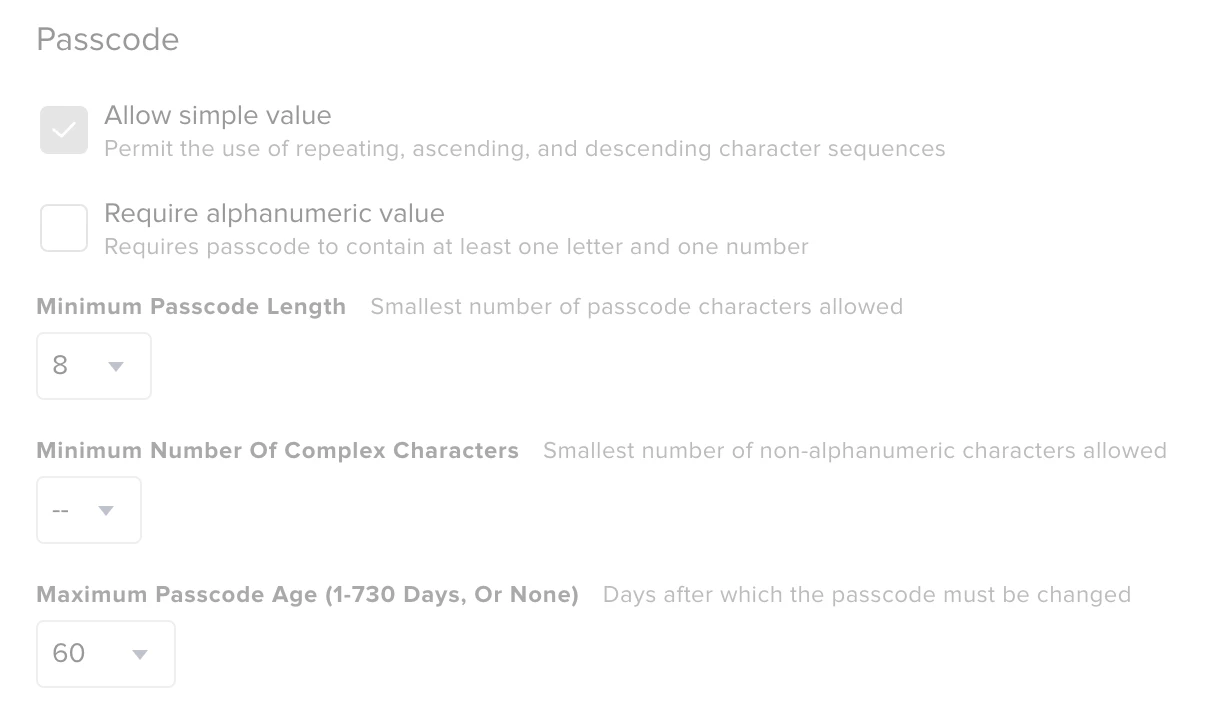
This has not occurred when I used this prestage on 10.13 or 10.14. I only have minimum passcode length and maximum passcode age set in the prestage profile.

Any suggestions?
Best answer by rlindenmuth

Found the fix for this. I changed Maximum Passcode Age to None and now I can log in.

3 replies

Forum|alt.badge.img+6
  • Author
  • Contributor
  • Answer
  • January 14, 2021

Found the fix for this. I changed Maximum Passcode Age to None and now I can log in.


Forum|alt.badge.img

I'm facing the same issue on our Big Sur Machines. Tried looking into your fix but I'm not seeing a "Maximum Passcode Length." Rather, I see "Minimum Passcode Length" which I had turned on thus I attempted to turn off that setting in a test policy, scoped to my Big Sur machine and still no luck. Any attempt to log into the management account causes macOS to prompt for a password reset.


Forum|alt.badge.img+6
  • Author
  • Contributor
  • March 2, 2021

Sorry.. I had a typo in my fix post. The correct field is to set to None is "Maximum Passcode Age". I changed it from 60 days, to None. I've corrected the earlier post.