Question

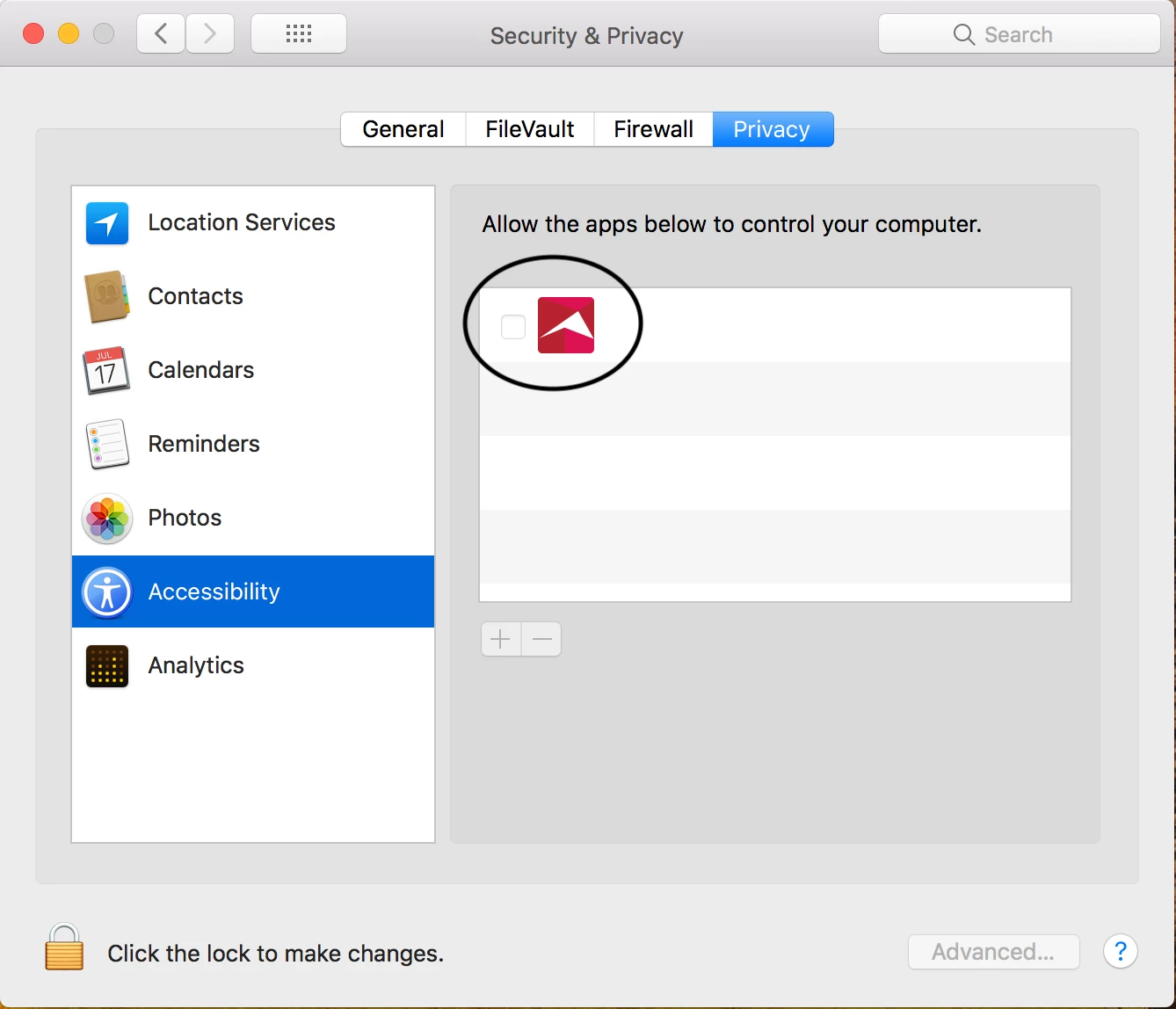
Allowing Security & Privacy - Privacy - Accessibility : Allow the apps below to control your computer

  • September 10, 2018
  • 30 replies
  • 260 views

Forum|alt.badge.img+8

Hey Guys!

Not sure if this is possible anymore, but is there a script/command to use to allow an app for Accessibility? Trying to see if this is possible since our lab machines do not allow admin access.

macOS 10.13

Thanks all!
30 replies

Forum|alt.badge.img+16
  • Honored Contributor
  • September 10, 2018

This is unfortunately no longer possible.


Forum|alt.badge.img+8
  • Author
  • Contributor
  • September 11, 2018

@hkabik I wonder if I can capture the setting in Composer after installing the software


mm2270
Forum|alt.badge.img+24
  • Legendary Contributor
  • September 11, 2018

No, I don't think that will work either. It's stored in a sqlite database, not a regular plist file or other simple setting first off. Second, the location where it lives is protected by SIP if I'm not mistaken, which is the main problem and why it can't be changed. So, sadly, managing this programmatically is no longer an option.


Forum|alt.badge.img+3
  • New Contributor
  • October 17, 2018

Hello World, SO, this means that this feature is NO longer modifiable even via JAMF? Anyone know if some genius out there is working on a solution?

Ciao


Forum|alt.badge.img+1
  • New Contributor
  • October 24, 2018

DITTO! As always, our end users ignore the prompt (smartboard in our case), which means we have to go in after the fact, and it's causing some pain..


Forum|alt.badge.img+15
  • Valued Contributor
  • October 24, 2018

You'd have to update to Mojave to pre-approve this with a PPPC profile


Forum|alt.badge.img+5
  • New Contributor
  • October 24, 2018

Would deploying a TCC/PPPCP configuration profile through Jamf work if you set the targeted app (such as TeamViewer.app) to "Allow" on the Security -> Accessibility TCC setting? I know you can't use a remote app or script to manage it anymore.


kevin_v
Forum|alt.badge.img+10
  • Valued Contributor
  • October 31, 2018

BUMP! Where we at?! We've lost the ability to control systems via TeamViewer for Mojave users who do not have local admin rights...


Forum|alt.badge.img+3
  • New Contributor
  • November 16, 2018

@kevin.v its eluded to above but if your machines are 10.14.x then you can fix this by uploading a custom configuration policy.
Found this persons repository very helpful: (i think it might be @sshort 's)
LINK


Forum|alt.badge.img+15
  • Valued Contributor
  • November 16, 2018

@ben.mcneil it me 😀


Forum|alt.badge.img+2
  • New Contributor
  • December 3, 2018

Bump. Our school updates to the latest operating system - the summer following the release; so we are stuck with High Sierra - and need to approve Google Drive File Stream for students.


Forum|alt.badge.img+1
  • New Contributor
  • January 24, 2019

Bump

I am trying to figure this out, too. I had a profile working that I created in PPPC however it stopped working and I'm not sure why.

Any new information on this?


Forum|alt.badge.img+2
  • New Contributor
  • February 4, 2019

Bump
Still working on this - too. Need to open the System Preferences Panel - Security & Privacy - Privacy.

But not the other panels there (General, FileVault, Firewall).

There is a BLOCKED KERNEL in JamfNation.com - not sure if this is the "lead" or if it is going in another direction.


Forum|alt.badge.img+3
  • New Contributor
  • February 21, 2019

This may be a silly question

If the admin credentials are known, is there not a way of releasing a script that inputs the admin user/password in and then enables the Accessibility control and then locks it again?

This is sounding a bit advanced for Bash but maybe python or applescript?


Forum|alt.badge.img+15
  • Valued Contributor
  • February 21, 2019

@callum.baird82 Any action that simulates clicks requires Accessibility permissions. Doesn't make sense to create a script that needs admin approval/PPPC whitelisting for accessibility... that in turn gives admin approval/PPPC whitelisting for accessibility to another app.


Forum|alt.badge.img+2
  • New Contributor
  • March 3, 2019

Bump


Forum|alt.badge.img
  • New Contributor
  • March 5, 2019

Use this to create a config profile that allows your app - https://github.com/jamf/PPPC-Utility/releases

And see this recent video which is highly detailed on the topic of PPPC - https://youtu.be/Po_h3KdgYmw


Forum|alt.badge.img+15
  • Valued Contributor
  • March 5, 2019

@gmusland If the Macs are on High Sierra, then none of these PPPC approval profiles apply to your org's situation. Anything that is giving you an accessibility pop-up would have to be approved manually by the user in High Sierra (or earlier).

Not sure what you mean here:

There is a BLOCKED KERNEL in JamfNation.com - not sure if this is the "lead" or if it is going in another direction.

Forum|alt.badge.img+5
  • Contributor
  • June 15, 2019

Any way around getting Prey requesting permission to use the camera?


metalfoot77
Forum|alt.badge.img+11
  • Valued Contributor
  • August 26, 2019

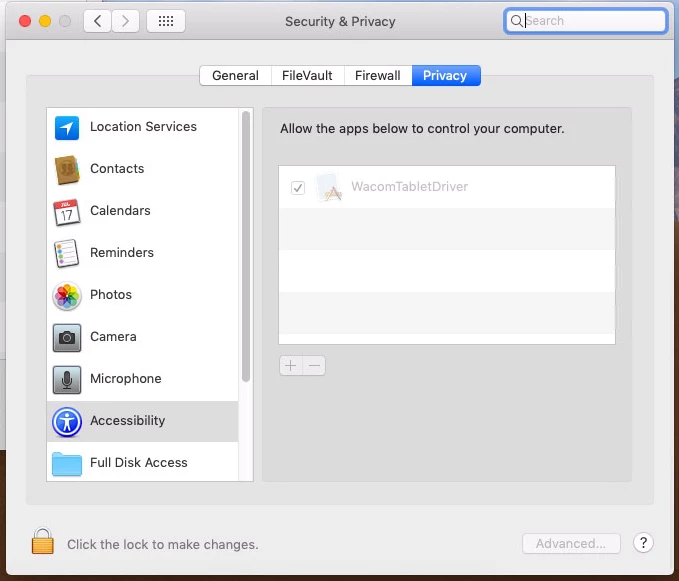
After using the PPPC utility and allowing a bunch of access. The app I want to approve shows in the Privacy->Accessibility pane but does not show a checkmark next to it. How do I get it to "enable" or put a check there?


Forum|alt.badge.img+13

@kricotta The check mark won't show if you allowed it via the PPPC utility. It's a "feature".


Forum|alt.badge.img+12
  • Contributor
  • September 20, 2019

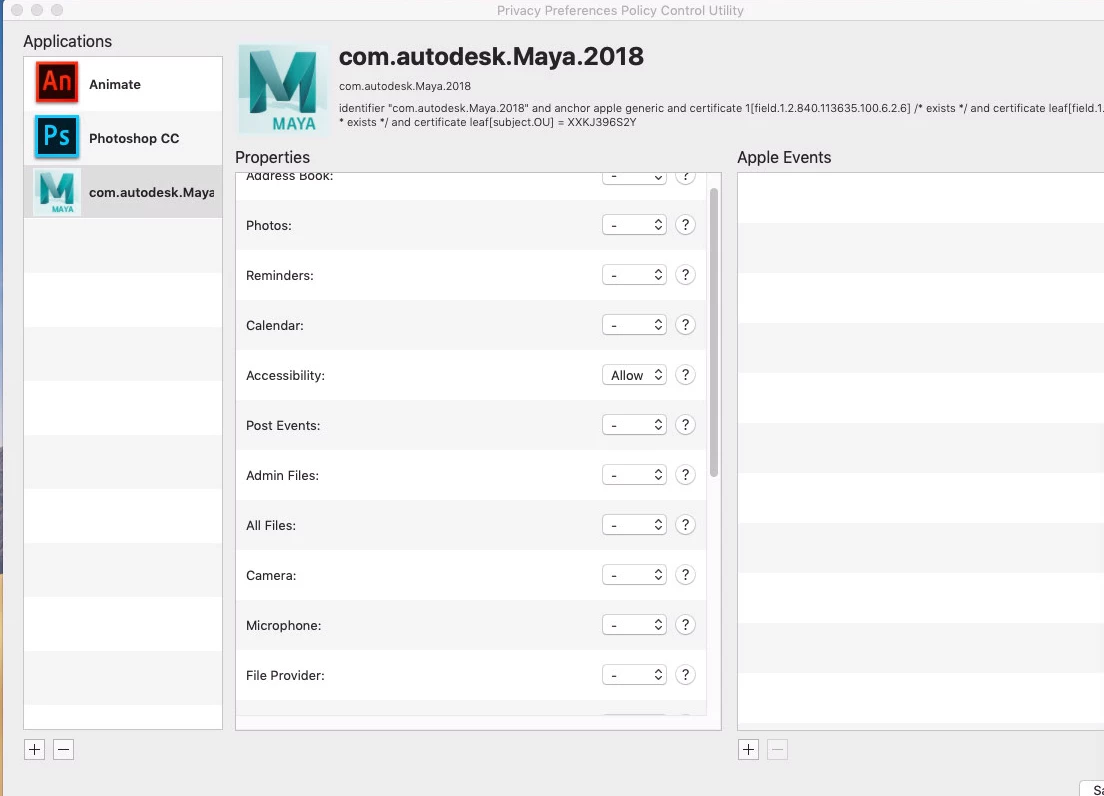
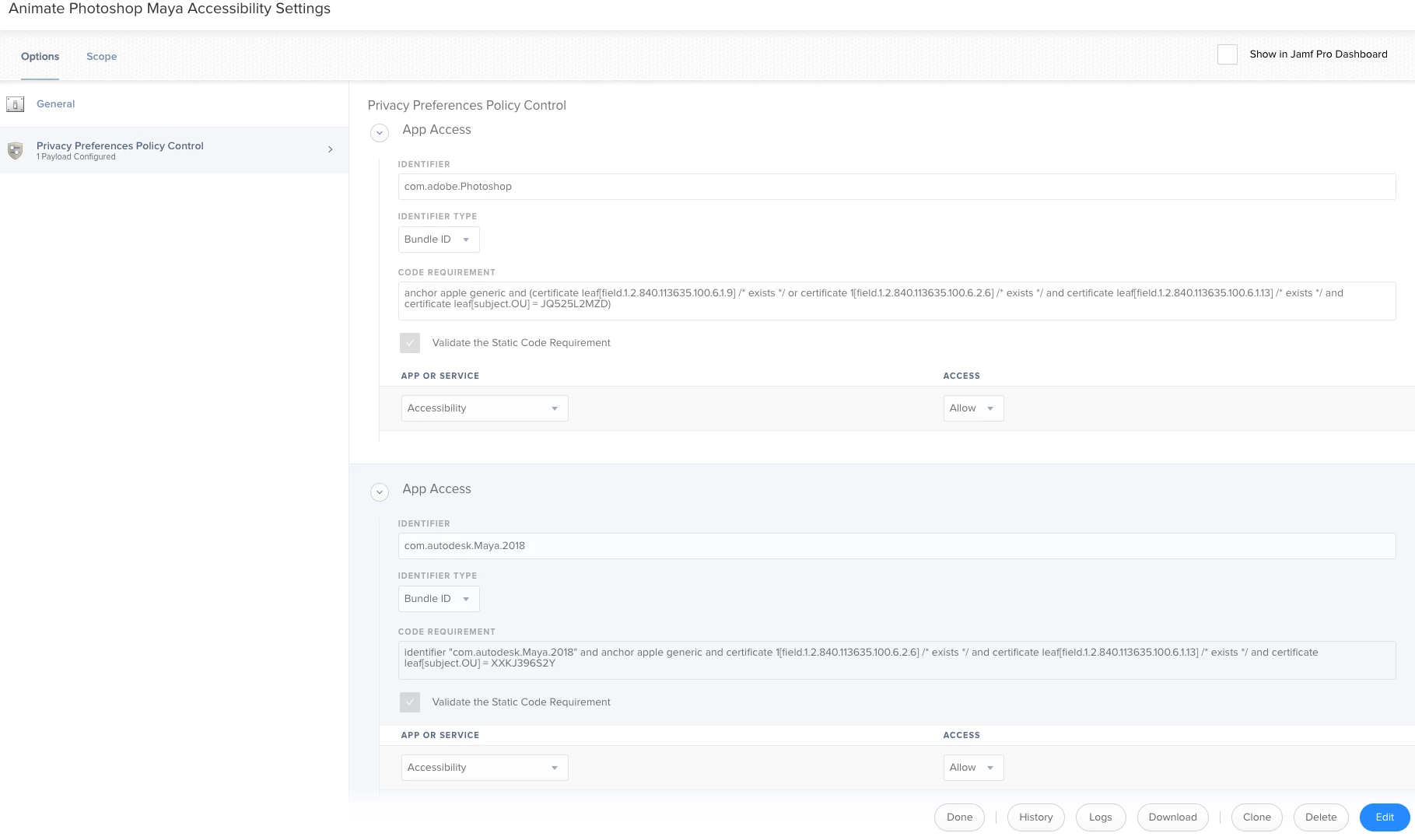
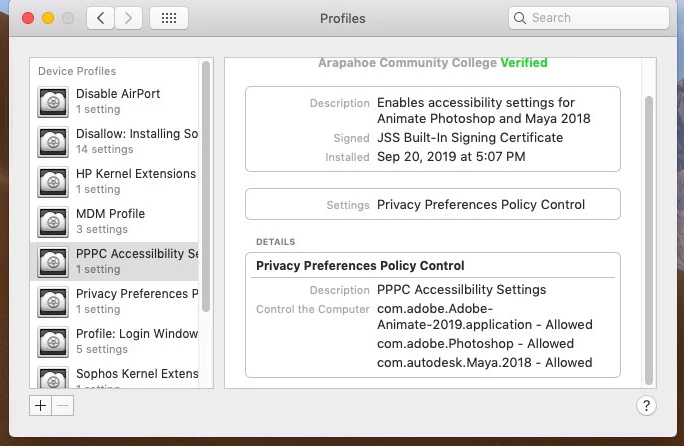
I used https://github.com/jamf/PPPC-Utility/releases . to add Animate, Photoshop and Maya 2018. Unfortunately, the confguration profile did not change a thing.

What am I doing wrong?

JAMF Pro 10.12.0-t1555503901


Mojave 10.14.6


Forum|alt.badge.img+12
  • Contributor
  • September 23, 2019

This seemed like a very simple process. Apparently I am missing something.


Forum|alt.badge.img+12
  • Contributor
  • September 24, 2019

Was informed the changes will not show in the GUI. Which I find ridiculous.


Forum|alt.badge.img+1
  • New Contributor
  • April 22, 2020

I would like to bump this as it was the best solution I found with the current WFH craze and people using Zoom for Remote Control support.
I followed the link from @corey.coles https://github.com/jamf/PPPC-Utility/releases, used this utility to add the Zoom application and Allow Accessibility. Once this was distributed via Jamf Pro, as stated, the box was not checked, but I was able to remote control another device without them needing to allow the accessibility.