Question

Apple Education Support - User Images

  • February 17, 2017
  • 17 replies
  • 47 views

Forum|alt.badge.img+9

Can anyone shed some light on what I need to do when it comes to the 'Certificate Download' and 'Upload Additional Certificate' options?

I've went thorough all the docs I can find and the most helpful line is this:
"save the certificate in the appropriate location dictated by your web server vendor."

That just doesn't help me much.

I have our images on an apache2 web server and they working correctly using SSL. They are accessible inside our network and out. When I attempt to add our wildcard certificate as the 'Additional Certificate', I get a message that it has not been uploaded. You can see the process in the pics.

Does anyone had more detailed information on what to do with the certificate I get from the Download button and what certificate to upload as an Additional Certificate?
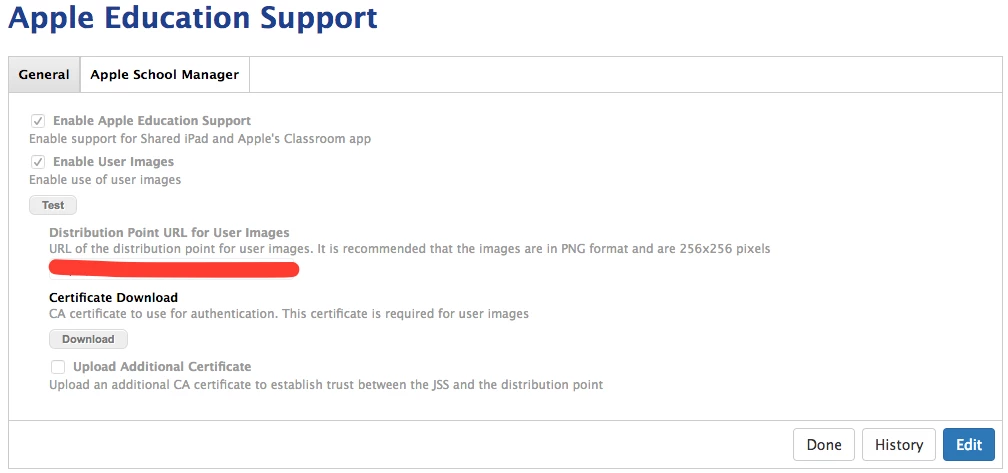
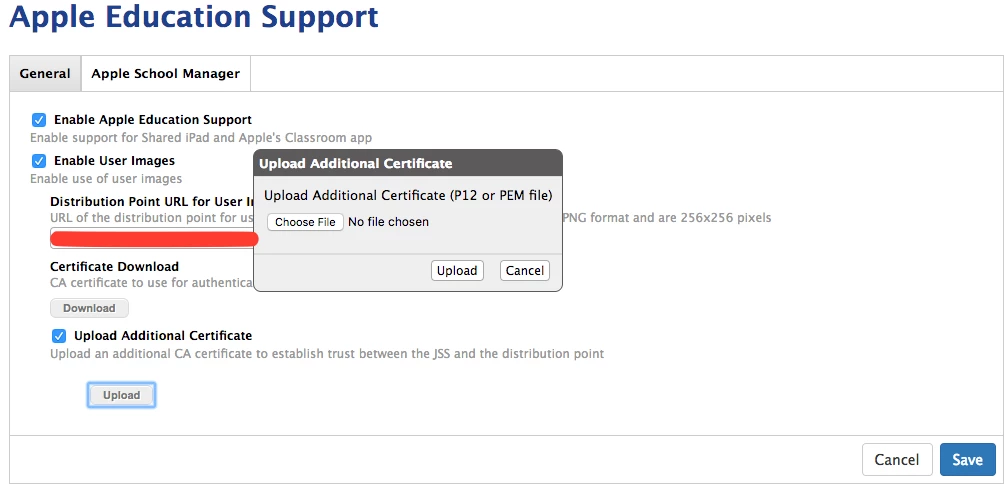
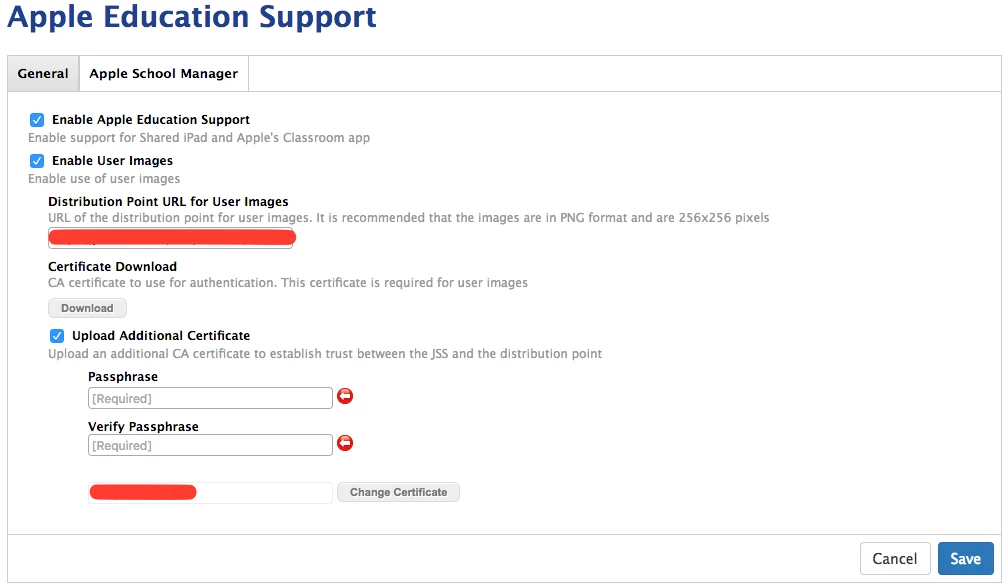
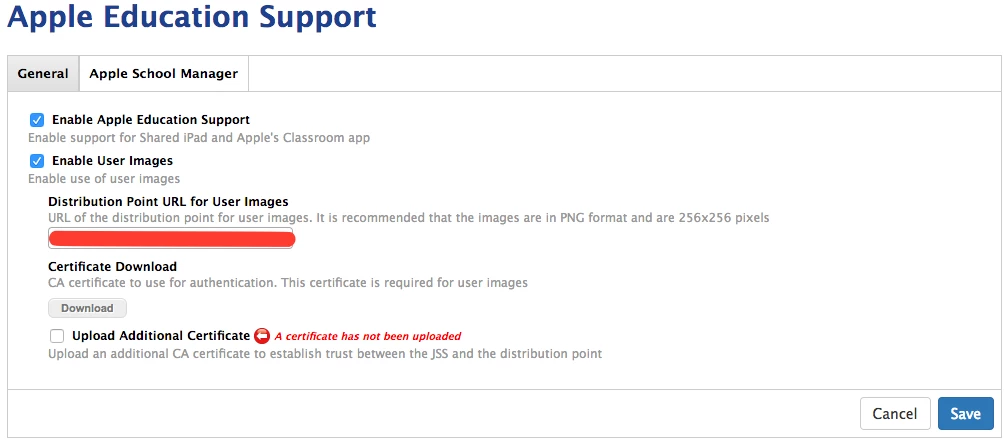
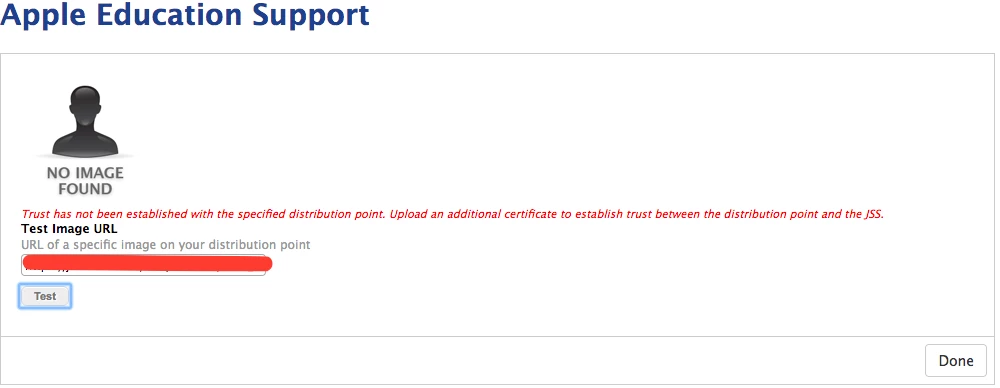
When I use the test button and use a valid url to a user image, I get this:

17 replies

russeller
Forum|alt.badge.img+15
  • Valued Contributor
  • February 18, 2017

@luke.reagor this was tricky, but I got it working. JAMF support provided me some documentation that got it all working for me. My first mistake was trying to get it working from a Win2012R2 server. Maybe it's possible but way beyond my understanding of certs. Once I spun up a Ubuntu VM and followed their directions I got it working. Once I get back to my desk I'll post them here.

Are you putting all your images in a single directory? Are the images named in a systematic way? Based on user ID or something similar?


Forum|alt.badge.img+9
  • Author
  • Contributor
  • February 20, 2017

Yes, they're all in a single directory and named systematically. It's on an Ubuntu VM so hopefully the instructions you have will work for me too. :)


russeller
Forum|alt.badge.img+15
  • Valued Contributor
  • February 20, 2017

Hey @luke.reagor,

Here is the document that was provided that helped me set up my Ubuntu VM: here

Ignore the last couple pages that are about setting up IIS (which doesn't work as of now, I think they were a work in progress). Also, don't forget (if you haven't already) when your setting up your URL on the settings pages you posted to put the appropriate variable at the end of the URL (including the extension). ex. https://imageserver.com/studentimages/$USERNAME.png

ASM Reference Here: Casper Admin Guide


russeller
Forum|alt.badge.img+15
  • Valued Contributor
  • February 20, 2017

dup


Forum|alt.badge.img+9
  • Author
  • Contributor
  • February 24, 2017

@ssrussell, Thanks for the info. I already had that part working, so it didn't help with my specific issues. However, I did get some instructions from our TAM that helped further explain how to get the images working. Here's the document:

https://drive.google.com/open?id=0B1G0Rt4a6S4vTldNQ1JRWkVzaE0

Hopefully it may help others.

Unfortunately, this process has helped us discover a problem in our DB that is preventing us from uploading certificates, and therefore causing us to get the errors in the pics above.


Forum|alt.badge.img+13
  • Honored Contributor
  • February 24, 2017

IIRC, there was an issue with uploading a .cer. The fix was renaming the .cer to .der to get it uploaded, not sure if it's relevant here, but worth a try


Forum|alt.badge.img+9
  • Author
  • Contributor
  • February 24, 2017

@LSinNY, I gave it a try, but the upload box only accepts pem or p12. Thanks for the idea though. :)


Forum|alt.badge.img+9
  • Author
  • Contributor
  • March 23, 2017

To wrap up our issue, we found that a chrome extension was preventing us from performing certain actions on the JSS's webpages, including uploading the certs. Once we had the extension problem under control, we could get back to configuring the web server to host the images. While the JAMF photo server doc [https://drive.google.com/open?id=0B1G0Rt4a6S4vTldNQ1JRWkVzaE0](link URL) was extremely helpful, we are using haproxy for load balancing so we had to do things a little different to get it working on that server. Here's the instructions for the haproxy configuration : [https://drive.google.com/open?id=1O_gXyCguULy6Qw_oBA7glhkyQgDOGX4ljaOTqHEzXwA](link URL)


russeller
Forum|alt.badge.img+15
  • Valued Contributor
  • March 23, 2017

Hey @luke.reagor Off topic: I'm looking into using HAProxy in my environment. Can you post any resources that you used for setting up HAProxy for your JSS clustered environment? NBD if you just google-pieced it together I was planning on doing that.


Forum|alt.badge.img+9
  • Author
  • Contributor
  • March 27, 2017

@ssrussell , I'll make a new topic for my haproxy config and tag you in it. That way it's a little better organized and easier to find for others. :)


Forum|alt.badge.img+8
  • Contributor
  • May 15, 2017

Which certificate do you push to devices?


Forum|alt.badge.img+9
  • Author
  • Contributor
  • May 18, 2017

@nethers We didn't push out any specific certs to clients for the photo server. We have two bind statements in haproxy, one for the standard 443 port ( bind :443 ssl crt /etc/ssl/our_wildcard_cert.pem ) which is our wildcard cert, and one for the port we use for the photo server ( bind :9999 ssl crt /etc/ssl/webcert_w_key.pem ca-file /etc/ssl/photoca.pem verify required ).


Green_Giant
Forum|alt.badge.img+3
  • New Contributor
  • November 3, 2022

Has anyone been able to get this to work with a windows Server with IIS?


Forum|alt.badge.img+3
  • New Contributor
  • February 14, 2023

We have an old macOS Mini that is running Server, just for photos. Anyone have any success in using macOS web server for this?


Green_Giant
Forum|alt.badge.img+3
  • New Contributor
  • February 14, 2023

Hey @dogden I are you using this on an on-prem or cloud-hosted JSS? Cloud-hosted instances Jamf had to whitelist my public IP for user images to work.


Forum|alt.badge.img+3
  • New Contributor
  • February 14, 2023

We are hosted with JSS. Thanks for the tip. I will try that.


Forum|alt.badge.img+1
  • New Contributor
  • August 29, 2023

Has anyone been able to get this to work with a windows Server with IIS?


Were you able to get this working? There is no documentation for this it seems like.