Question

Applications not deploying to iPads when pushed via jamf pro

  • Jan 7, 2026 10:22 AM UTC
  • 5 replies
  • 218 views

Forum|alt.badge.img

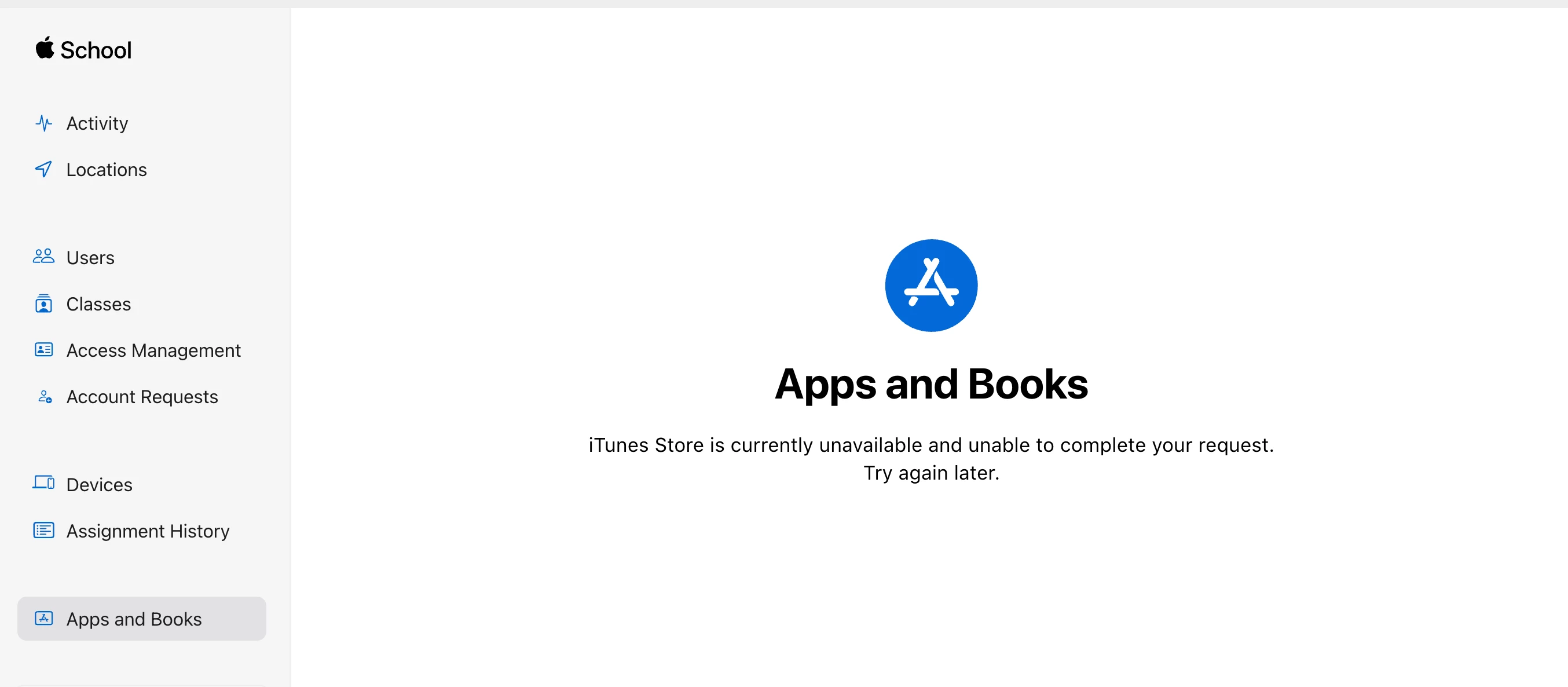
I tried deploying application via smart groups but it says pending All licenses are in use or the license is not assigned yet , issues like these are mostly caused by volume purchase token renewal , but when check through ASM to get the token it shows be the below error in ASM apps and books . Any solution suggestion to this issue or it’s just a generic issue ?


5 replies

ChrisMono
Forum|alt.badge.img+2
  • New Contributor
  • Jan 7, 2026 12:13 PM UTC

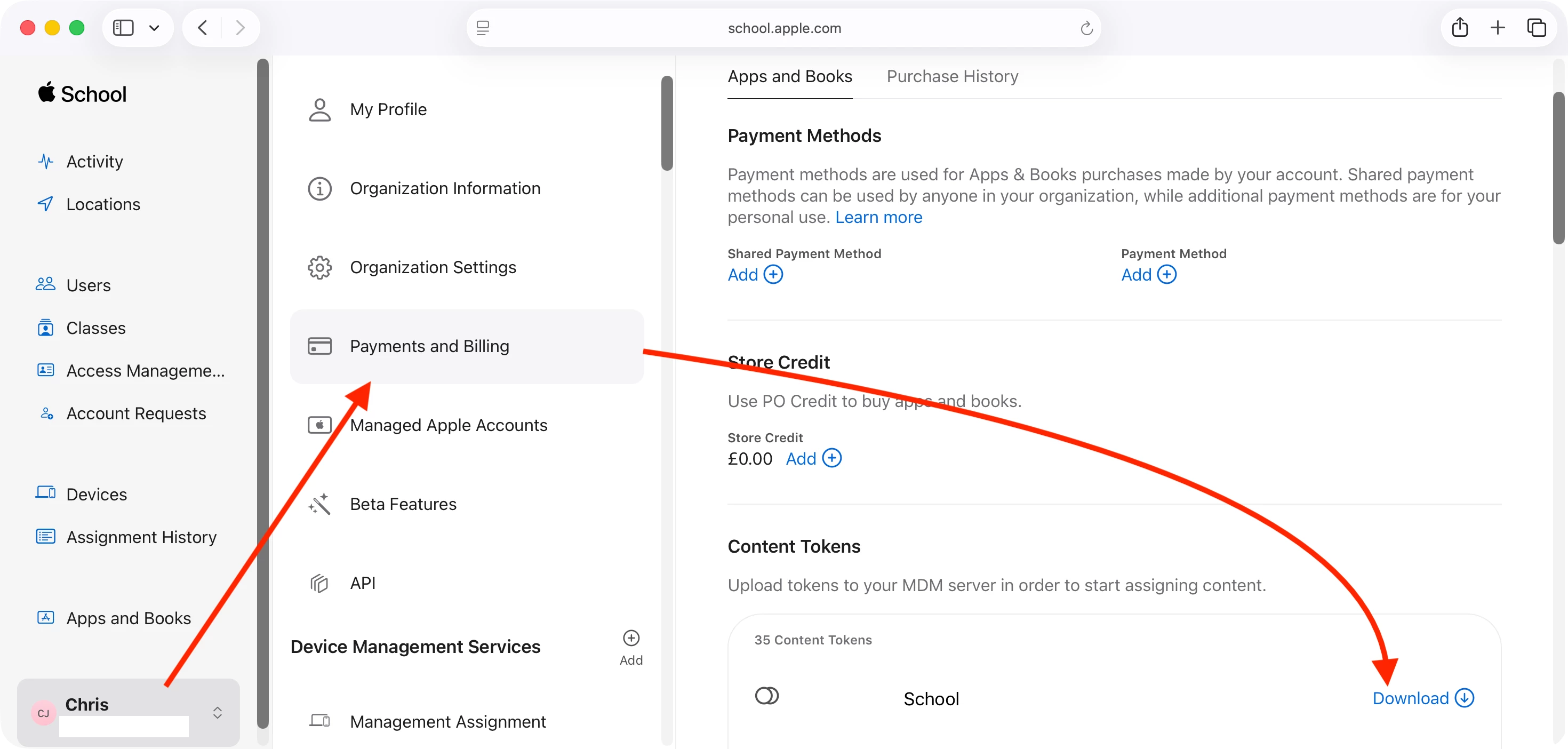
To renew the token in ASM, you need to go to:


Settings (click your name at the bottom of the left column) > Payments & Billing > Content Tokens > [name of your MDM] > Download


Then upload to your Jamf instance.


Forum|alt.badge.img
  • Author
  • New Contributor
  • Jan 7, 2026 12:19 PM UTC

Hi Chrismono ! Thanks for your response

I actually did that earlier , some ipad got the configuration and apps  why some still didn’t get it , so i was wondering if it was a generic issue .


ChrisMono
Forum|alt.badge.img+2
  • New Contributor
  • Jan 7, 2026 12:36 PM UTC

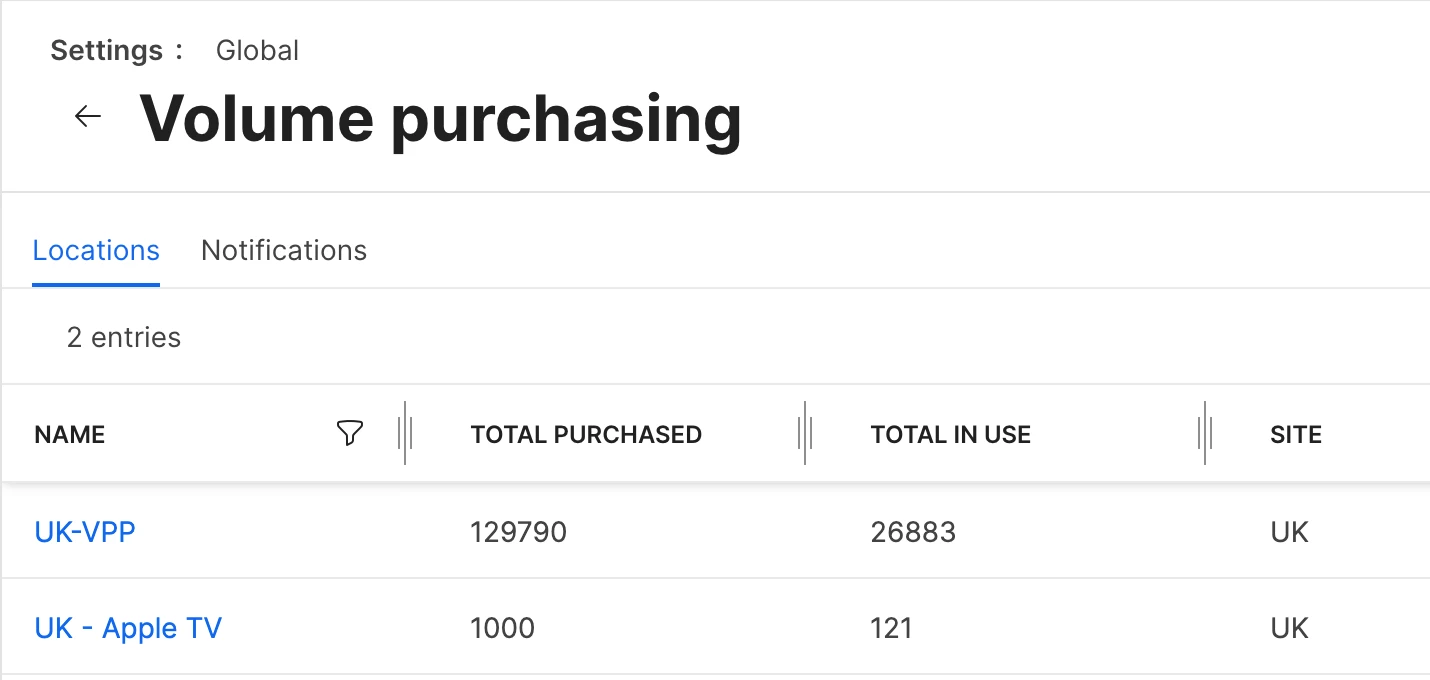
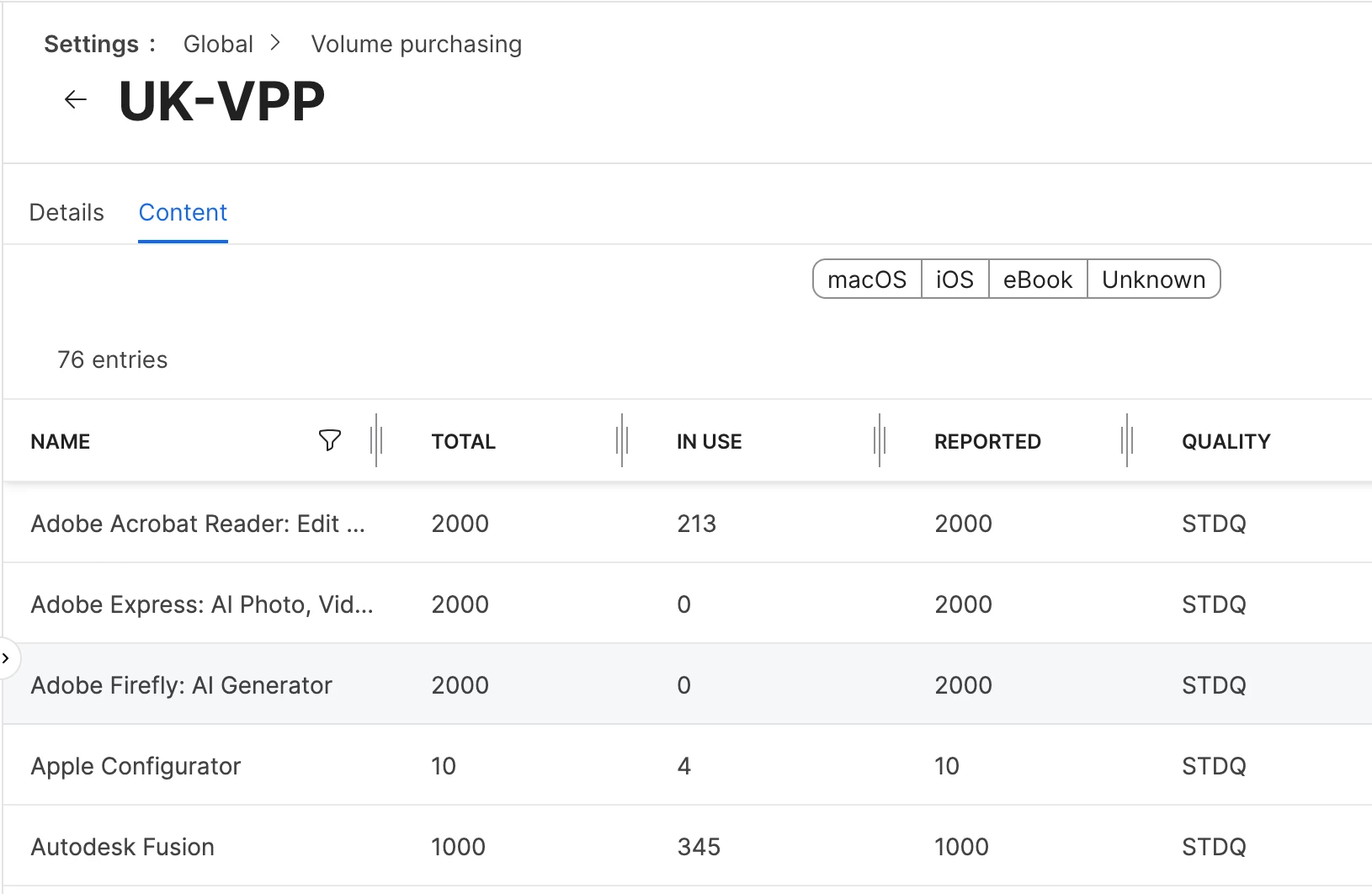
Check that its syncing correctly and all hte purchased apps are showing up.


Not sure if youre using a Jamf Pro or Schools version but in Pro its here:


Settings > Global > Volume Purchasing 


PMullins1
Forum|alt.badge.img+15
  • Jamf Heroes
  • Jan 7, 2026 4:35 PM UTC

I literally just had this issue yesterday. After you verify the token is valid, be aware it can take a while before your Jamf Pro instance to catch up. I waited about a half hour and then tried again, and everything was hunky-dory.

FWIW, I used the AI Assistant to work through this procedure, and it actually helped!


mattjerome
Forum|alt.badge.img+16
  • Jamf Heroes
  • Jan 7, 2026 6:22 PM UTC

Also make sure you have the managed distribution box checked...If I had an amount of money for every time I forgot that, Id have an amount of money!