Question

auto Updation of MS Office apps and macOS on managed devices using Jamf

  • August 29, 2023
  • 6 replies
  • 159 views

PiyushVerma
Forum|alt.badge.img+5

Hi All,

We have got the requirement where we need to push same day update to all MS Office apps and macOS update. We have pushed MS office apps using a complete package with teams.

Thanks

6 replies

mvu
Forum|alt.badge.img+20
  • Jamf Heroes
  • August 29, 2023

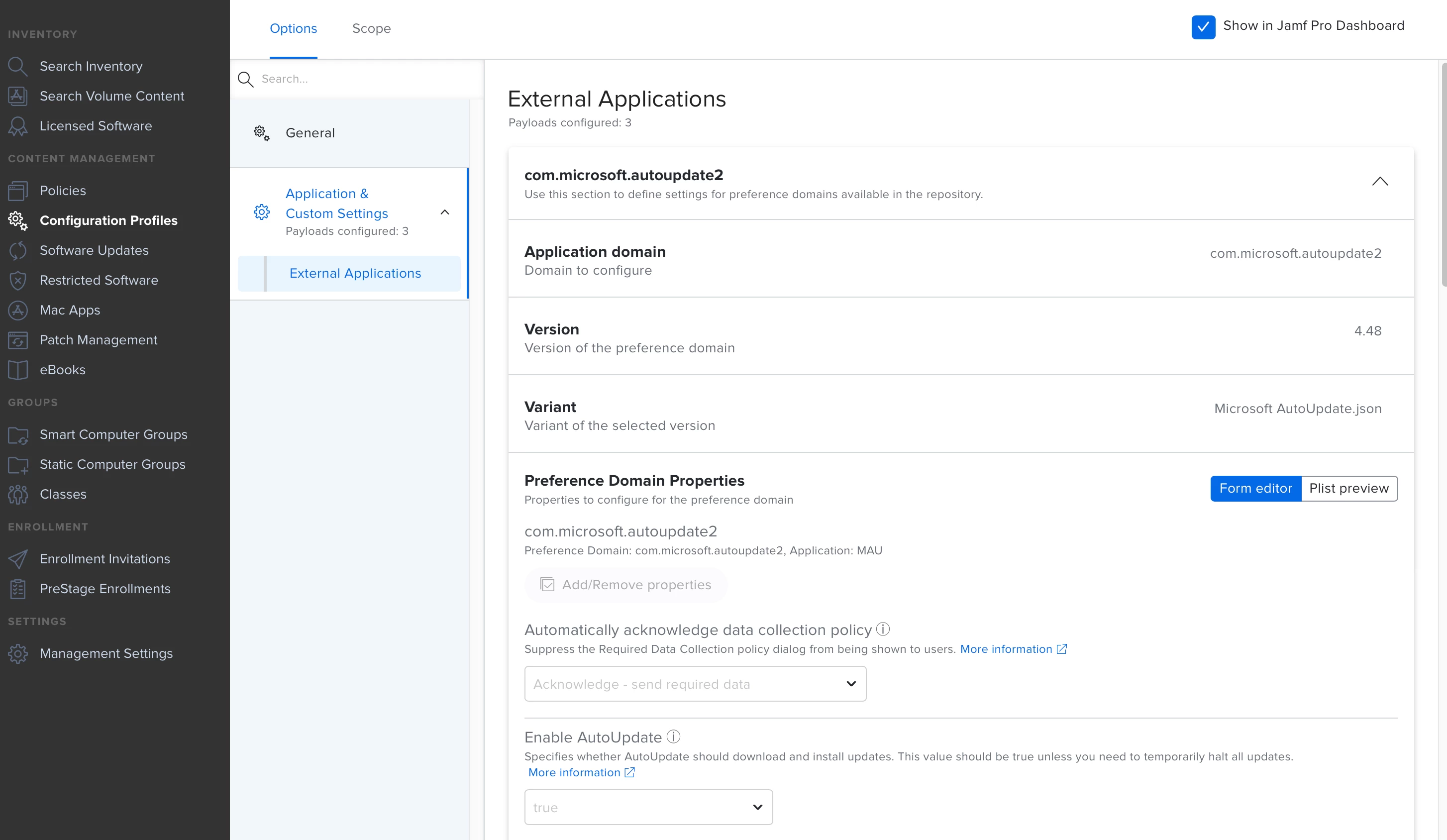
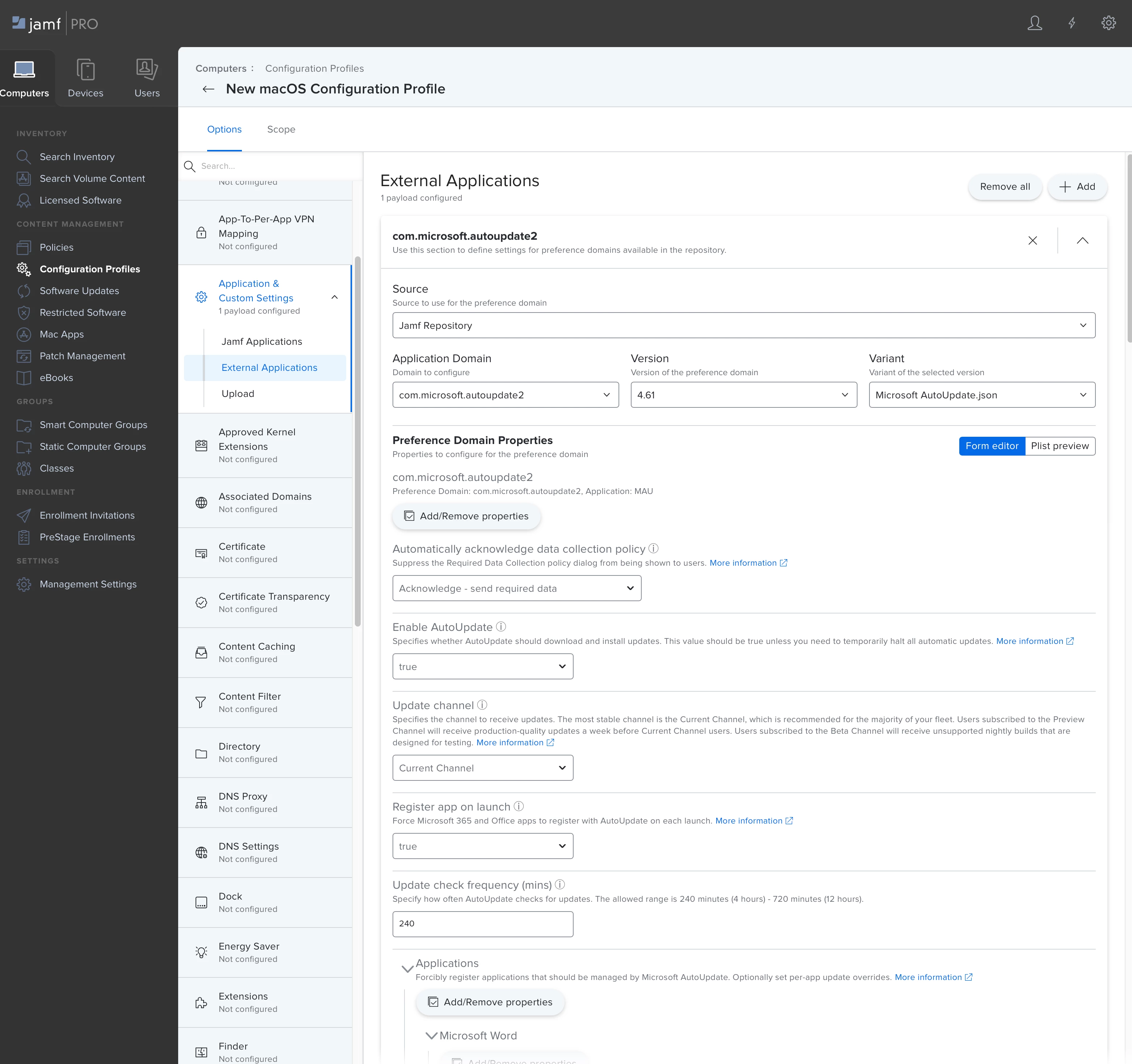
You can use a configuration profile and designate the Macs to use Microsoft's current channel.

Or you could use Jamf's App Catalog to keep these updated. I also use patch management to catch a few stragglers and to view absorption.  


PiyushVerma
Forum|alt.badge.img+5
  • Author
  • Contributor
  • August 29, 2023

Thanks @mvu , Is that all or do we need to add any plist too pl... ?


mvu
Forum|alt.badge.img+20
  • Jamf Heroes
  • August 29, 2023

You can just use the plist from the Jamf Repository. They did the work for you, so it's clean. You'd just define what you and your organization like by going down the list and marking what works for you.

Scope this to a test group, and see how it goes.


AJPinto
Forum|alt.badge.img+26
  • Legendary Contributor
  • August 29, 2023

As @mvu  said, use a configuration profile to manage Microsoft Auto Update. The only "issue" I have had with MAU is if you have any Office apps that came from the AppStore, you will need to remove them and replace them with the Package install. MacApps from JAMF can also do this depending on the approach you want to take.


Forum|alt.badge.img+7
  • Valued Contributor
  • August 29, 2023

As @mvu  said, use a configuration profile to manage Microsoft Auto Update. The only "issue" I have had with MAU is if you have any Office apps that came from the AppStore, you will need to remove them and replace them with the Package install. MacApps from JAMF can also do this depending on the approach you want to take.


We had this issue too, along with Office apps that didn't update properly for some reason. What we did was a sledgehammer solution, where we scope a policy to a smart griup that contains devices with a too old version. The policy runs the Installomator script to install the office apps, with flags set to force update, ignore app store apps and kill any blocking processes. The only issue we had with this approach is that Teams sometimes doesn't terminate properly and Installomator fails. But in general, a very high success rate with this approach, although it's a bit intrusive.


PiyushVerma
Forum|alt.badge.img+5
  • Author
  • Contributor
  • August 30, 2023

Using Installomator is a good solution but we need to run that policy every fortnight or monthly manually. Here the business demands is as soon as updated are available it should be pushed automatically to macOS