Question

Automate Apple Events Security & Privacy -> Privacy Tab -> Automation with PPC Utility on Catalina

  • February 28, 2020
  • 2 replies
  • 138 views

Forum|alt.badge.img+6

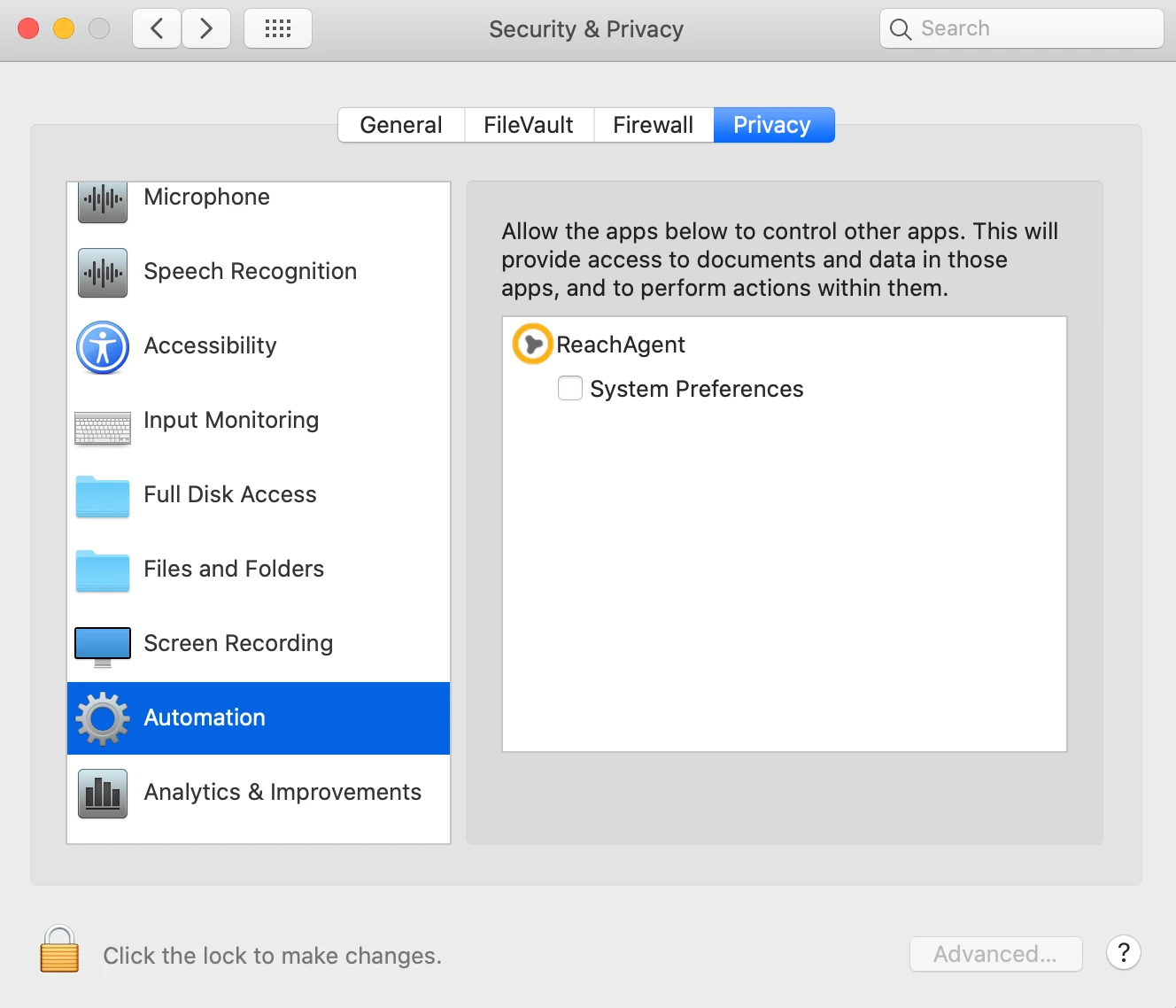
Im trying to create a configuration profile to deploy via Jamf that will check off the automation option under System Preferences -> Security & Privacy -> Privacy -> Automation

I would like to allow the Symantec CloudSOC (Reach Agent) application to control other apps. I don't want users to have the ability to uncheck this nor choose to not allow.

I'm currently using the Jamf PPPC Utility but still not getting the results i need

2 replies

Forum|alt.badge.img+7
  • Valued Contributor
  • August 10, 2020

@kaysp3cial did you end up finding a solution to this? I'm having the same prompt with Enterprise Connect


KretZoR
Forum|alt.badge.img+4
  • New Contributor
  • October 14, 2020

To allow applications in the "Automation" section you can use the PPPC tool and add the application to "Apple Events" as suggested in this post: https://www.jamf.com/jamf-nation/discussions/30043/outlook-cisco-jabber-privacy-preferences

Worked for me! :)