Solved

Avoid App Installation prompt for iOS

  • April 25, 2019
  • 6 replies
  • 120 views

Forum|alt.badge.img+3

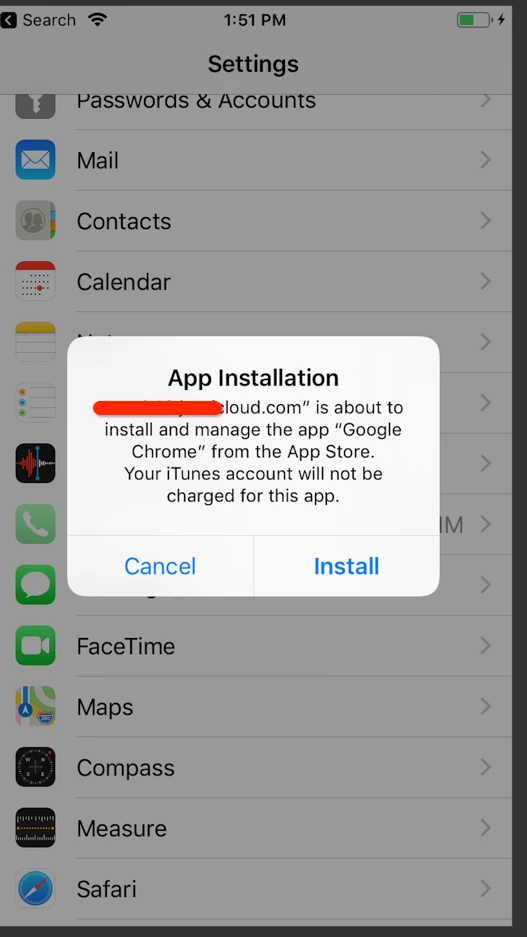
Is there a way to avoid being prompted on iOS to install apps. I'd like for the apps to automatically install without being prompted. Prompt attached.
Best answer by Krbonus

Yeah, I think my guess here is that those iPads might not be supervised, meaning not in your DEP? iPad could've been purchased on a 3rd party.


6 replies

Forum|alt.badge.img+14
  • Valued Contributor
  • April 25, 2019

You need to buy VPP licenses for the app and then check the VPP box in the app.


Forum|alt.badge.img+8
  • Contributor
  • April 25, 2019

You are aware that for supervised devices the installation will be silent if you assing VPP licences?


Forum|alt.badge.img+7
  • Contributor
  • Answer
  • April 25, 2019

Yeah, I think my guess here is that those iPads might not be supervised, meaning not in your DEP? iPad could've been purchased on a 3rd party.


Forum|alt.badge.img+3
  • Author
  • New Contributor
  • April 26, 2019

These were purchased through a third-party and the MDM profile was installed manually. I will look into getting these onto DEP. Thanks!!


Forum|alt.badge.img+7
  • Contributor
  • April 26, 2019

@alex.cisneros best of luck, keep in mind though that if it's purchased through a 3rd party the only way to supervise them is on AC2 so you would need physical access on those iPads.


Forum|alt.badge.img+3
  • New Contributor
  • April 27, 2019

Even after enrolling in DEP with Configurator, there is a 30 day period when the enrollment profile can be removed by the user. An opt out by Apple.
