
Hi all,
I wanted to share a tool I’ve been working on: AxM Jamf Sync.
It syncs AppleCare warranty coverage and purchasing details from Apple Business Manager or Apple School Manager directly into Jamf Pro.
This isn’t a new project — it’s been on GitHub for a while, but I hadn’t posted about it here. I’m sharing it now in case it’s useful to other Jamf admins.
The current release is v3.0.
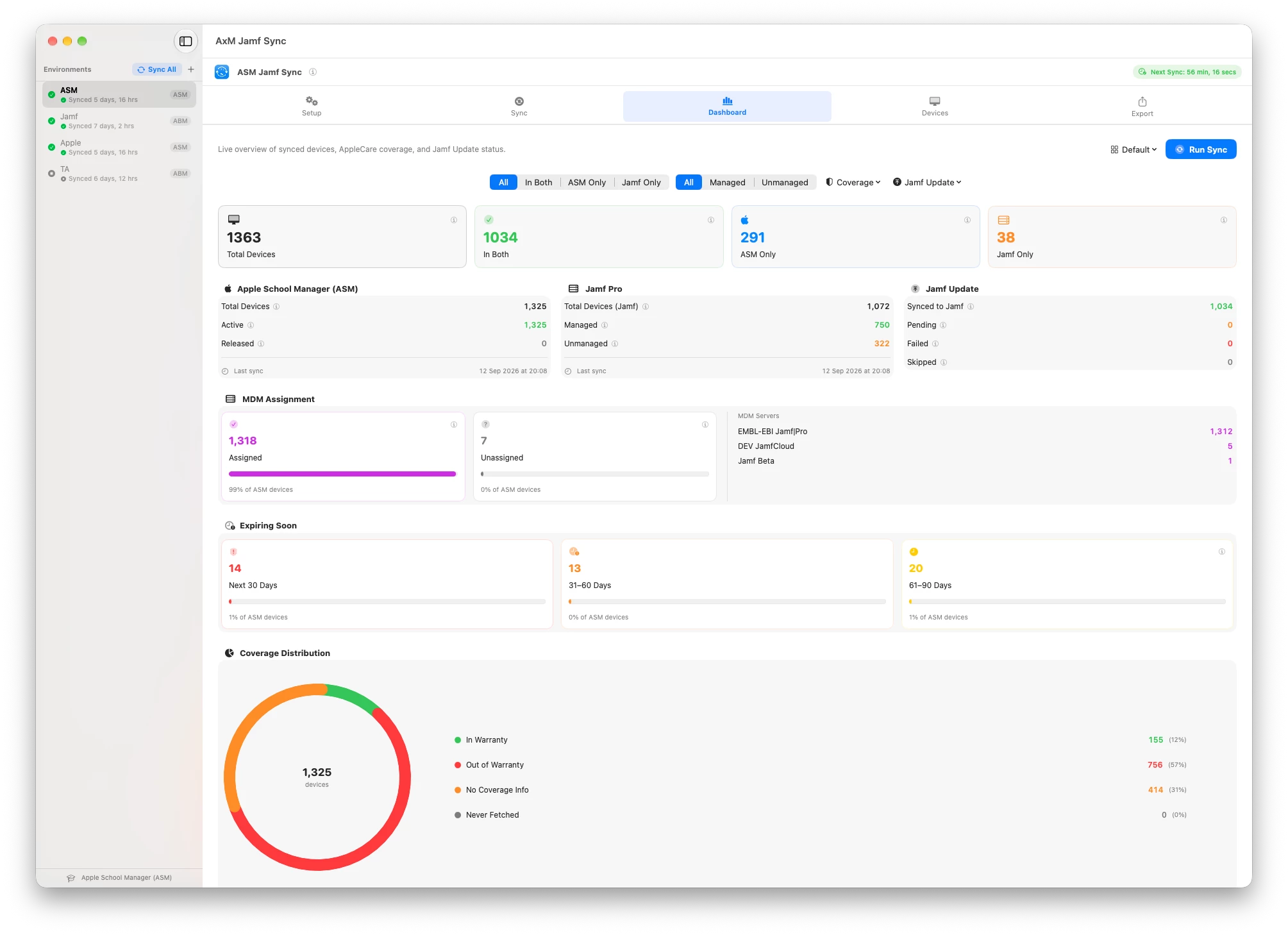
Two ways to use it:
GUI
A native macOS app with:
- Sync management
- Dashboard views for Apple, Jamf Pro, or both
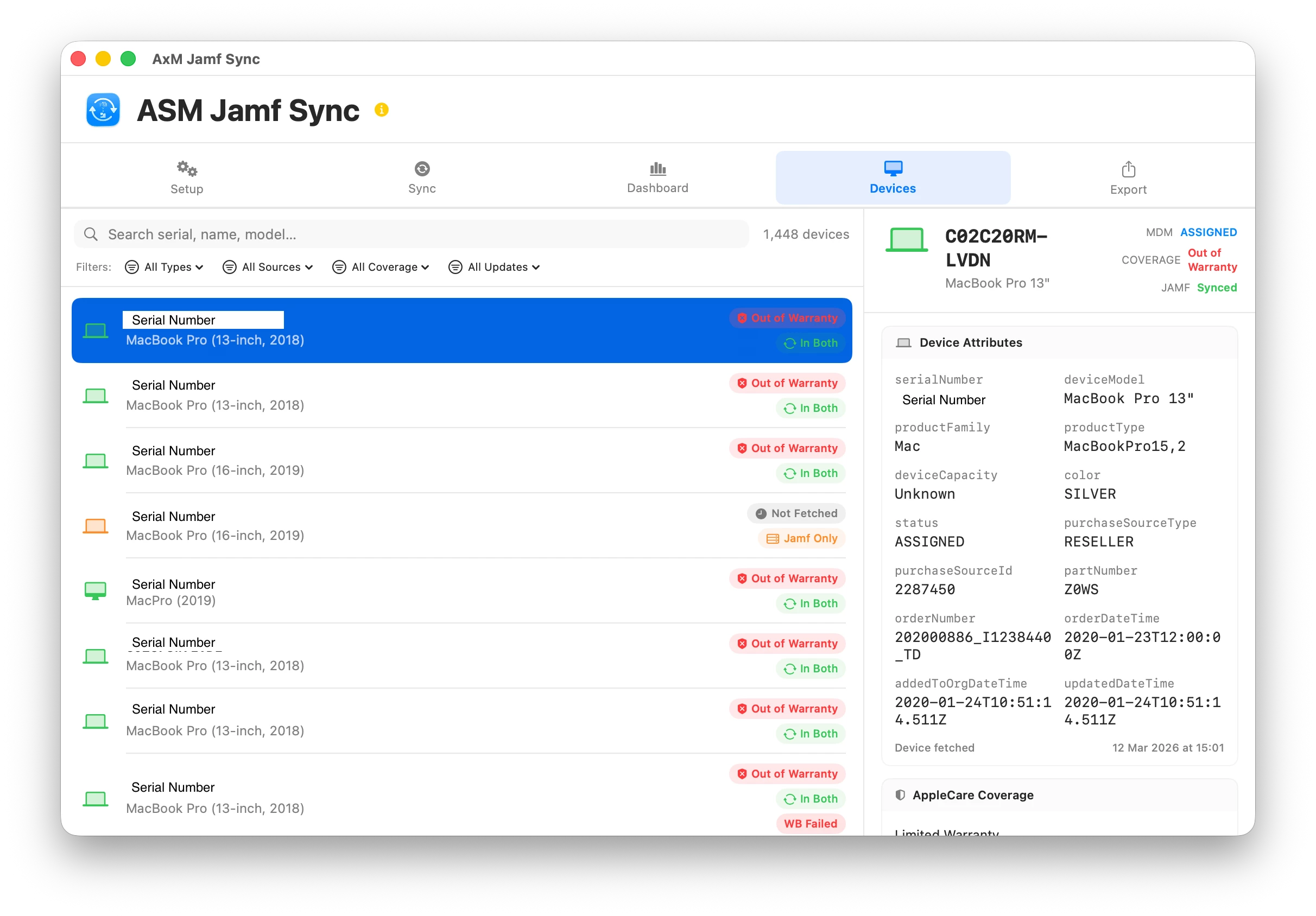
- Searchable and filterable device table
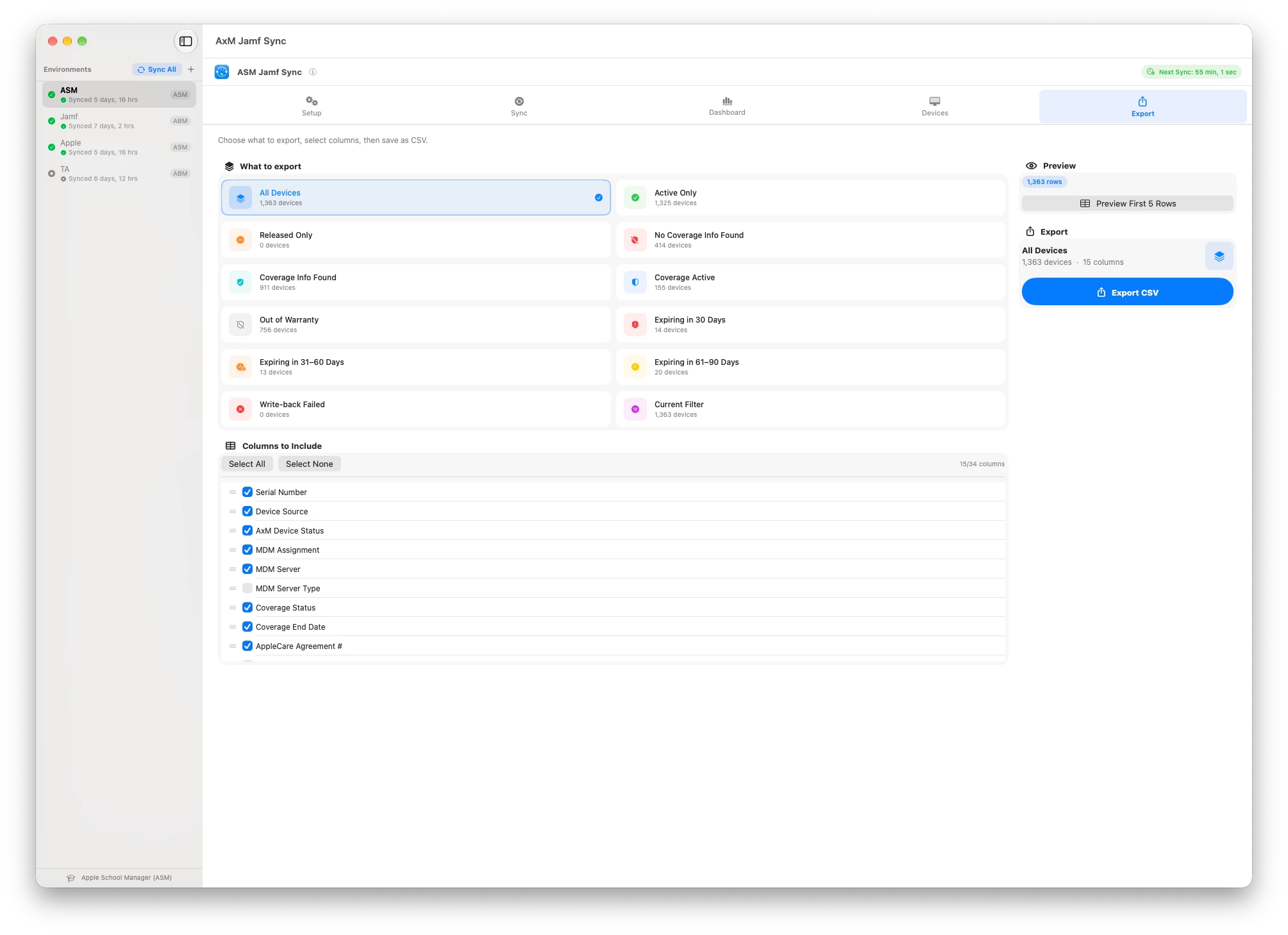
- CSV export
- Multiple environment support
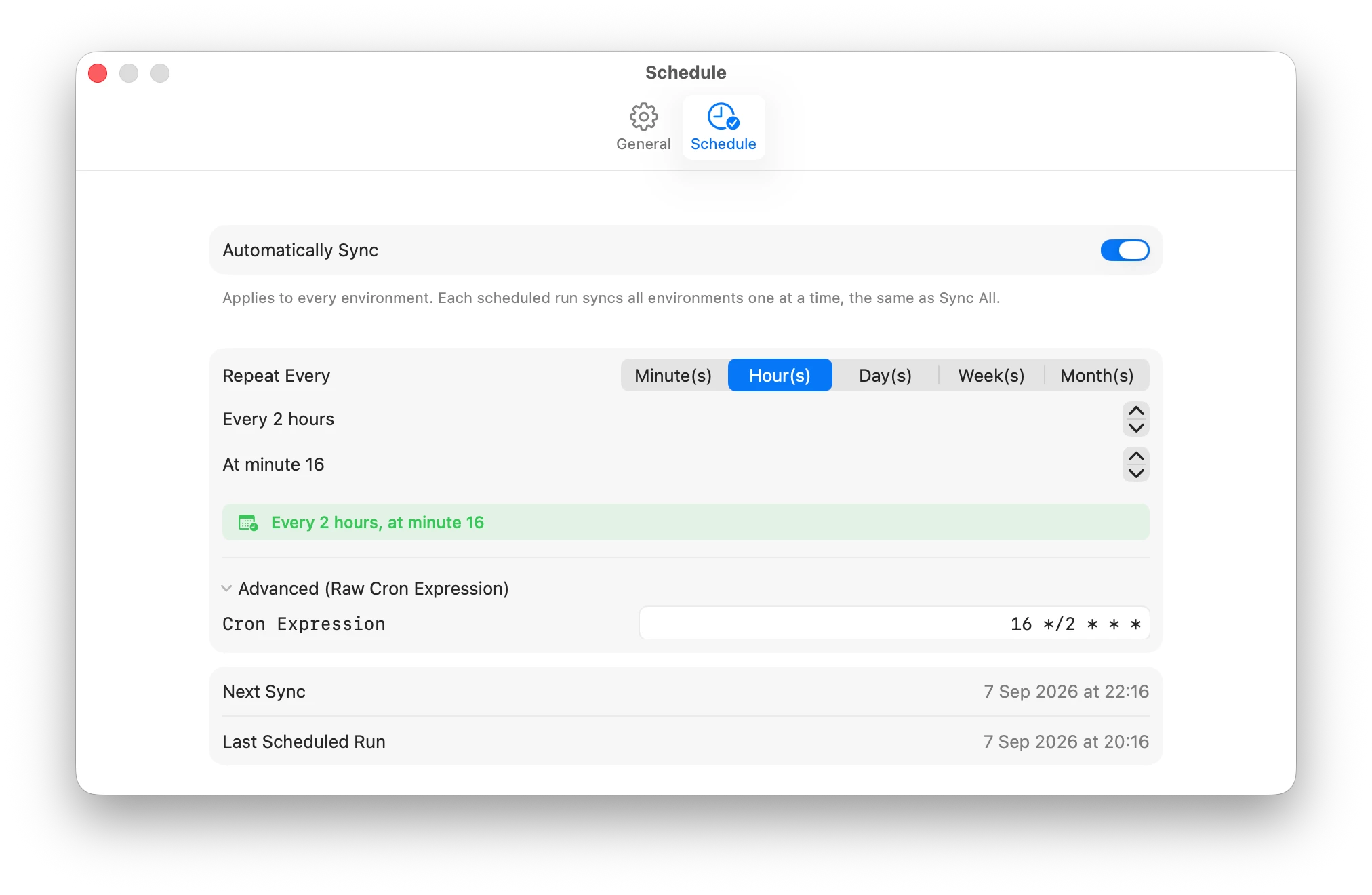
- Built-in scheduling
It’s useful for initial configuration and getting a clear view of where your fleet stands.
CLI:
The same application binary can be run with --silent to perform a full sync without displaying the UI.
It can be used with launchd, cron, or scripts, supports --env to target a specific environment, and returns exit codes for success, partial success, failure, cancellation, bad usage, and missing environments.
Both GUI and CLI modes share the same environments, credentials, and cache, so you can configure everything once in the GUI and then automate it from the command line.
What it does
AxM Jamf Sync is a native SwiftUI macOS application for macOS 14+.
It retrieves device and AppleCare coverage information from ABM or ASM and writes the relevant information directly to matching computer and mobile device records in Jamf Pro using the API.
There’s no need to export a CSV and then use MUT or another import process to update Jamf Pro — the sync happens directly through the API.
It’s free and open source under the MIT licence, and the DMG is signed and notarized.
What gets written to Jamf Pro
- Warranty expiration date
- AppleCare agreement number
- Vendor
- PO number
- PO date
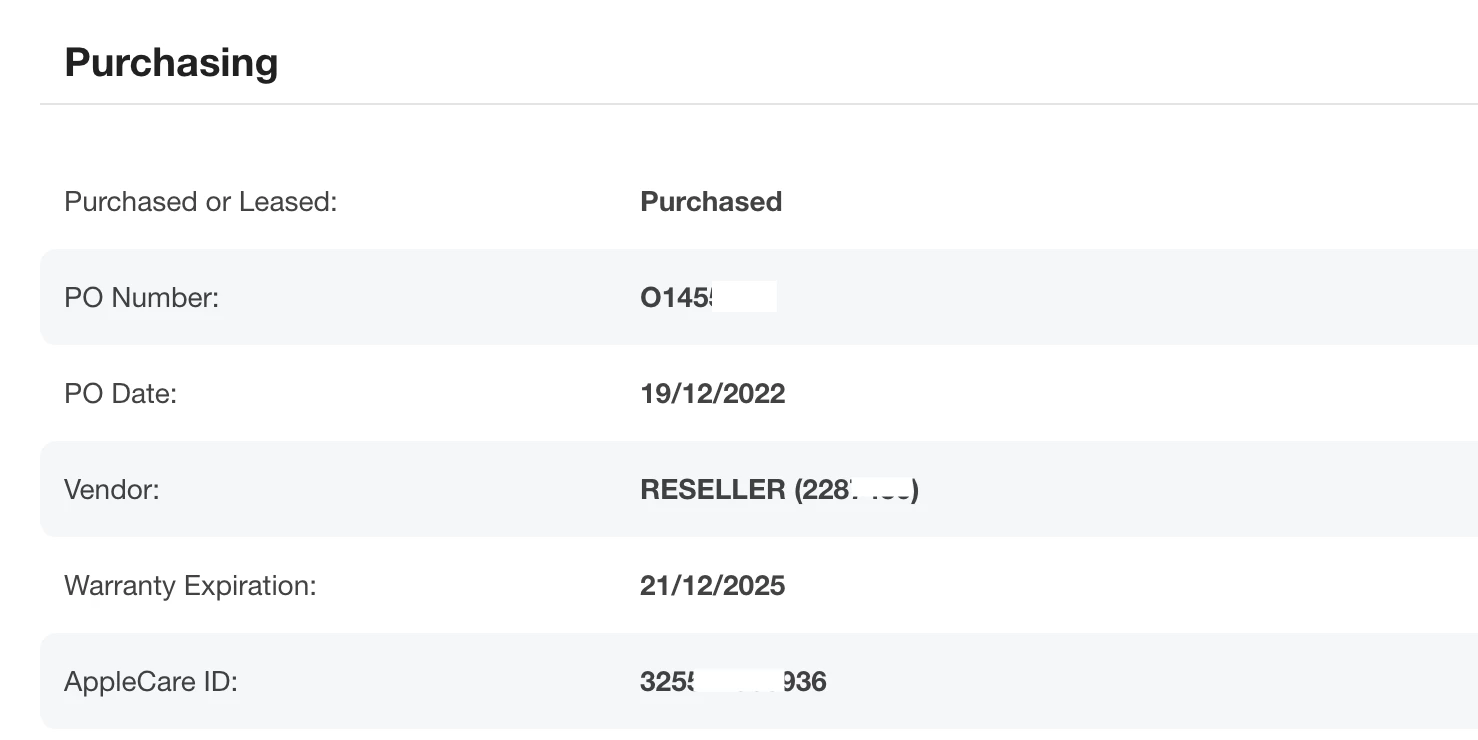
Devices are matched using their serial number.
Both computers and mobile devices are supported, or you can limit a sync to one device type.
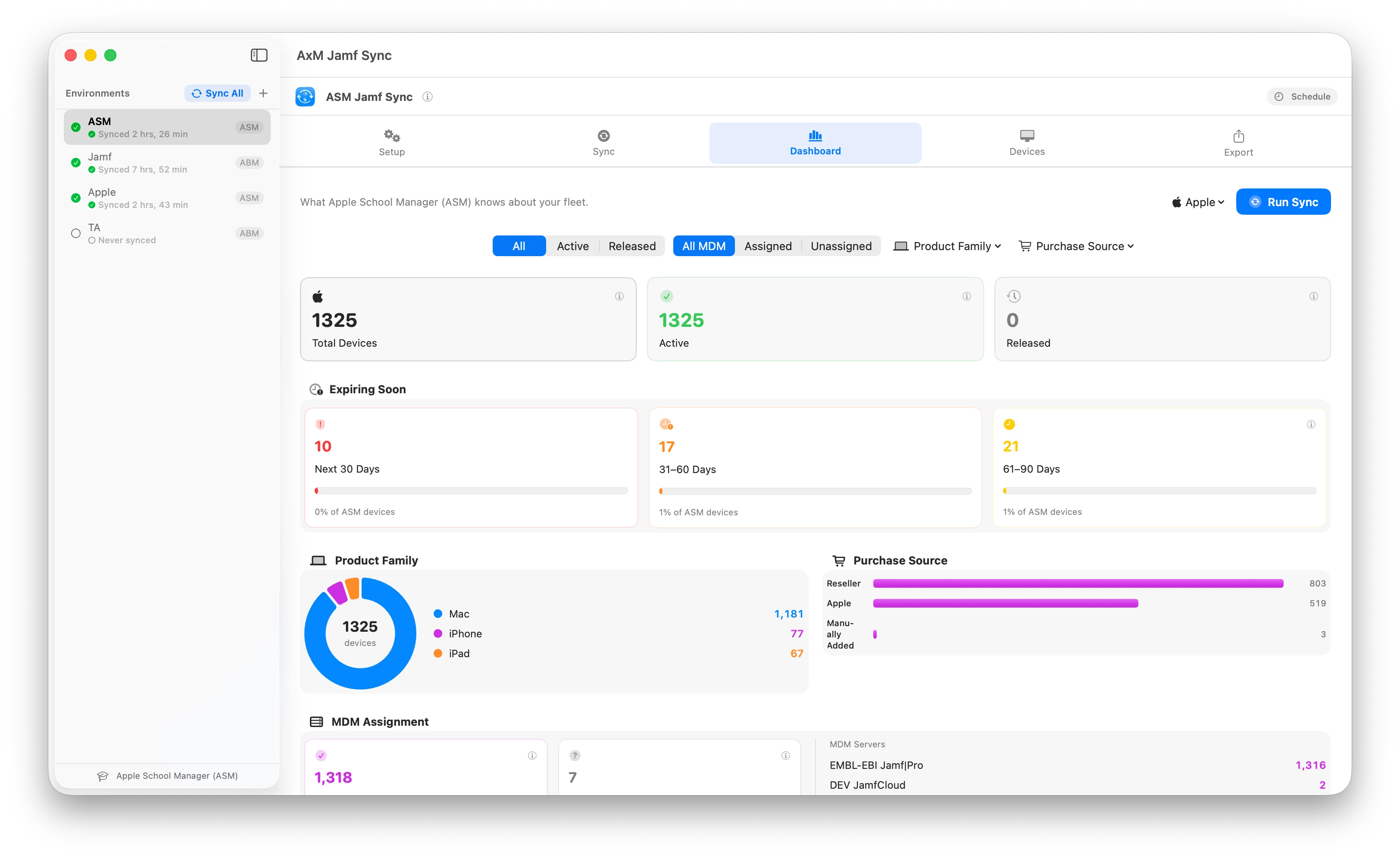
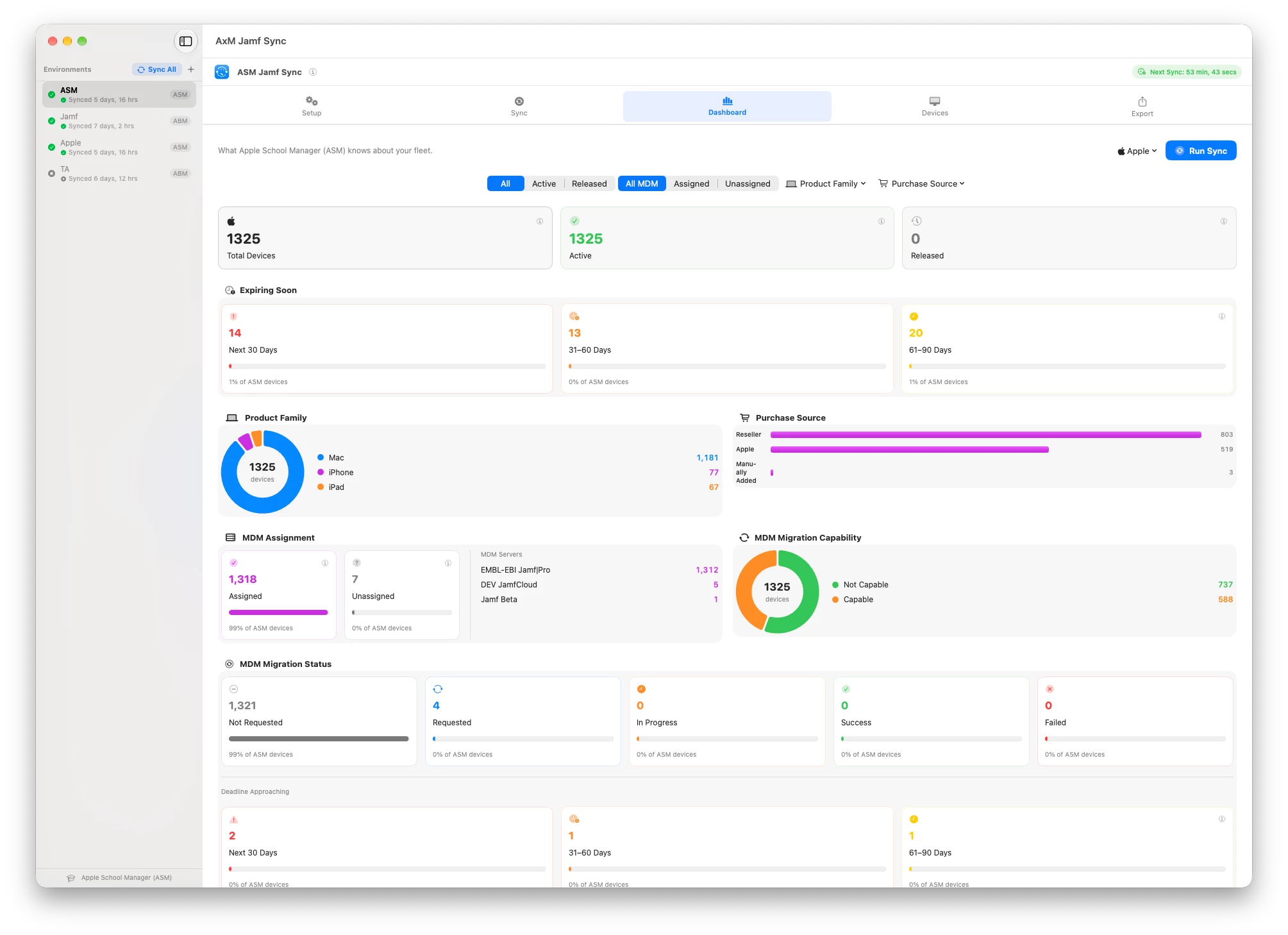
Dashboard: Apple, Jamf Pro, or both
The dashboard has three focus modes:
Default – Apple + Jamf Pro
Shows both sides together, including device counts, coverage breakdown, charts, and last-run statistics.
Apple focus
Shows what ABM/ASM knows about your fleet, including warranty and AppleCare status.
Jamf Pro focus
Shows what Jamf Pro currently holds for those devices.
It’s the same fleet viewed through different lenses, so questions such as “What’s in Apple but not in Jamf?” can be answered without turning it into a spreadsheet exercise.
The dashboard charts drill down into a searchable and filterable Devices table, which can also be exported to CSV using presets and configurable columns.
Built for large fleets
There are a few things specifically designed to make larger environments manageable:
- Device lists and coverage information are cached, so repeat runs don’t need to download everything again.
- A configurable coverage fetch limit caps Apple API calls during each run.
- If the limit is reached, the next run continues where the previous one stopped.
- Devices that have already been checked can be skipped.
- If someone changes the warranty date, vendor, PO number, or PO date in Jamf Pro after a sync, that device is automatically re-queued for processing.
Multiple environments
Each Jamf Pro / ABM pair is treated as an isolated environment with its own credentials and cache.
Sync All lets you queue multiple environments and process them sequentially.\
Scheduling and command line
There are two automation options.
In-app scheduler
A cron-based scheduler with a plain-language schedule builder.
Command-line mode – new in v3.0
--silent performs a complete sync without displaying the UI.
It can operate against all configured environments or a single environment using --env, and returns meaningful exit codes so the result can be monitored by your automation.
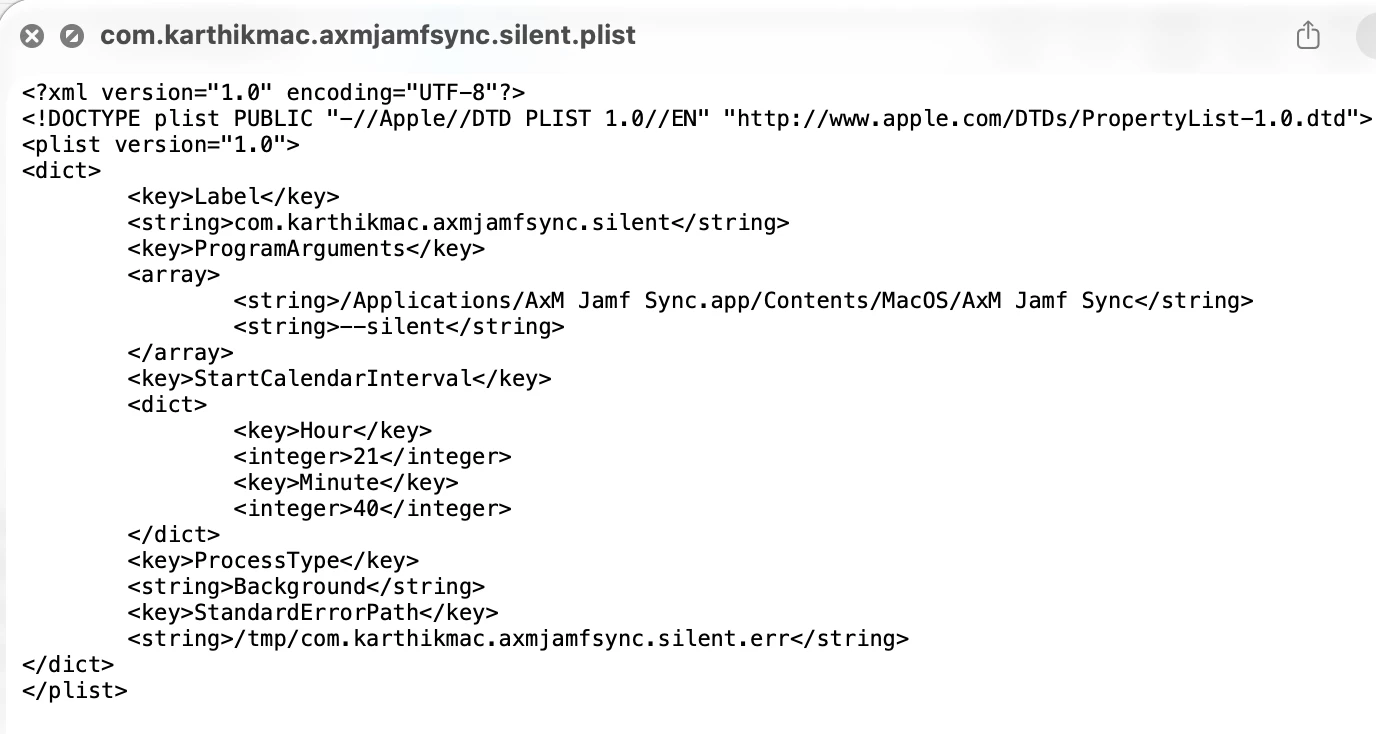
One important detail: it requires a logged-in user session, so when using launchd it should run as a LaunchAgent rather than a LaunchDaemon.
Use either the built-in scheduler or the CLI automation — not both — otherwise you’ll trigger the sync twice.
Also, --silent performs a real sync. There isn’t currently a dry-run mode, so I’d recommend testing against a non-production environment first.
Privacy and security
- Device and Jamf data stays between your Mac, Apple’s API, and your own Jamf Pro server.
- The only additional network connection is an optional once-a-day check against GitHub Releases for application updates.
- The update check can be disabled.
- Credentials are stored in the macOS Keychain.
- The application is sandboxed.
Setup and documentation
Setup instructions, required API permissions, CLI reference, a sample LaunchAgent, and troubleshooting documentation are available on GitHub.
Repository & downloads:
https://github.com/karthikeyan-mac/AxMJamfSync
Wiki:
https://github.com/karthikeyan-mac/AxMJamfSync/wiki
A quick heads-up
I built this with the help of AI tools.
I’ve validated it against a 21,000+ device production environment, but as with anything that writes data back to Jamf Pro, please test it against a small scope or non-production environment first.
Feedback, bug reports, and feature requests are very welcome — please raise them as GitHub issues.
Hope it’s useful to someone else in the community!
AxM Jamf Sync is not affiliated with or endorsed by Jamf Software LLC.