So im seeing a few posts that show some steps for blocking the pop up message in Venture about Background Items added, however I'm not seeming to have much success in blocking this notification. Im working on installing the smart client for Uniflow and am looking to block this notification from showing: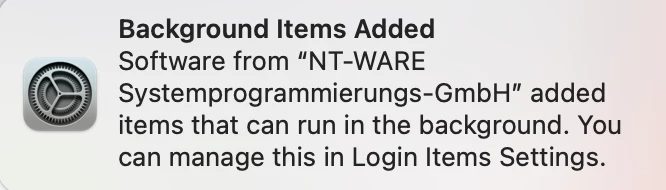
Ive grabbed all the info from the process, and just am trying to make a config profile based on this. Anyone have this successfully blocked already who can chime in?
 UUID: 24282C71-85D9-4058-8CA6-534FF2F0024E
                 Name: uniFLOW SmartClient
       Developer Name: NT-WARE Systemprogrammierungs-GmbH
      Team Identifier: 4M6FV5A8E6
                 Type: legacy agent (0x10008)
          Disposition: [enabled, allowed, visible, not notified] (3)
           Identifier: com.ntware.SmartClient
                  URL: file:///Library/LaunchAgents/com.ntware.SmartClient.plist
      Executable Path: /Applications/uniFLOW SmartClient.app
           Generation: 0
    Parent Identifier: NT-WARE Systemprogrammierungs-GmbH