Background secuirty update

  • March 23, 2026
  • 4 replies
  • 79 views

tdenton
Forum|alt.badge.img+12

Hello


For those running MacOS 26 how are you deploying background security improvements?
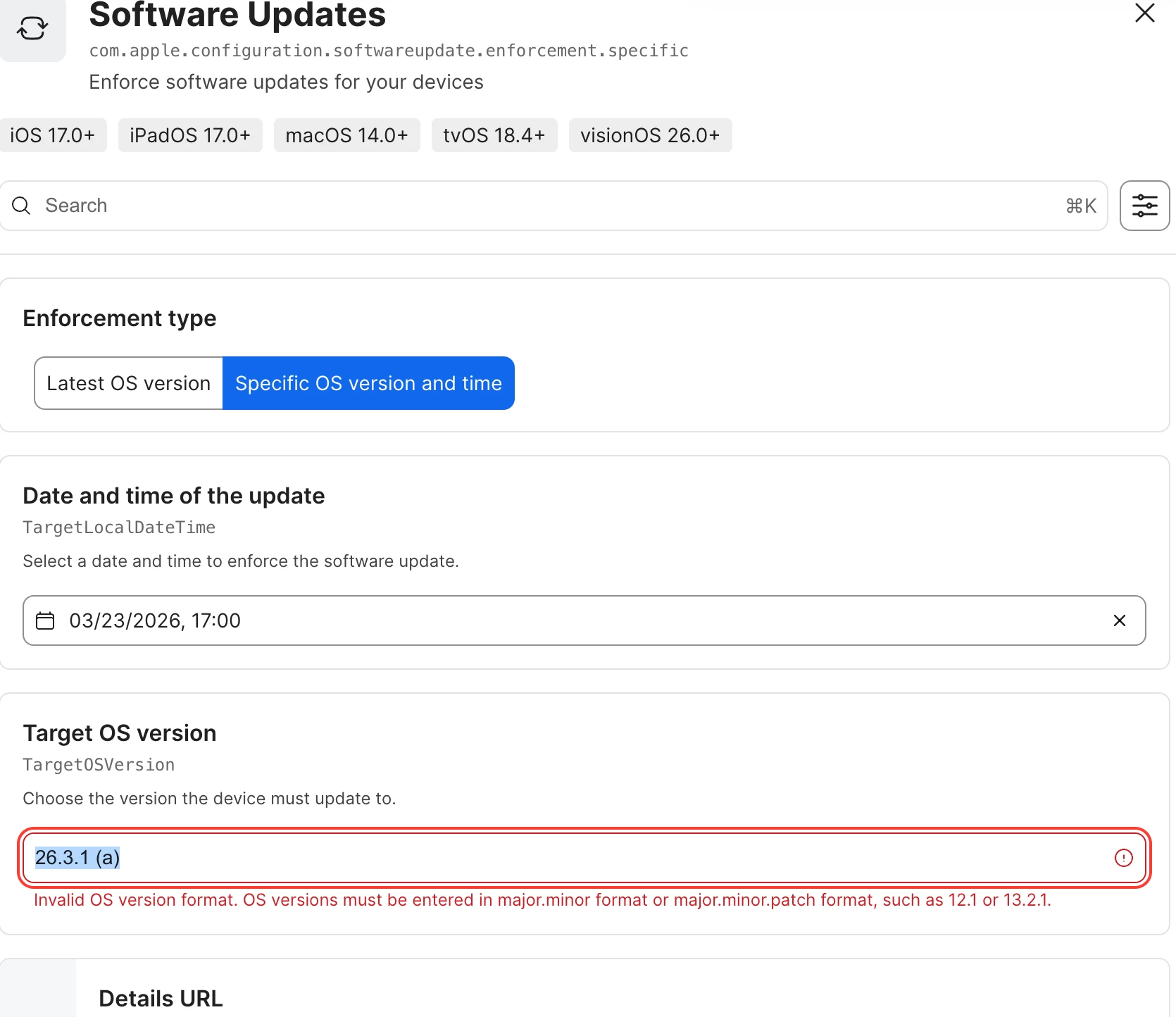
Blueprints doesnt seem to understand the format. https://support.apple.com/en-gb/111333

I could find anything in Jamf blueprint documentation either.


thanks

4 replies

Chubs
Forum|alt.badge.img+24
  • Jamf Heroes
  • March 23, 2026

Allow them to be installed.  Apple will do the magic on the backend - no need to force them via DDU.


tdenton
Forum|alt.badge.img+12
  • Author
  • Valued Contributor
  • March 24, 2026

Have allowed them via blueprints.

Does it allow a user schedule the reboot.

I ran manually on my own Macbook and it did require a restart. From the reading I have done some sugguest it install sliently in the background. I understand its all been deployed in blocks. So even if you are on 26.3.1, it might not install straightaway.


Thanks 


Chubs
Forum|alt.badge.img+24
  • Jamf Heroes
  • March 24, 2026

Have allowed them via blueprints.

Does it allow a user schedule the reboot.

I ran manually on my own Macbook and it did require a restart. From the reading I have done some sugguest it install sliently in the background. I understand its all been deployed in blocks. So even if you are on 26.3.1, it might not install straightaway.


Thanks 

All of ours have required a restart and it happened in the most Apple way possible (notification with a 59 second countdown ha!).  


junjishimazaki
Forum|alt.badge.img+10

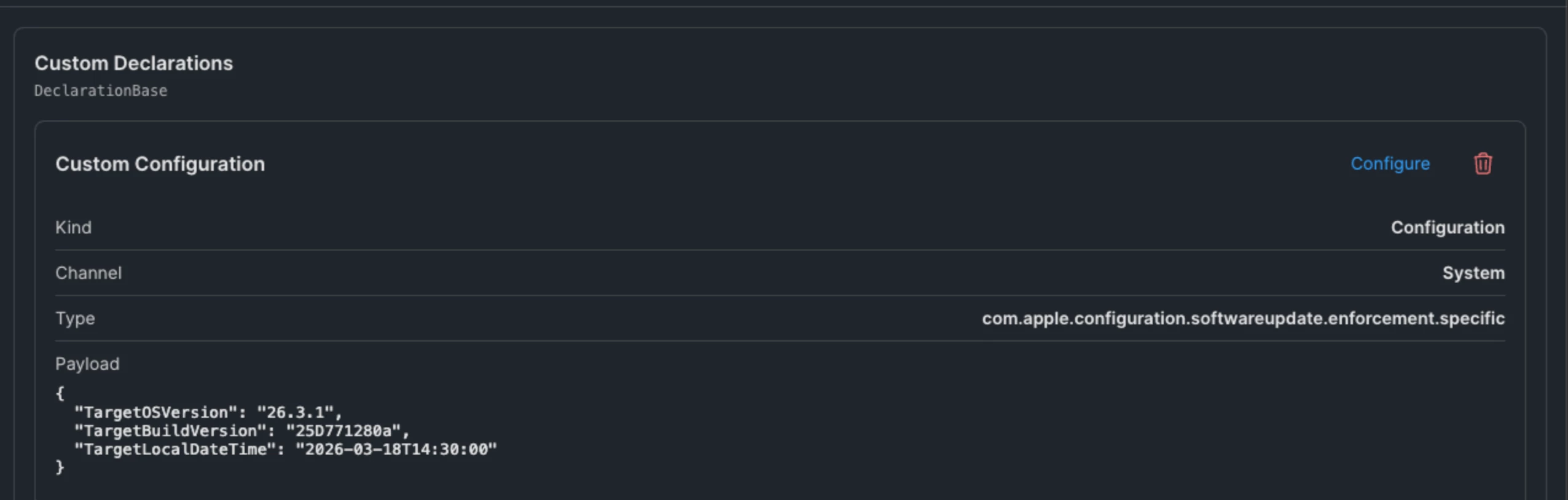
To deploy the Background Security Improvement (BSI) update, in Blueprint you add a custom declaration:


In the custom payload:

{  "TargetOSVersion": "26.3.1",  "TargetBuildVersion": "25D771280a",  "TargetLocalDateTime": "2026-03-18T14:30:00"}


Just note, this only applies to Mac’s that are already on 26.3.1.