Question

Backup&sync to Google Drive

  • July 29, 2021
  • 3 replies
  • 19 views

Forum|alt.badge.img+3

Hi All.  I am new to JAMF pro and still learning things.  Does anyone have a plan of attack to remove backup and sync and install Google Drive to machines that have standard users automatically without administrators coming around to approve configuration rights? 


I have 10.14, 10.15, big sur and big sur M1 computers in this environment.

Any advice is appreciated, and please remember, I'm new at this & scripts.  Thanks! 

  

3 replies

Hugonaut
Forum|alt.badge.img+15
  • Esteemed Contributor
  • July 30, 2021

Sounds like you need to use JAMFs PPPC Utility (Found Here) to Grant Google Backup & Sync the proper permission, upload the configuration profile to your Jamf Pro Instance & Deploy it to the machines that are being prompted.

Some How To Videos for PPPC so you get the idea: https://www.youtube.com/watch?v=dhtlJLbHGyk & https://www.youtube.com/watch?v=-IAhZLanHvU


Forum|alt.badge.img+9
  • Contributor
  • August 3, 2021

Is there a working profile yet to manage the new Google Drive application on M1 devices?


Forum|alt.badge.img+6

I'm pretty sure what OP is referring to (and the problem I'm encountering) is not the PPPC permissions, but rather the System Extension approval that shows on the General tab of Security.

Personally, I've tried adding the Google Team ID that I'm aware of to both the Approved System Extensions:

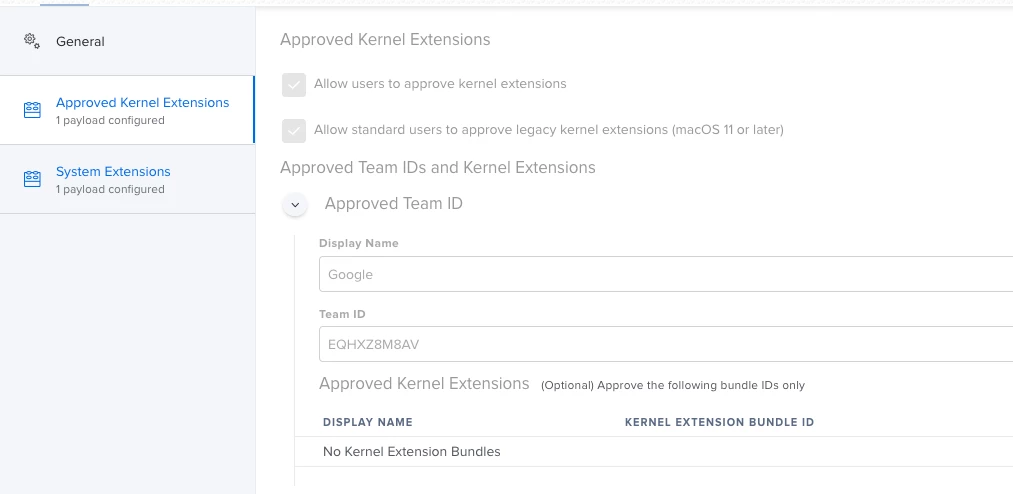
And to the Kernel Extensions area:


Neither works 😞