Solved

Batch removal of apps with Deferred Removal

  • November 9, 2021
  • 3 replies
  • 53 views

Forum|alt.badge.img+3

We have several app we deleted from our student's iPads. 

As soon as we removed the students from the scope, the apps disappeared from their iPads. But they are still there, using storage, even though more than a month has passed. There's a fun "Removal Deferred. Will be removed on 10-10-2021" message that mocks us. 

I could go to the app screen and remove it from each iPad, once a time, but it would take forever.

Googling for a solutiona I got to this page:

https://docs.jamf.com/jamf-school/deploy-guide-docs/Deferred_Removal_of_Apps_and_Documents.html

It says: "or navigate to the app details page and click Delete deferred apps from devices".

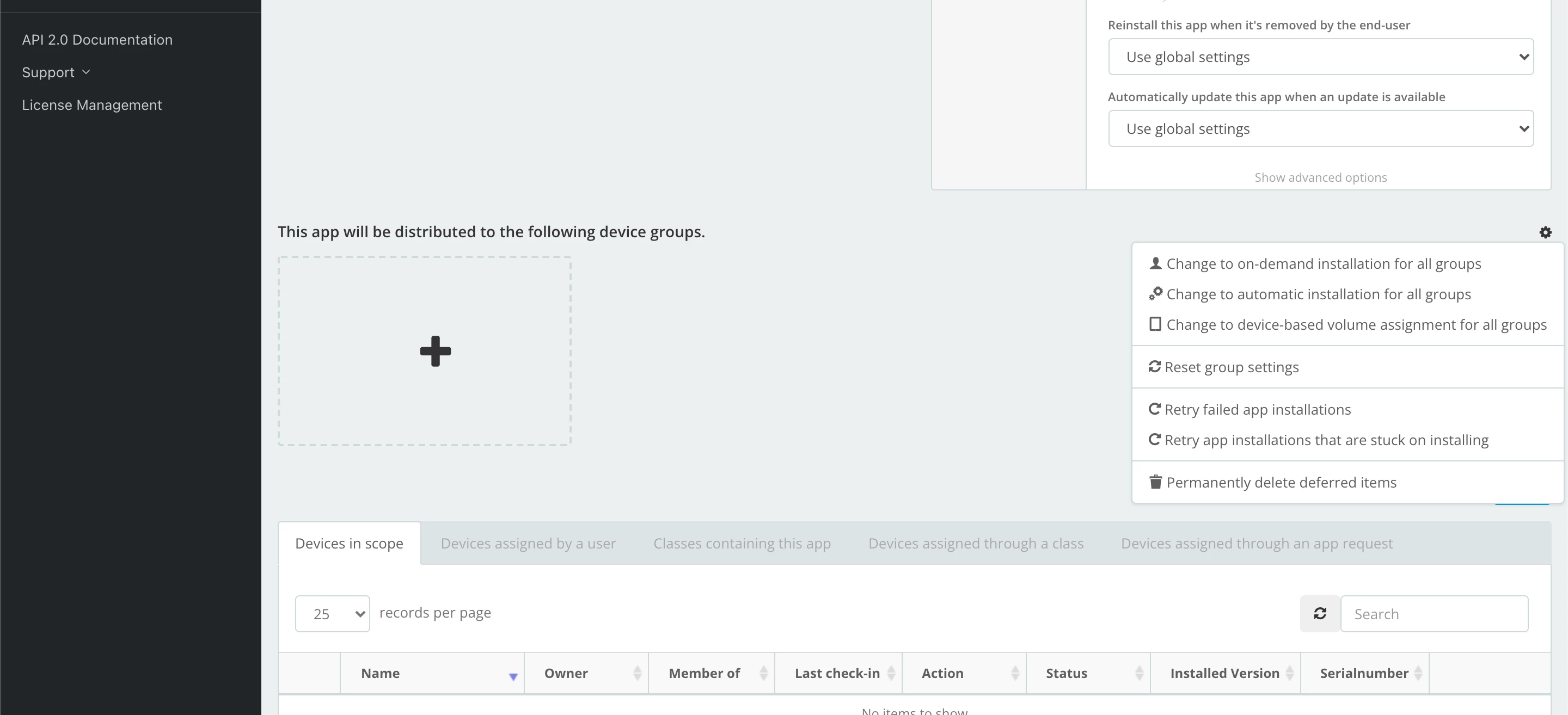
But I don't see this option. Would anybody be so kind as of taking a screenshot and showing where it is?

Thanks in advance. 
Best answer by Fluffy

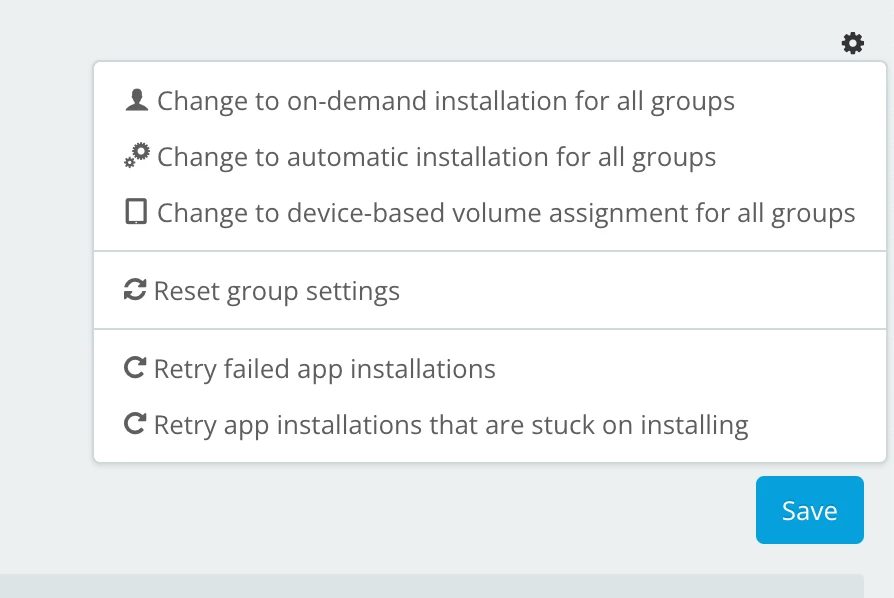
There is a tiny gear off to the right side above the scope details. Clicking on the gear has a dropdown with options including to delete deferrals.

3 replies

Fluffy
Forum|alt.badge.img+10
  • Honored Contributor
  • Answer
  • November 10, 2021

There is a tiny gear off to the right side above the scope details. Clicking on the gear has a dropdown with options including to delete deferrals.


Forum|alt.badge.img+3
  • Author
  • Contributor
  • November 10, 2021

Thanks a lot, that would be it.

The problem is that I'm not a full admin and it seems I have that option disabled.

Time to ask my boss to enable it.


Forum|alt.badge.img+3
  • Author
  • Contributor
  • November 11, 2021

I just wanted to confirm that it worked.

Thanks again!