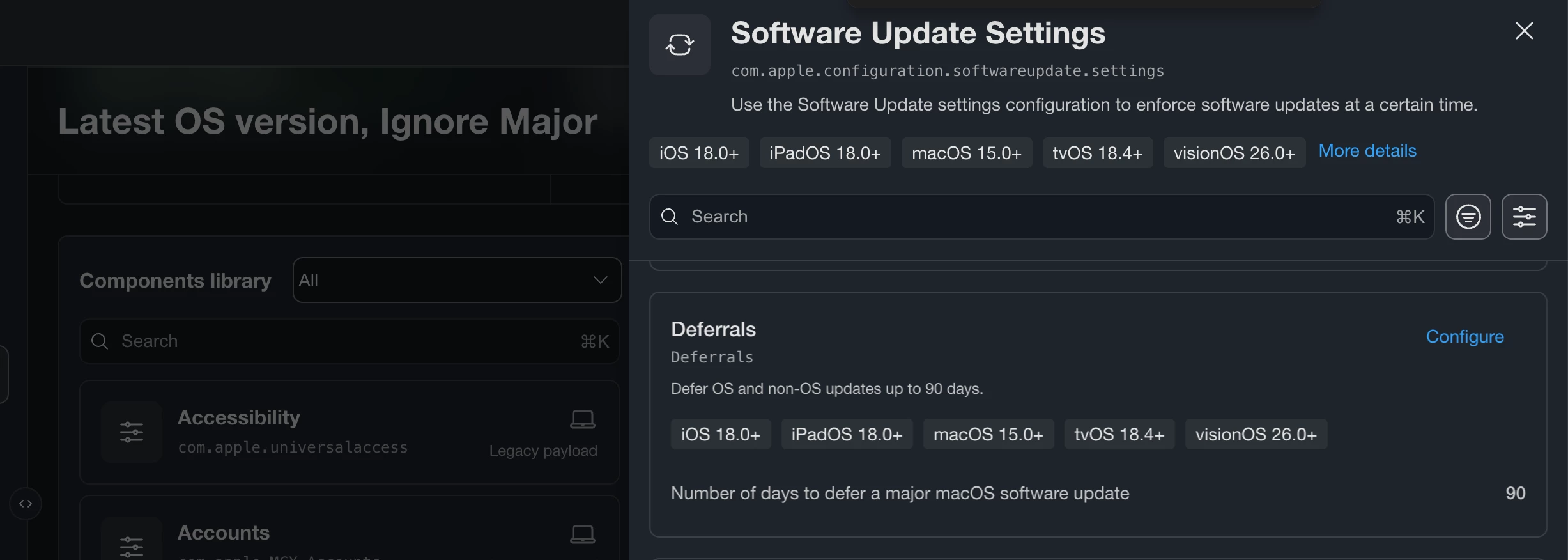
Hi, I’ve configured this Blueprint on the 14th September with a deferral of 90 days for macOS Golden Gate. I’ve only scoped macOS 15 & 26. I’ve only excluded my machine. Everything seemed fine but now today I check my dashboard and I see 2 user’s machine’s have been upgraded to 27. Why, how? I’m pretty annoyed now by this
Best answer by Cephas
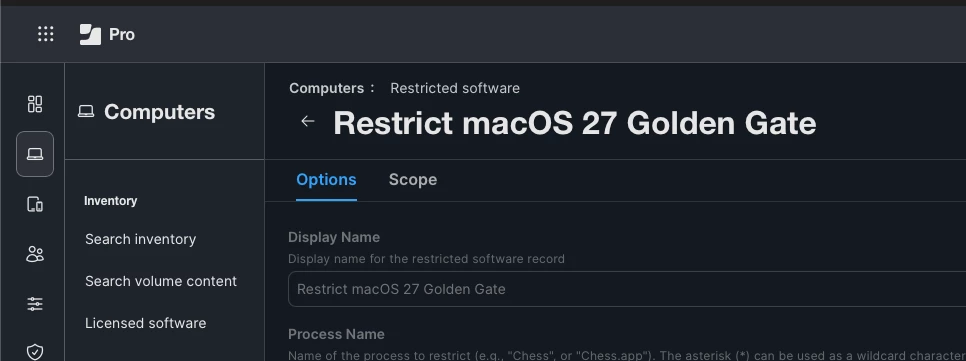
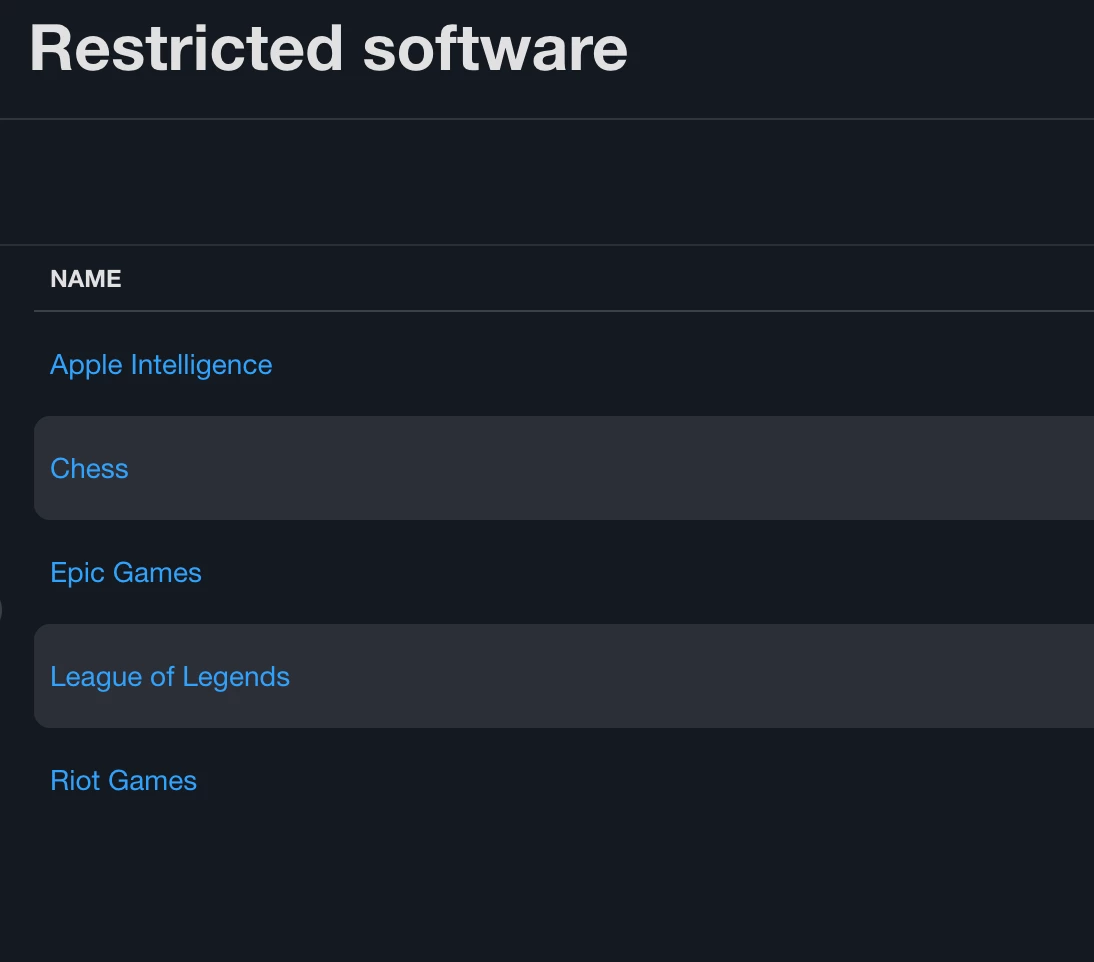
Do you have a restricted software in place to block the app installer?
Thinking of another avenue. Did the user boot from external hard drive and upgrade?
Nope, this is all we restrict for now
And no. I know those two user’s. The one is an intern. They wont do or know about doing such a thing I’m pretty confident about that
@Cephas I ran into a similar issue with this. I had my setting for 90 days as well but when I checked on my test device I could still see macOS 27 available in Software Updates. I found there was another setting I had to make under a different component.
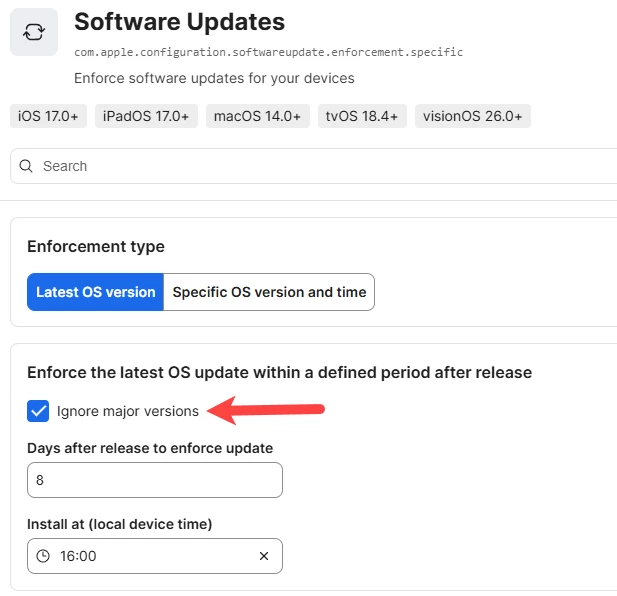
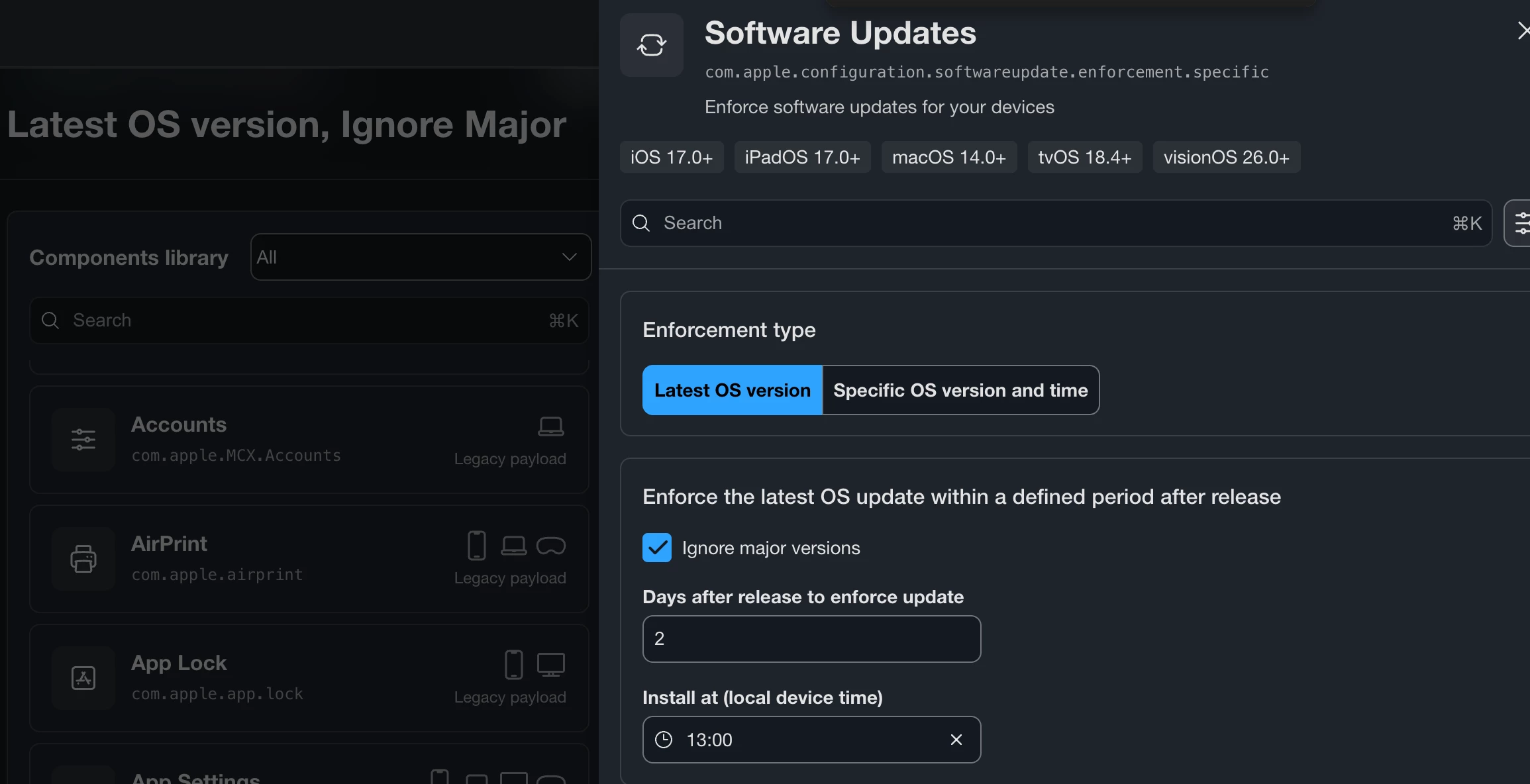
I have “Software Update Settings” component configured as well as “Software Updates”. In the Software Updates component in the blueprint I had the “Enforcement type” set to “Latest OS version”. Once I checked the box “Ignore major versions” under “Enforce the latest OS update within a defined period after release” then I noticed that macOS 27 no longer showed as a download on my test Mac.
Check the box “Ignore major versions” under “Enforce the latest OS update within a defined period after release” that is located in the “Software Updates” component.
@Cephas I ran into a similar issue with this. I had my setting for 90 days as well but when I checked on my test device I could still see macOS 27 available in Software Updates. I found there was another setting I had to make under a different component.
I have “Software Update Settings” component configured as well as “Software Updates”. In the Software Updates component in the blueprint I had the “Enforcement type” set to “Latest OS version”. Once I checked the box “Ignore major versions” under “Enforce the latest OS update within a defined period after release” then I noticed that macOS 27 no longer showed as a download on my test Mac.
Check the box “Ignore major versions” under “Enforce the latest OS update within a defined period after release” that is located in the “Software Updates” component.
Hope this helps!
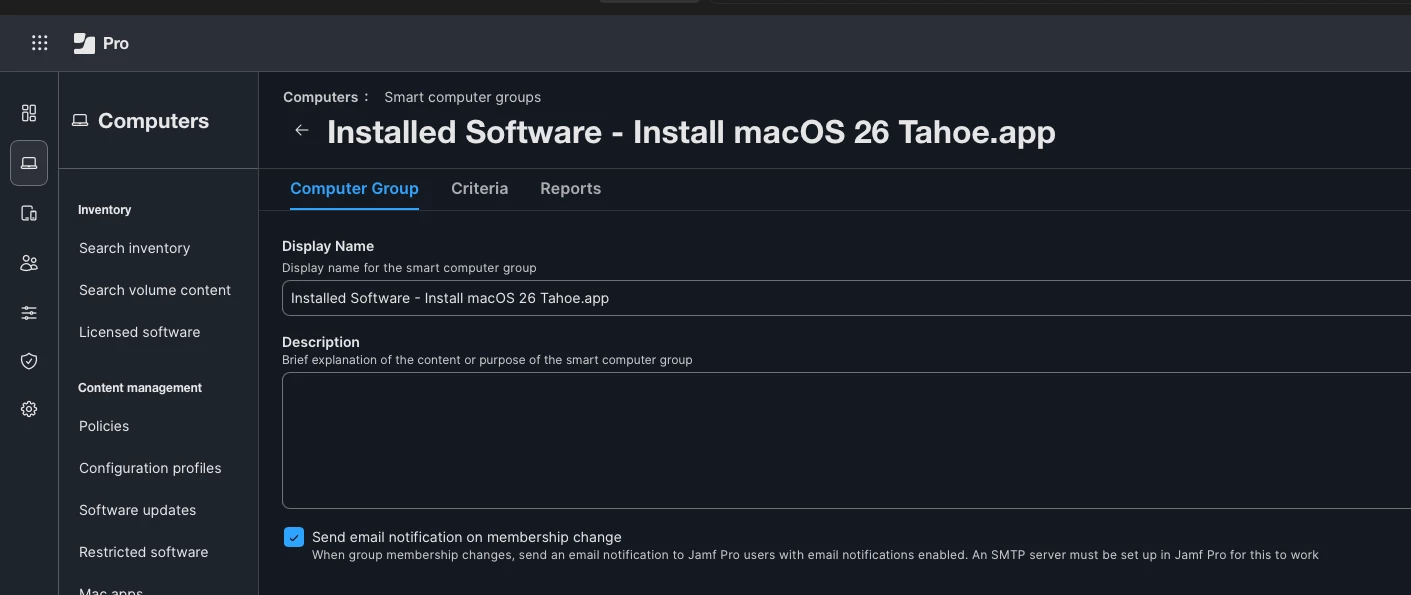
Hi That’s exactly how I already have it configured. I kinda named the Blueprint similarly if you check in the background of my pic
I had two make it through because I missed the deferral setting before they cached the install on the 14th. Apple got this one out fast!
Everything seemed fine for me from Monday the 14th when I enabled the deferral ( Or perhaps I even enabled it on Sunday already. Can’t remember) but now today (Friday) I check my Jamf Pro dashboard and 2 users upgraded. Yesterday I checked it and it was still just solely me on Golden Gate in the whole Org. I hate to say I’m really annoyed now. Could it be that the Blueprint and it’s configurations never activated yet? When I check deployment status I see there’s 20 devices pending. We have about 190 devices in our org. And, I see there 1 device with an error
@Cephas I ran into a similar issue with this. I had my setting for 90 days as well but when I checked on my test device I could still see macOS 27 available in Software Updates. I found there was another setting I had to make under a different component.
I have “Software Update Settings” component configured as well as “Software Updates”. In the Software Updates component in the blueprint I had the “Enforcement type” set to “Latest OS version”. Once I checked the box “Ignore major versions” under “Enforce the latest OS update within a defined period after release” then I noticed that macOS 27 no longer showed as a download on my test Mac.
Check the box “Ignore major versions” under “Enforce the latest OS update within a defined period after release” that is located in the “Software Updates” component.
Hope this helps!
Hi That’s exactly how I already have it configured. I kinda named the Blueprint similarly if you check in the background of my pic
@Cephas I ran into a similar issue with this. I had my setting for 90 days as well but when I checked on my test device I could still see macOS 27 available in Software Updates. I found there was another setting I had to make under a different component.
I have “Software Update Settings” component configured as well as “Software Updates”. In the Software Updates component in the blueprint I had the “Enforcement type” set to “Latest OS version”. Once I checked the box “Ignore major versions” under “Enforce the latest OS update within a defined period after release” then I noticed that macOS 27 no longer showed as a download on my test Mac.
Check the box “Ignore major versions” under “Enforce the latest OS update within a defined period after release” that is located in the “Software Updates” component.
Hope this helps!
Hi That’s exactly how I already have it configured. I kinda named the Blueprint similarly if you check in the background of my pic
My normal production software update blueprint has a 90-day deferral set for major upgrades. It appears to be working well. On my Mac, macOS 27 was not showing up in Software Update until I moved my Mac to another blueprint setup to allow upgrading. I’m not seeing any unauthorized upgrades. I also have the macOS 27 install app blocked in restricted software. I created the deferral setting in my blueprint about two weeks before the macOS 27 release; I didn’t wait until the release date.