Solved

Canvas Teacher app on iOS

  • October 2, 2020
  • 4 replies
  • 11 views

Forum|alt.badge.img+3

Has anyone had issues with the Canvas Teacher app on iOS caching to the iPad filling up all usable space? Only way we have been able to clear it out is by deleting the app and reinstalling. Any help would be appreciated.

Best answer by mainelysteve

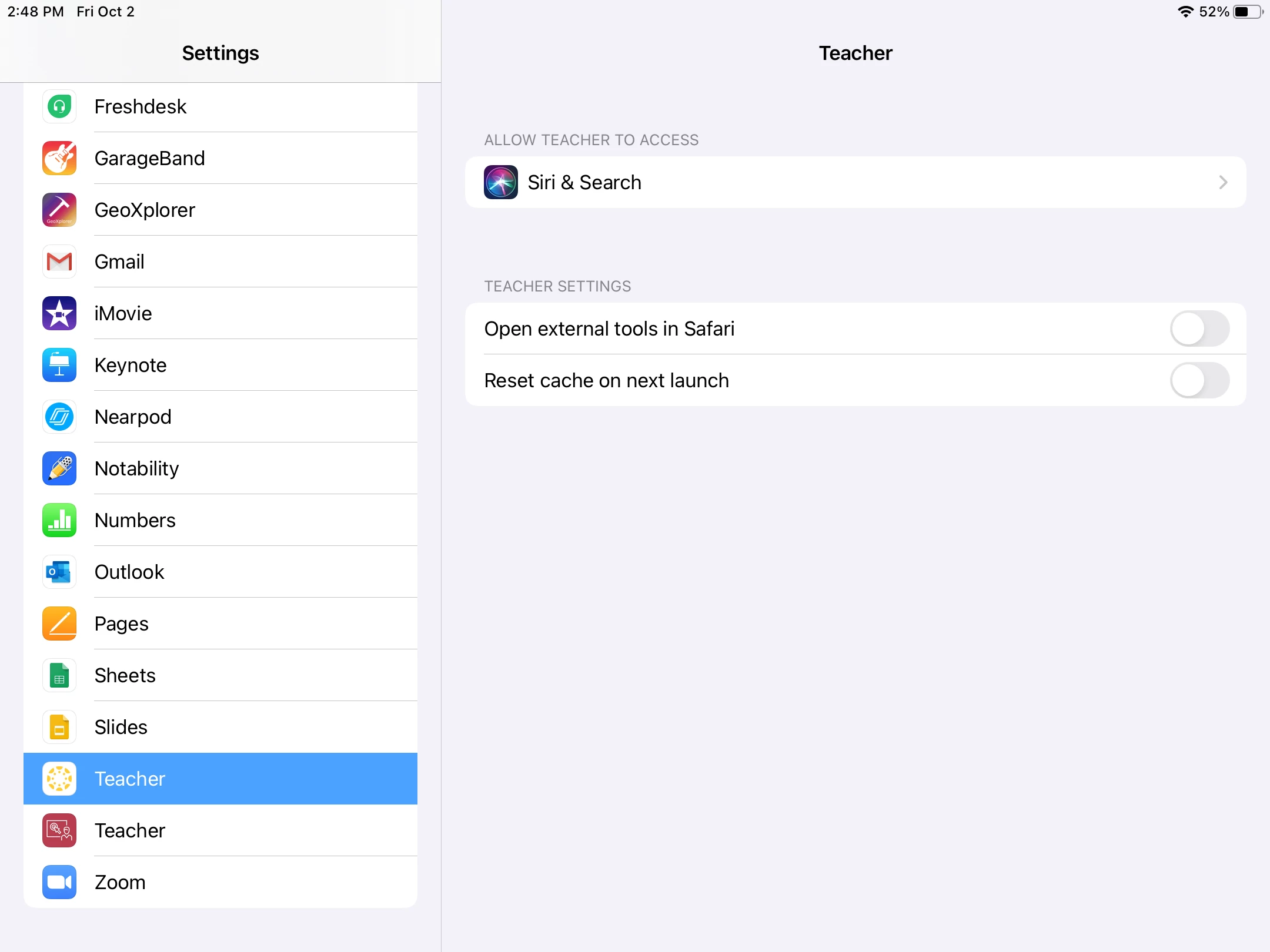
There is. See the screenshot below. Close the app, throw that switch and relaunch it.
4 replies

Forum|alt.badge.img+16
  • Contributor
  • October 2, 2020

I've not witnessed that on the Teacher app, but the Student app will hold onto documents, downloads, etc. until you go into settings and tell it to clear the cache on next launch. Not to the point that it's taking over all available storage but I've seen upwards of 5-6GB of document data on a few iPads.


Forum|alt.badge.img+3
  • Author
  • New Contributor
  • October 2, 2020

It doesn't look like there is a setting like that in the Teacher app... bummer. Would be nice if the app would just delete the cache on exit.


Forum|alt.badge.img+16
  • Contributor
  • Answer
  • October 2, 2020

There is. See the screenshot below. Close the app, throw that switch and relaunch it.


Forum|alt.badge.img+3
  • Author
  • New Contributor
  • October 2, 2020

Totally missed that. Thanks!!