
Answer

Capture keyboard shortcut settings in System Preferences

  • January 3, 2019
  • 1 reply
  • 17 views

Forum|alt.badge.img+7

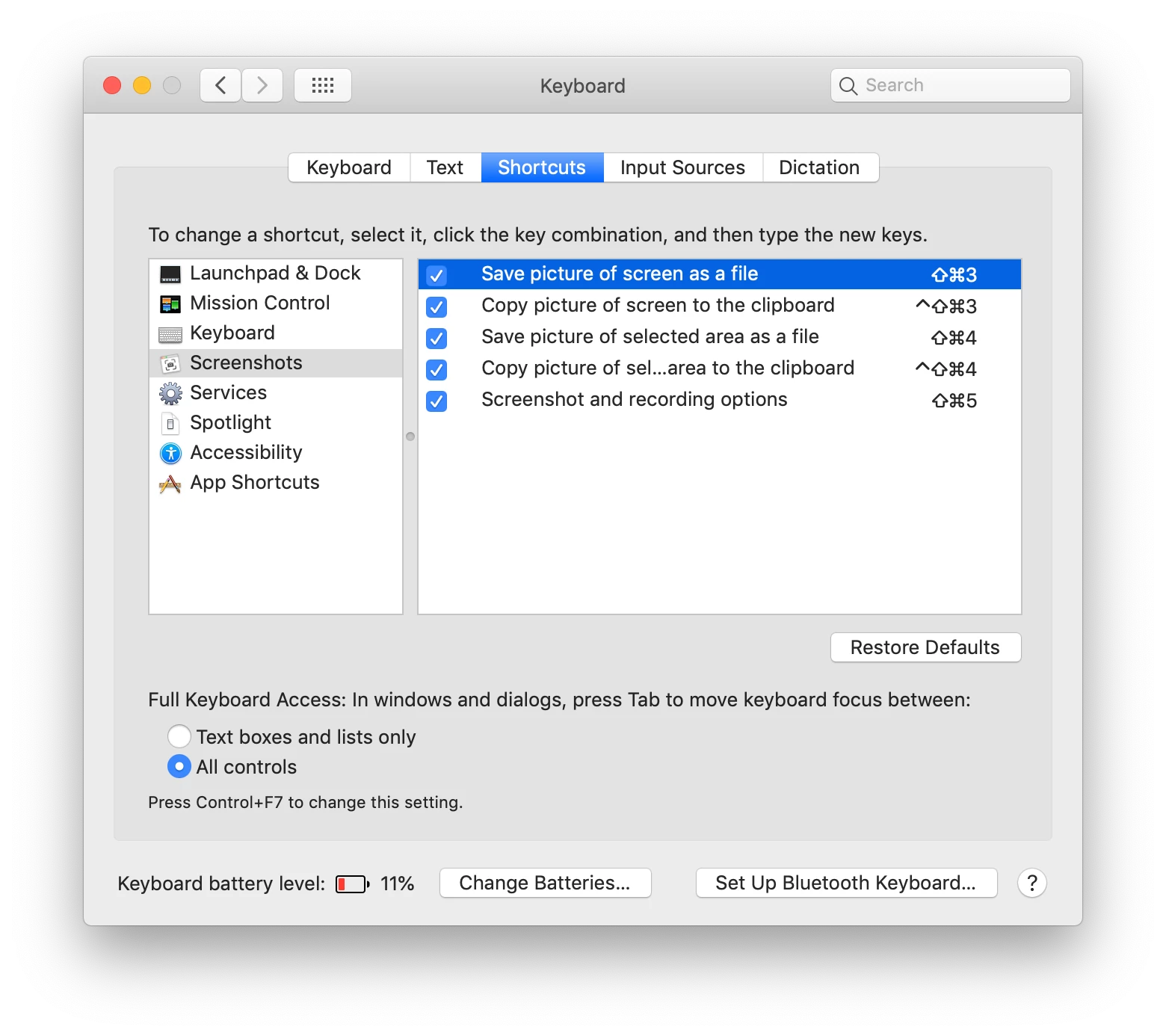
We must disable keyboard shortcuts for screenshots as a requirement for the state online assessment. In Sierra, these screenshot keyboard shortcuts have their own option under Keyboard > Shortcuts. Under Mojave, it has an additional option.

How can we capture these keyboard shortcut changes? How do you deploy the change to an existing user account?

I include a screenshot to show the new changes.

Thank you.
Best answer by hphan

I found a post from krypted that talks about the hotkeys. Upload the ~/Library/Preferences/com.apple.symbolichotkeys.plist as a Config Profiles Custom Settings and these hotkeys get disable.

1 reply

Forum|alt.badge.img+7
  • Author
  • Contributor
  • Answer
  • January 4, 2019

I found a post from krypted that talks about the hotkeys. Upload the ~/Library/Preferences/com.apple.symbolichotkeys.plist as a Config Profiles Custom Settings and these hotkeys get disable.