

Question

CIS level 2

  • February 4, 2026
  • 3 replies
  • 29 views

tdenton
Forum|alt.badge.img+12

Hello 

I have started testing CIS level 2 for MacOS 26.

I get this prompt as soon as the screen is locked I though it has something to do with screensaver but i have removed all CIS config and it still seems to be happening. Im guessing its some left over config somewhere but havent been able track it down.


Does anyone know if there anyway to undo this, we use the snowagent and its possible that might be causing it 


Thanks

Tom 
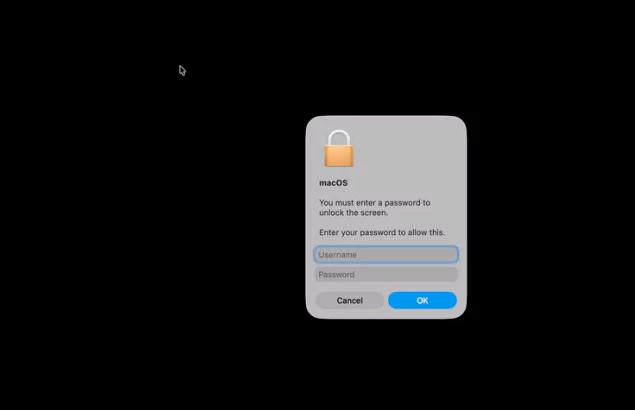


3 replies

Forum|alt.badge.img+4
  • Contributor
  • February 4, 2026

Just got CIS monitoring (all three) running since a couple of days, but did not hit this. Looks like some policy got enabled forcing this?


tdenton
Forum|alt.badge.img+12
  • Author
  • Valued Contributor
  • February 4, 2026

havent been able to fix it  ​@BM-Degenkamp  all config profiles have been removed have removed as much as I can.

I have reset the macOS Authorization Database and seem to have fixed it but now need put Jamf connect back togther as reset the login window 


Forum|alt.badge.img+4
  • New Contributor
  • February 4, 2026

I believe when you set the CIS level 2 to monitor and enforce, it run’s scripts to enforce the benchmark along with the config profiles.  You can remove the config profiles, but you can’t undo the scripts that were run.  This may have been caused by a script.