Hey, I am searching for a method how to use patch management with Cisco Anyconnect VPN.
Since it is not available in the standard jamf catalogue. I know you can create your own patches with the Title editor.
But therefore I would either need an external source or a json file with the settings since I never created this before.
If someone maybe has some information or hints I would really appreciate that
Best answer by Tribruin
You don't "need" an external source or JSON file to use Title editor, but, frankly it is a pain, especially when you first set up a new title. With AnyConnect it was pretty easy as we have only had a few different versions over the years. The first entry is the hardest as you have to setup everything. Once the first is done, you can just clone it and change the version and it should be good.
You don't "need" an external source or JSON file to use Title editor, but, frankly it is a pain, especially when you first set up a new title. With AnyConnect it was pretty easy as we have only had a few different versions over the years. The first entry is the hardest as you have to setup everything. Once the first is done, you can just clone it and change the version and it should be good.
You don't "need" an external source or JSON file to use Title editor, but, frankly it is a pain, especially when you first set up a new title. With AnyConnect it was pretty easy as we have only had a few different versions over the years. The first entry is the hardest as you have to setup everything. Once the first is done, you can just clone it and change the version and it should be good.
You don't "need" an external source or JSON file to use Title editor, but, frankly it is a pain, especially when you first set up a new title. With AnyConnect it was pretty easy as we have only had a few different versions over the years. The first entry is the hardest as you have to setup everything. Once the first is done, you can just clone it and change the version and it should be good.
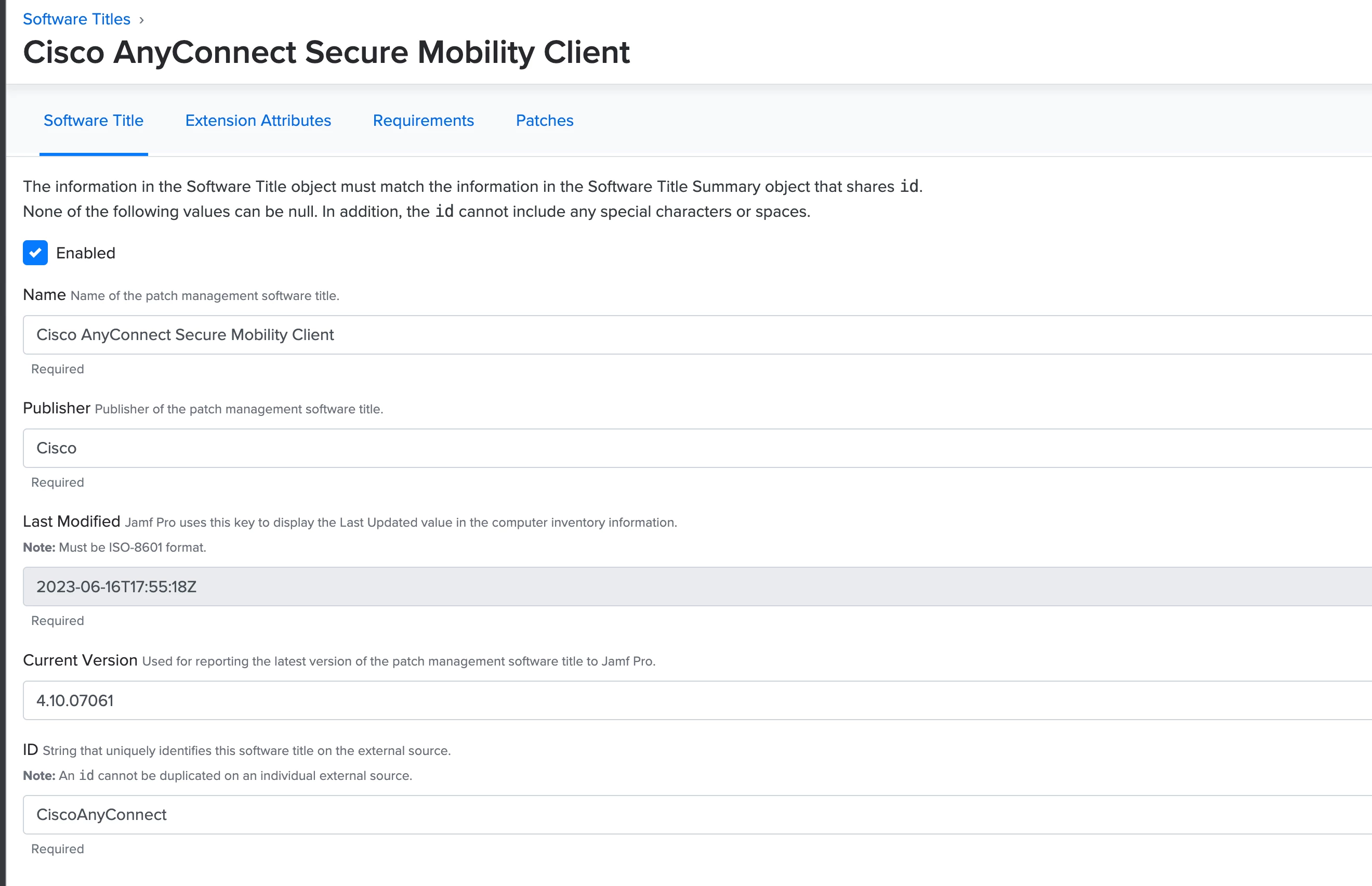
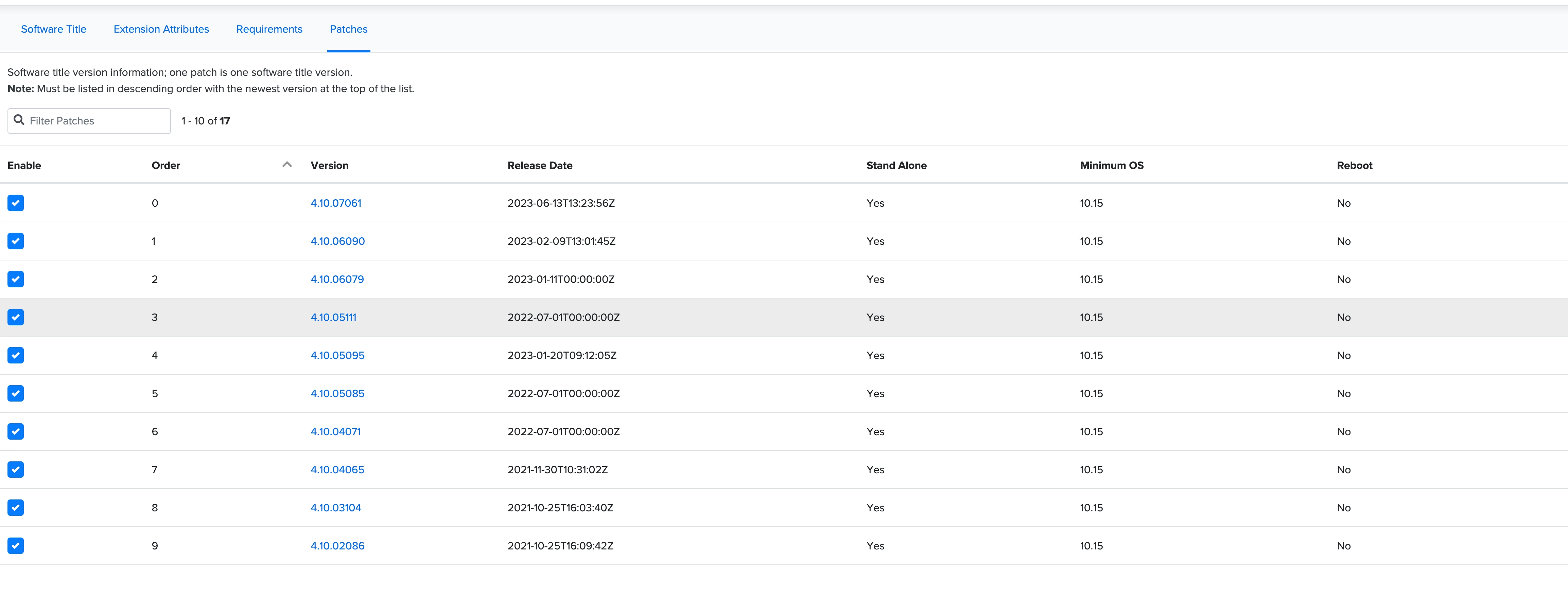
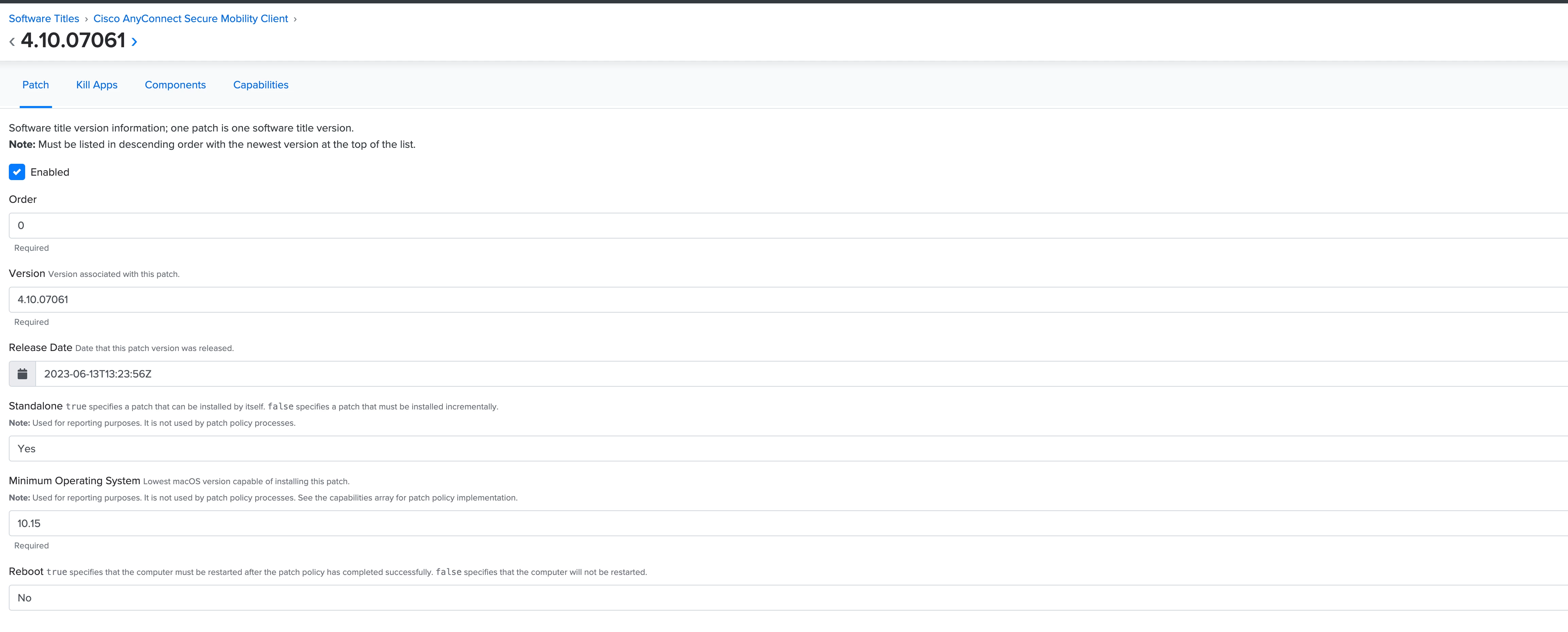
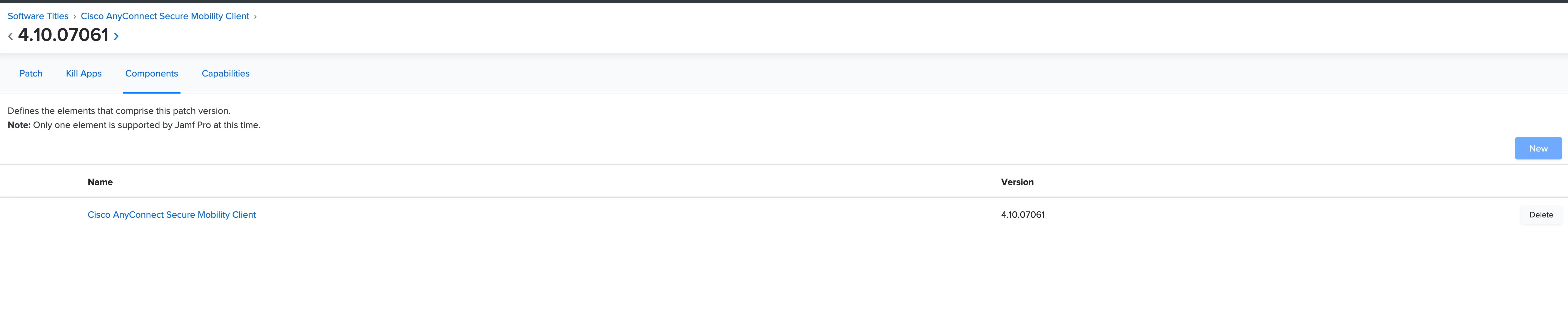
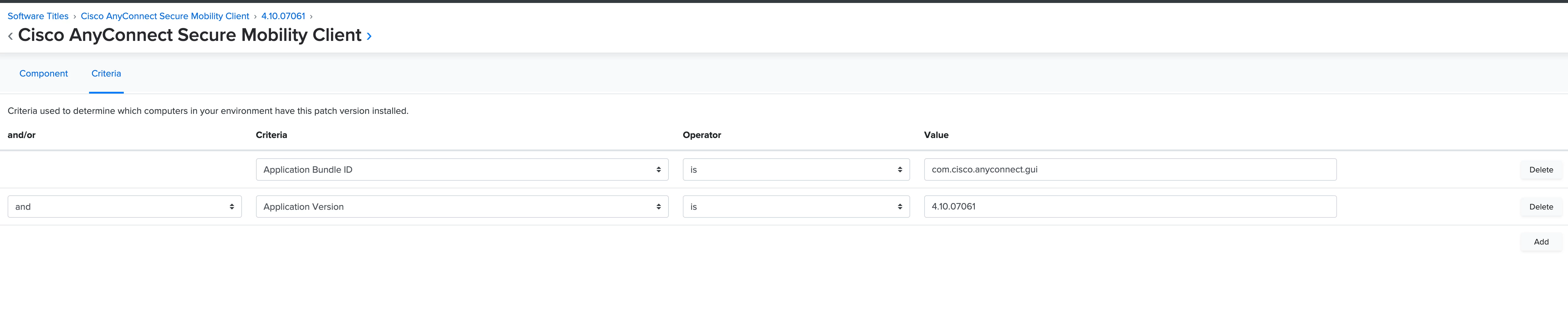
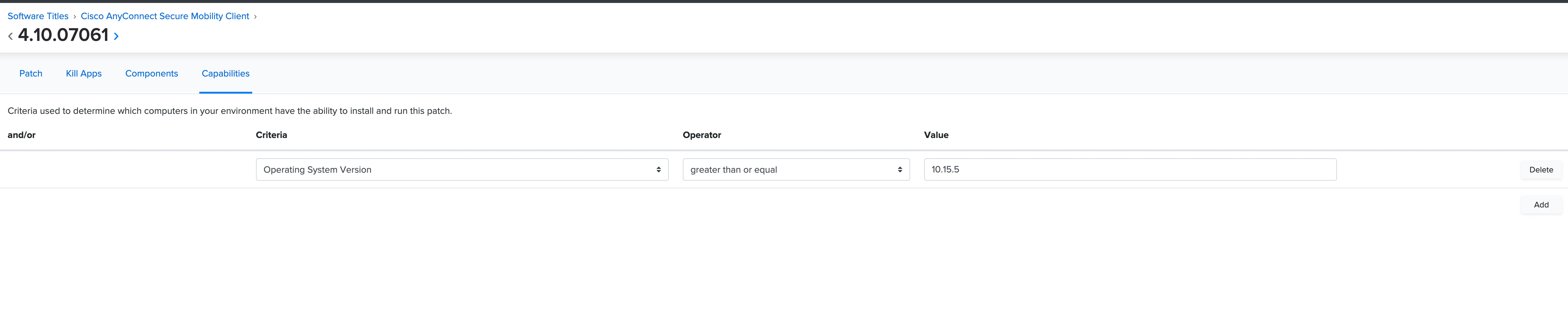
Here are my settings for Cisco AnyConnect:
ok cool looks good so far. One more question have you configured any apps to be quited before installing? Like Anyconnect client needs to be quitted or something before upgrading!?
ok cool looks good so far. One more question have you configured any apps to be quited before installing? Like Anyconnect client needs to be quitted or something before upgrading!?
I don't use Patch Management for patching. I use it strictly for version tracking and creating Smart Groups.