


Is anyone else seeing strange spacing with the columns in Jamf policies now? When I go to scope a computer to a policy, each column is not very wide, making the display for one computer be on multiple lines. Am I missing something that would allow for sorting this or extending the column size?
This is what my machine looks like in that view... the MAC address takes up three lines... the username (only 8 characters max at our site) takes up two lines... the Serial Number takes up two lines... the OS Build takes up two lines. For folks with longer full names, it can take up to 8 lines (highest I've seen but possibly more).
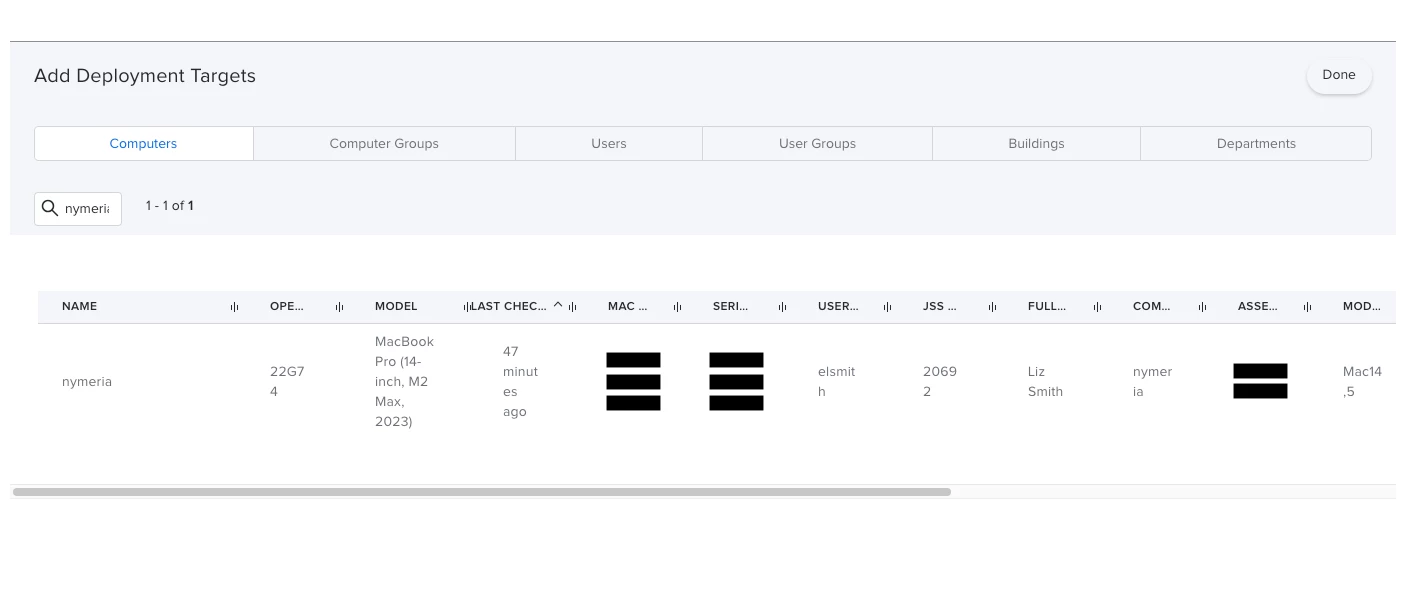
We did not have this same display in 10.47 and we skipped 10.48. I can adjust the column sizes here, but they reset to this as soon as I open the screen in another policy.






