
Solved

Complete Message for Self Service Installs?

  • October 7, 2016
  • 3 replies
  • 40 views

Forum|alt.badge.img+4

Hello all,

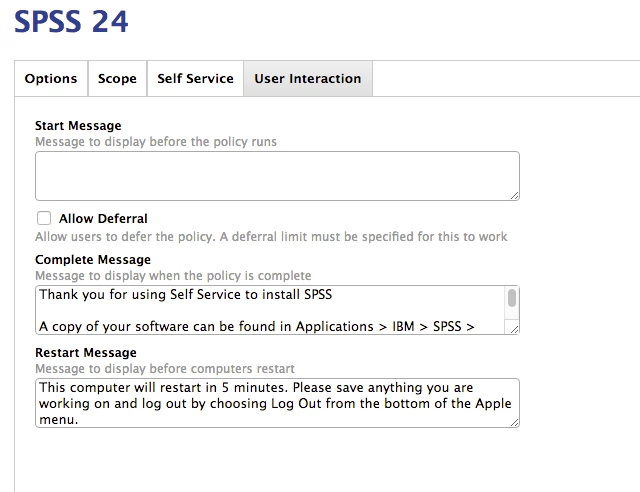
The issue is probably right under my nose, but I cant seem to display a "Complete Message" in User Interaction when a user installs a package from Self Service. Am I missing something?

Essentially the progress bar runs across the top and disappears.

I've been reviewing JamfNation and is sounds like 9.4 fixed the issue. Currently I'm running the latest version of the JSS. Interested to hear your thoughts.

Best answer by mpermann

@ruschg that complete message is going to appear as a notification not a window that will pop up on the screen with an OK button. Do you have notifications enabled for the Management Application in System Preferences -> Notifications? I personally use the jamfhelper to display a notification that I want to be sure the end user sees and has to dismiss.

3 replies

mpermann
Forum|alt.badge.img+22
  • Valued Contributor
  • Answer
  • October 7, 2016

@ruschg that complete message is going to appear as a notification not a window that will pop up on the screen with an OK button. Do you have notifications enabled for the Management Application in System Preferences -> Notifications? I personally use the jamfhelper to display a notification that I want to be sure the end user sees and has to dismiss.


Forum|alt.badge.img+4
  • Author
  • Contributor
  • October 7, 2016

@mpermann - found both options and currently playing around with them now. Thank you


donmontalvo
Forum|alt.badge.img+36
  • Hall of Fame
  • October 7, 2016

Rolling in terminal-notifyer and giving us a checkbox to use it on policies would be sweet!
