Solved

Computer MDM Capability: No

  • July 29, 2016
  • 7 replies
  • 137 views

Forum|alt.badge.img+7

Hi everyone,

I just reinstalled Mac OS on my MacBook Air, when I tried to enroll my MBA to JSS, it tells me MDM Capability: No
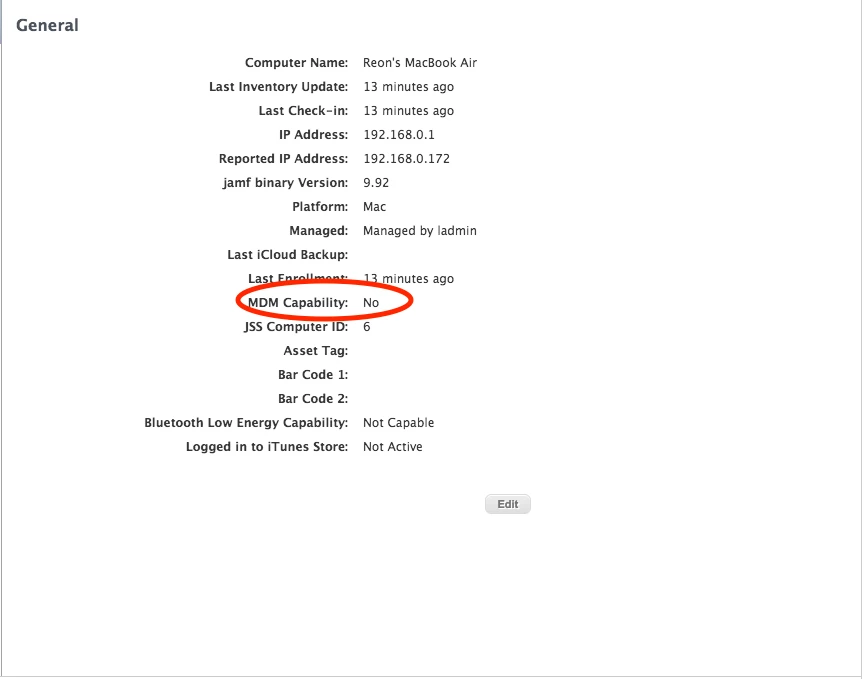
I've checked my certificates, none of them expired. and just did a push diagnostic and it pass too
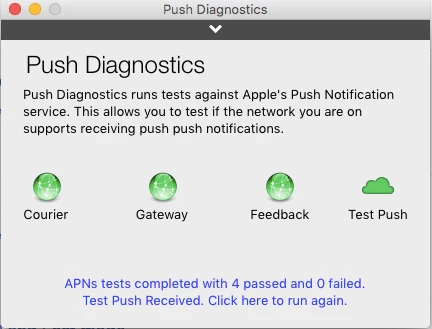
Any idea?

Best answer by reon

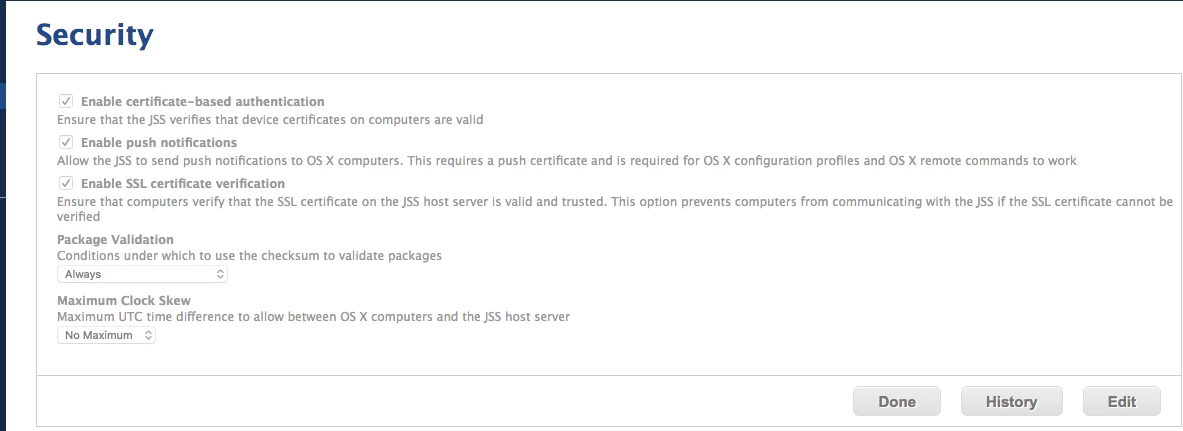
Found the solution, check boxes under Settings>Computer Management>Security were not checked.
7 replies

davidacland
Forum|alt.badge.img+18
  • Valued Contributor
  • July 29, 2016

As long as all is ok with ports and certificates, I would use sudo jamf removeFramework on the client, delete the computer in the JSS and then re-enroll with a QuickAdd.pkg.


Forum|alt.badge.img+7
  • Contributor
  • July 29, 2016

I noticed you said MacOS, is your JSS updated to support the new location for the binary? That can cause it to say no, also being it is still in beta there can be some issues that will arise from the JSS and Sierra.


Forum|alt.badge.img+7
  • Author
  • Contributor
  • July 31, 2016

hi @davidacland I did your steps, but still not solving the problem


Forum|alt.badge.img+7
  • Author
  • Contributor
  • August 1, 2016

Hi @jjones

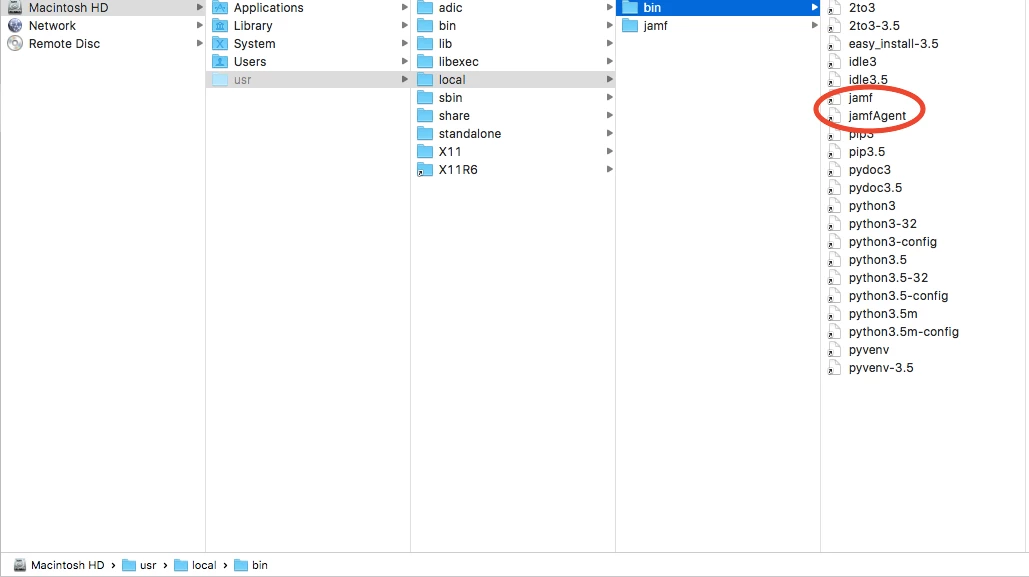
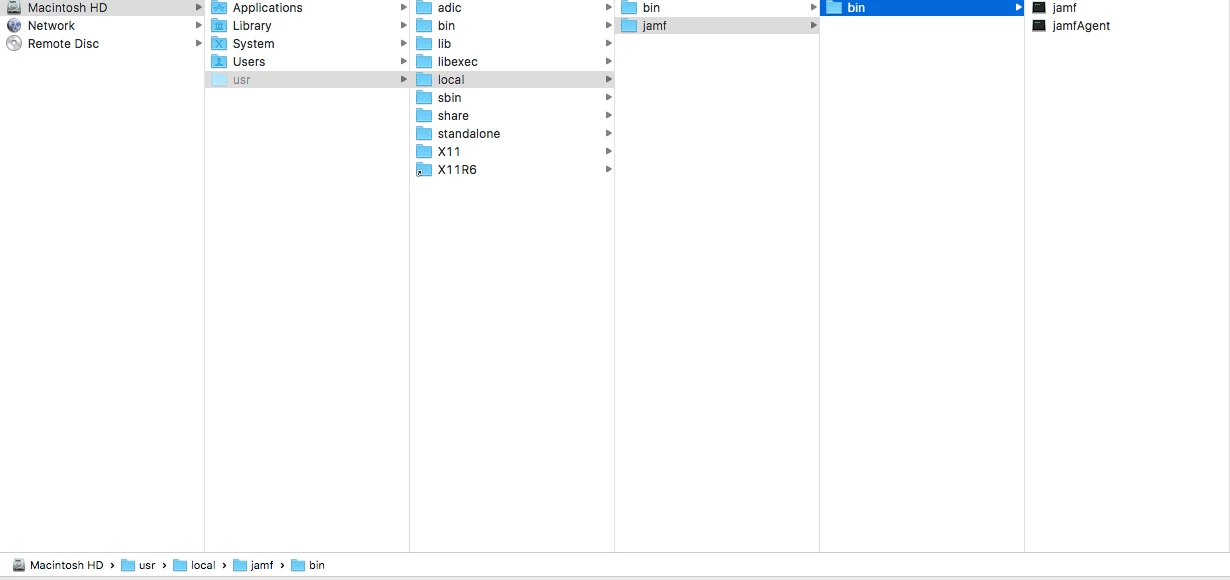
I've attached the locations of where my binaries are stored.
my JSS version is 9.92

I assumed this is correct?


Forum|alt.badge.img+7
  • Author
  • Contributor
  • Answer
  • August 2, 2016

Found the solution, check boxes under Settings>Computer Management>Security were not checked.


Forum|alt.badge.img+11
  • Contributor
  • October 19, 2017

This also worked for us.

  1. Delete these folders:
    /var/db/Configuration Profiles
    /Library/Managed Preferences

  2. Reboot

  3. Login as local admin user
  4. Open Terminal sudo jamf manage

whiteb
Forum|alt.badge.img+9
  • Valued Contributor
  • June 9, 2023

We have a very small handful of machines like this. They still have all of our profiles installed and are checking in, but no management commands available in Jamf + MDM Capability shows 'No'.


sudo profiles renew -type enrollment


Running the above, even with an existing MDM Profile installed, fixed the issue.

I tried a sudo jamf enroll -prompt to re-enroll first, which completed without issue, but still MDM Capability 'No' and no management commands for the computer in Jamf.

Only after running the profiles renew command and accepting the little message that pops-up did the computer get fixed. This computer was an M1 iMac on 13.2.1.

Appears some computers lose their MDM Capability for no apparent reason.