Configuring Single App Mode for Web Clips in Jamf Pro

  • June 12, 2026
  • 2 replies
  • 12 views

Forum|alt.badge.img+3

I was struggling with targeting a Web Clip in Single App mode for some iPads. I found several articles saying you couldn’t do it until I found a Jamf article saying that it was possible but, only by targeting the specifc bundle ID of the Web Clip.

https://support.jamf.com/en/articles/13274571-configuring-single-app-mode-for-web-clips-in-jamf-pro

This sounded great and I thought my search was over. However, this didn’t work. It made sense though, targeting the specific payload identifier should work. So, after much testing I discovered the following with regard to targeting a web clip in single app mode:

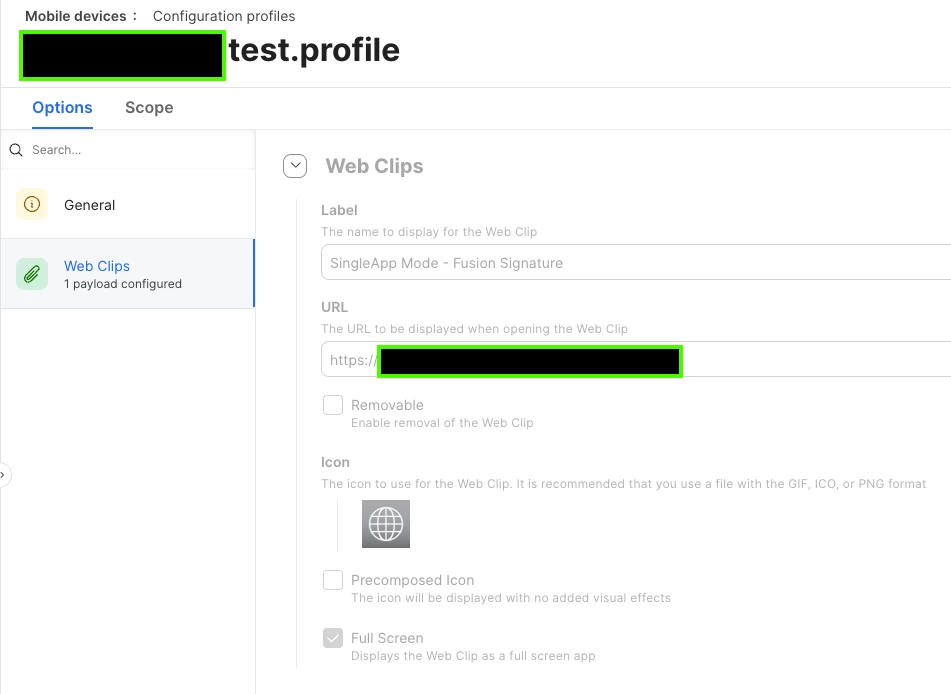
1. There can only be a SINGLE web clip profile with a single web clip payload deployed to the iPad. I chose full screen but, it might not matter.
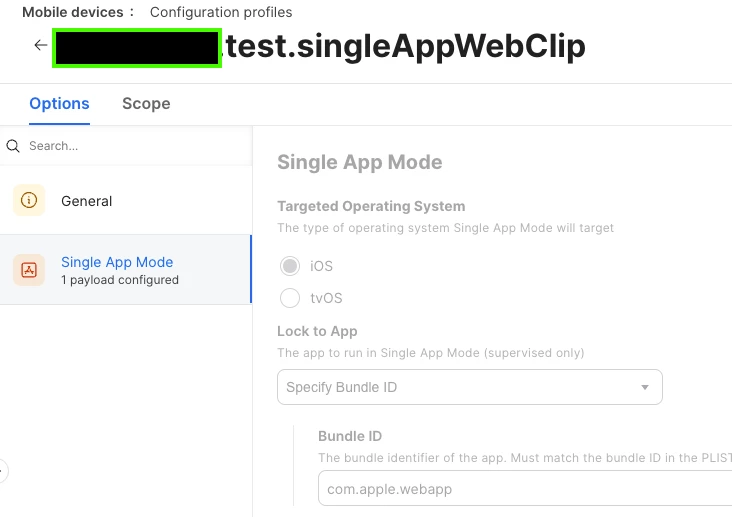
2. The Single App profile MUST use the standard "com.apple.webapp" bundle ID.

That's it. If you do those two things, the single web clip will present in Single App mode.

Good Luck!


2 replies

dletkeman
Forum|alt.badge.img+17
  • Jamf Heroes
  • June 12, 2026

Good find.  I didn’t even know this was possible.  Makes sense though.


Forum|alt.badge.img+3
  • Author
  • Contributor
  • June 12, 2026

Unfortunately,

My excitement was too soon. This actually doesn’t work consistently. I was experiencing success because I happened to be launching the web clip initially, during my testing to ensure it was set correctly. So, when the single app profile applied, it worked. I wasn’t aware that this was causing it to work. When I wiped the device or returned it to service, I was met with the “white” webapp window.


I played with a combination of a safari blueprint setting the start page and content restrictions along with Safari in single app to get a similar experience but, it wasn't as nice as the web clip since the navigation bar is there. Here’s what Jamf Support wrote to me.
 

“...After doing some internal digging on this, I can confirm that Single App Mode is not compatible with Web Clips. The standard "white" screen that you're seeing is a commonplace when enabling this function with a webclip. Our two options to get you to your end goal are to either:

  1. Use a third party app like WebFrame Pro Kiosk
    or
  2. Physically log in to each device to program in the URL you're looking to lock the browser into, all the while making the safari app the single app mode.”

I was running into the second item unknowingly which “looked” like success. It can work the way I described but, the web clip must be launched once first before the single app is applied.