Solved

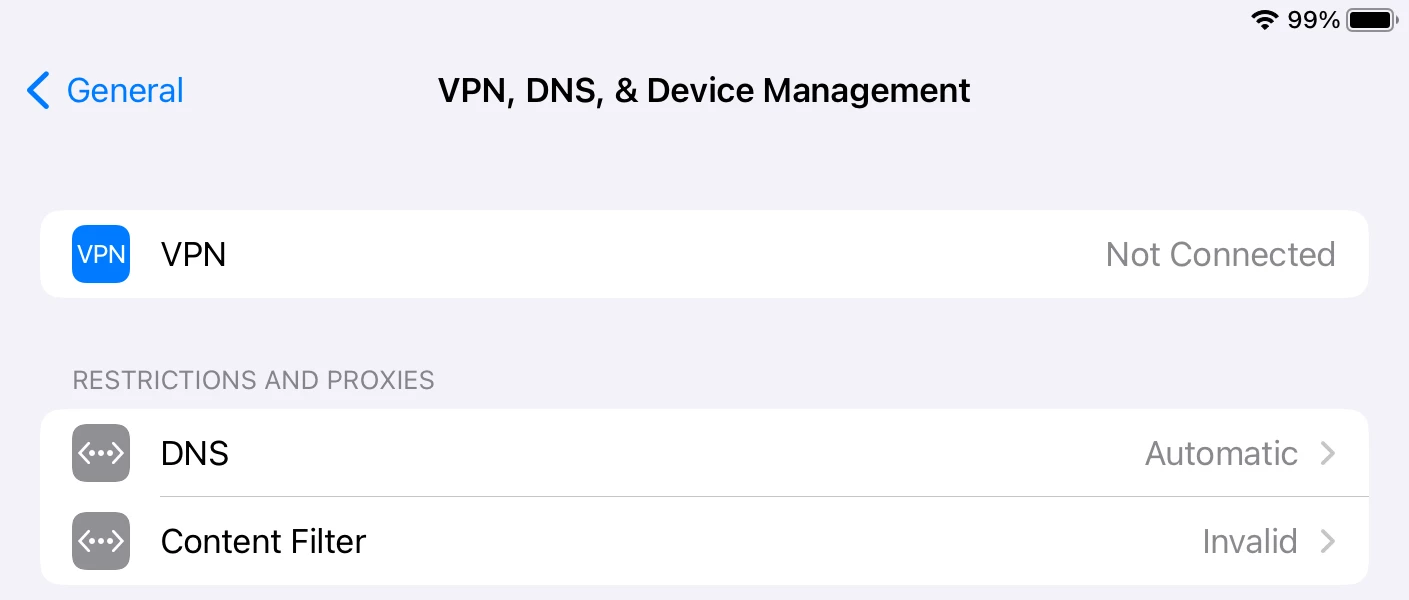
content filter Invalid

  • April 5, 2024
  • 2 replies
  • 112 views

Forum|alt.badge.img+4

iPadOS 17.* with Jamf Safe Internet. Under VPN, DNS, & Device Management Content Filter reads Invalid. Anyone know what causes this and or how to fix?

Best answer by Rick_Goody_Jamf

Has the Jamf Trust App been deployed?
Once deployed, this should show as Content filter = Running

If you press the invalid, it will go through and show you what it is looking for.

All new Safe Internet Activations profiles will be the default ODCF (On Device Content Filtering), which requires the app to be installed. It will fall back to DNS filtering if the app is not present. You will lose some functionality if the app is not present, such as IP and sub-domain filtering

2 replies

Rick_Goody_Jamf
Forum|alt.badge.img+6

Has the Jamf Trust App been deployed?
Once deployed, this should show as Content filter = Running

If you press the invalid, it will go through and show you what it is looking for.

All new Safe Internet Activations profiles will be the default ODCF (On Device Content Filtering), which requires the app to be installed. It will fall back to DNS filtering if the app is not present. You will lose some functionality if the app is not present, such as IP and sub-domain filtering


Forum|alt.badge.img+4
  • Author
  • New Contributor
  • April 10, 2024

Has the Jamf Trust App been deployed?
Once deployed, this should show as Content filter = Running

If you press the invalid, it will go through and show you what it is looking for.

All new Safe Internet Activations profiles will be the default ODCF (On Device Content Filtering), which requires the app to be installed. It will fall back to DNS filtering if the app is not present. You will lose some functionality if the app is not present, such as IP and sub-domain filtering


Oops, yep that was it. Totally forgot! Thank you.