
Solved

Create Jamf Pro Classic API connector Connection

  • August 8, 2023
  • 3 replies
  • 9 views

Forum|alt.badge.img+3

Hi Team,

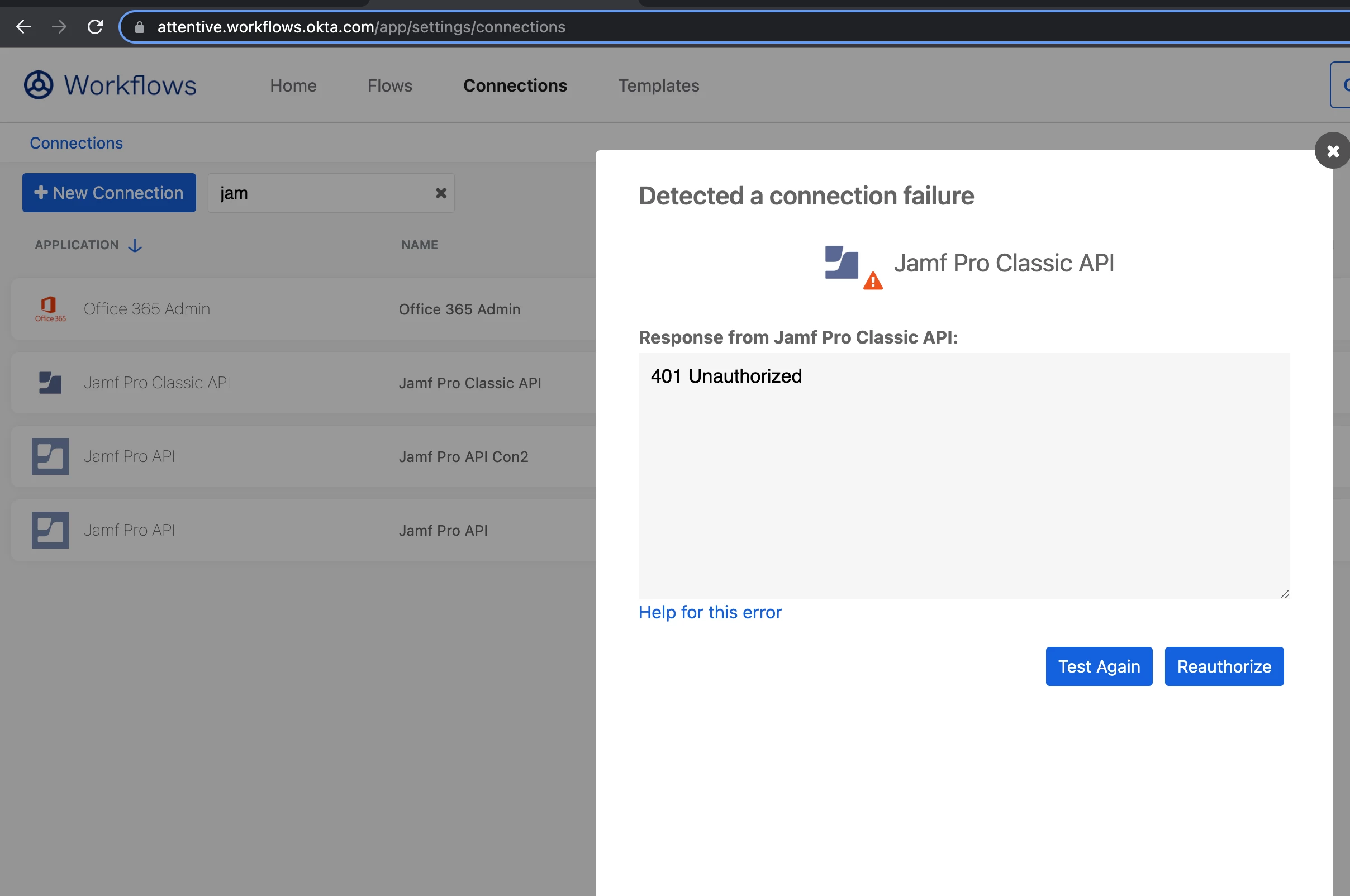
I am trying to create a Jamf Pro Classic API Connection in OKTA Workflows. I created a service account in JAMF Pro granted Administrator, Standard user and Full privileges. When I try to test the connection. I am getting HTTP 401 Authorized Error. I am not finding settings to grant access to  "Make sure that your Jamf Pro Classic API account has access to the /JSSResource/activation code endpoint"

Appreciate any help or pointer!

Thanks,

Kalai
Best answer by Cjackcheese

Hey Kalai, I just submitted a support ticket and Jamf cleared some things up for me. What you'll want to do, is go into your Jamf instance, go to Settings>User Accounts and Groups>Click on the "Password Policy" button in the top right of that page, edit the password policy and scroll down to "Allow Basic Authentication for the Classic API"
Go ahead and check the box and Save in the bottom right, please note there is a blue"force reset passwords" button on the pop-up you DONT want to click, just click the grey "Save" button to save the change. Then go back into Okta workflows and re-auth with that User and you should be good to go!


3 replies

Forum|alt.badge.img+3
  • Author
  • New Contributor
  • August 8, 2023

Here is the screenshot of the error:


Forum|alt.badge.img+2
  • New Contributor
  • Answer
  • August 23, 2023

Hey Kalai, I just submitted a support ticket and Jamf cleared some things up for me. What you'll want to do, is go into your Jamf instance, go to Settings>User Accounts and Groups>Click on the "Password Policy" button in the top right of that page, edit the password policy and scroll down to "Allow Basic Authentication for the Classic API"
Go ahead and check the box and Save in the bottom right, please note there is a blue"force reset passwords" button on the pop-up you DONT want to click, just click the grey "Save" button to save the change. Then go back into Okta workflows and re-auth with that User and you should be good to go!


Forum|alt.badge.img+3
  • Author
  • New Contributor
  • August 25, 2023

Hey Kalai, I just submitted a support ticket and Jamf cleared some things up for me. What you'll want to do, is go into your Jamf instance, go to Settings>User Accounts and Groups>Click on the "Password Policy" button in the top right of that page, edit the password policy and scroll down to "Allow Basic Authentication for the Classic API"
Go ahead and check the box and Save in the bottom right, please note there is a blue"force reset passwords" button on the pop-up you DONT want to click, just click the grey "Save" button to save the change. Then go back into Okta workflows and re-auth with that User and you should be good to go!


Wow! It really helps! Thank you so much for the insight!