Question

Creating a WebContentFilter Payload for Cisco AMP

  • October 2, 2020
  • 29 replies
  • 218 views

Show first post

29 replies

Forum|alt.badge.img+2
  • New Contributor
  • December 11, 2020

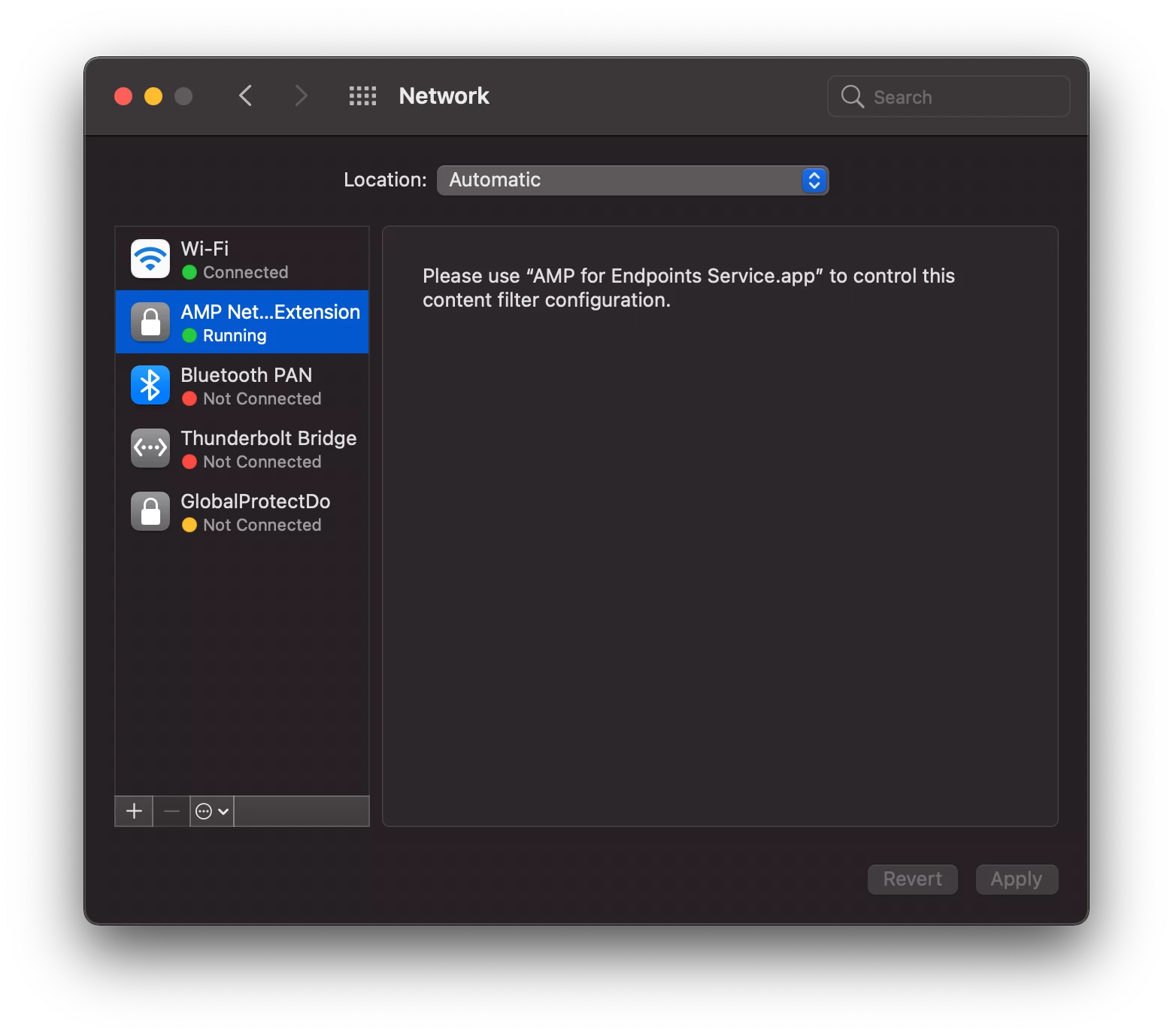
@ajc196 Did a reboot and now it's green and the text is there. Rebooting fixes this as well. One thing to note that since this is enforced through a config profile, you can't remove it. (The minus sign is greyed out.) New screenshot. Now I'll go on to the next problem. Thanks for the help.


dlondon
Forum|alt.badge.img+14
  • Honored Contributor
  • December 16, 2020

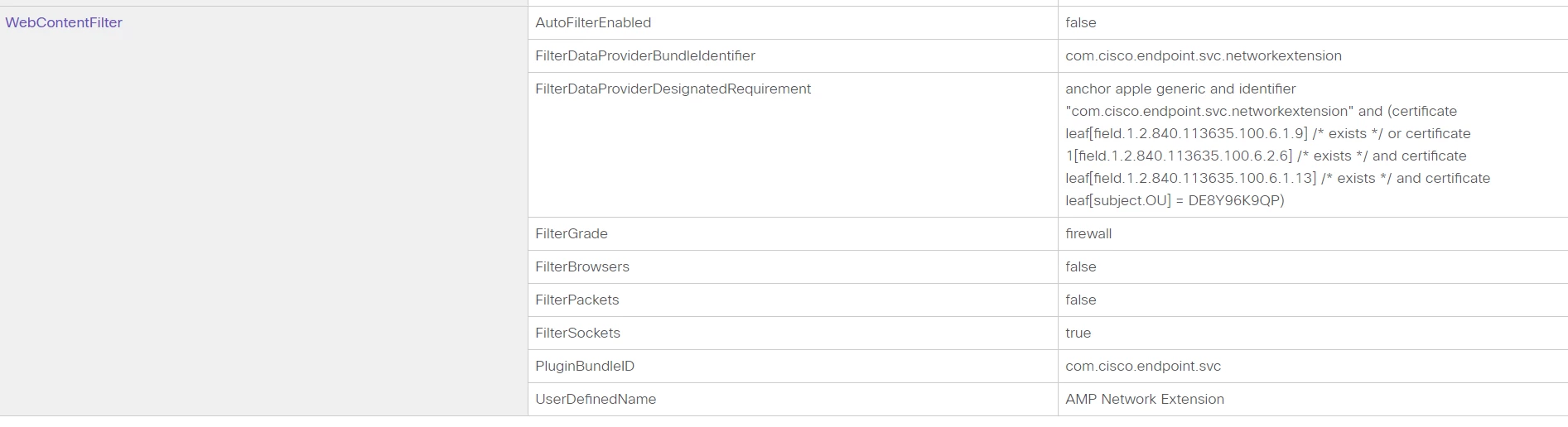
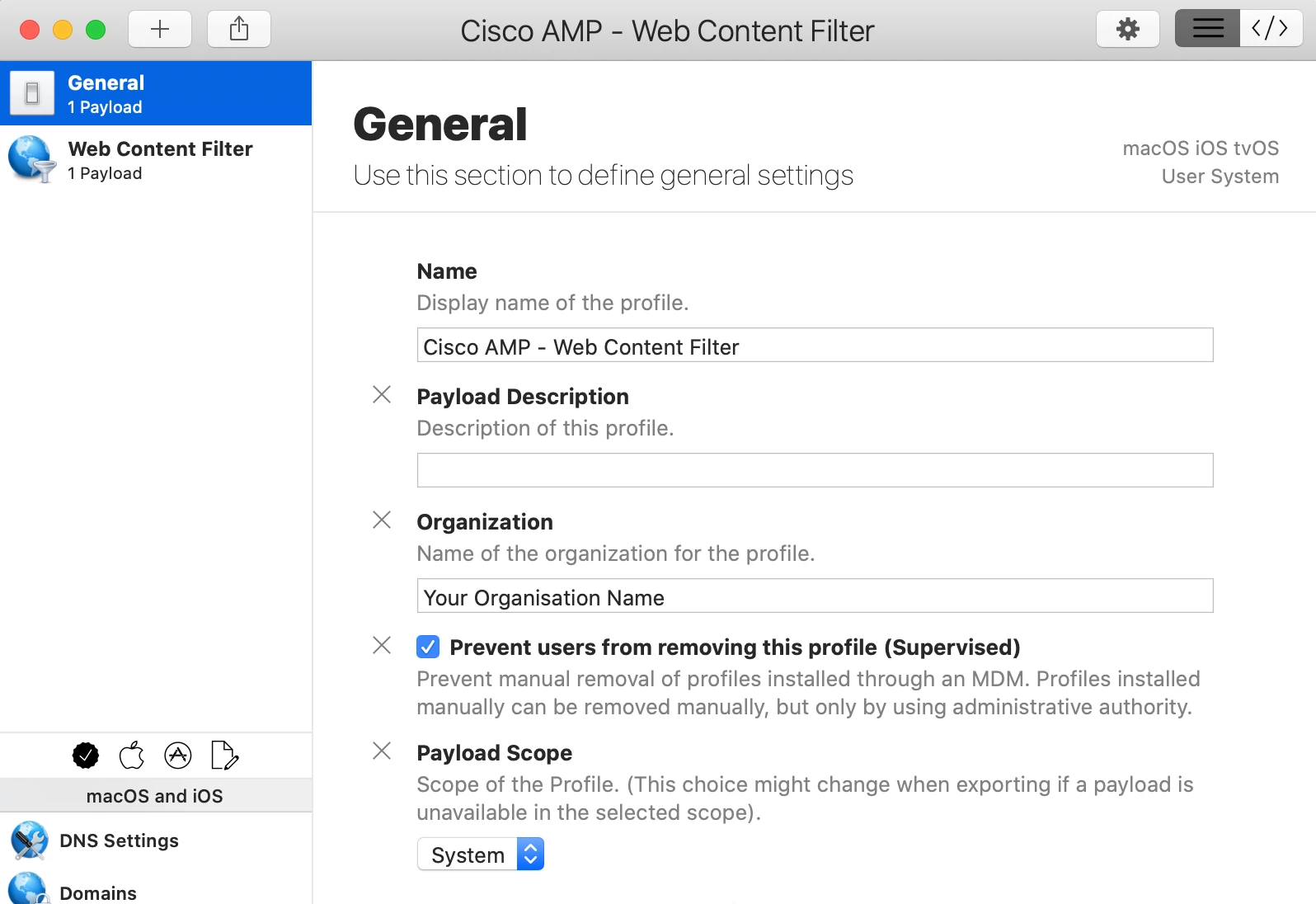
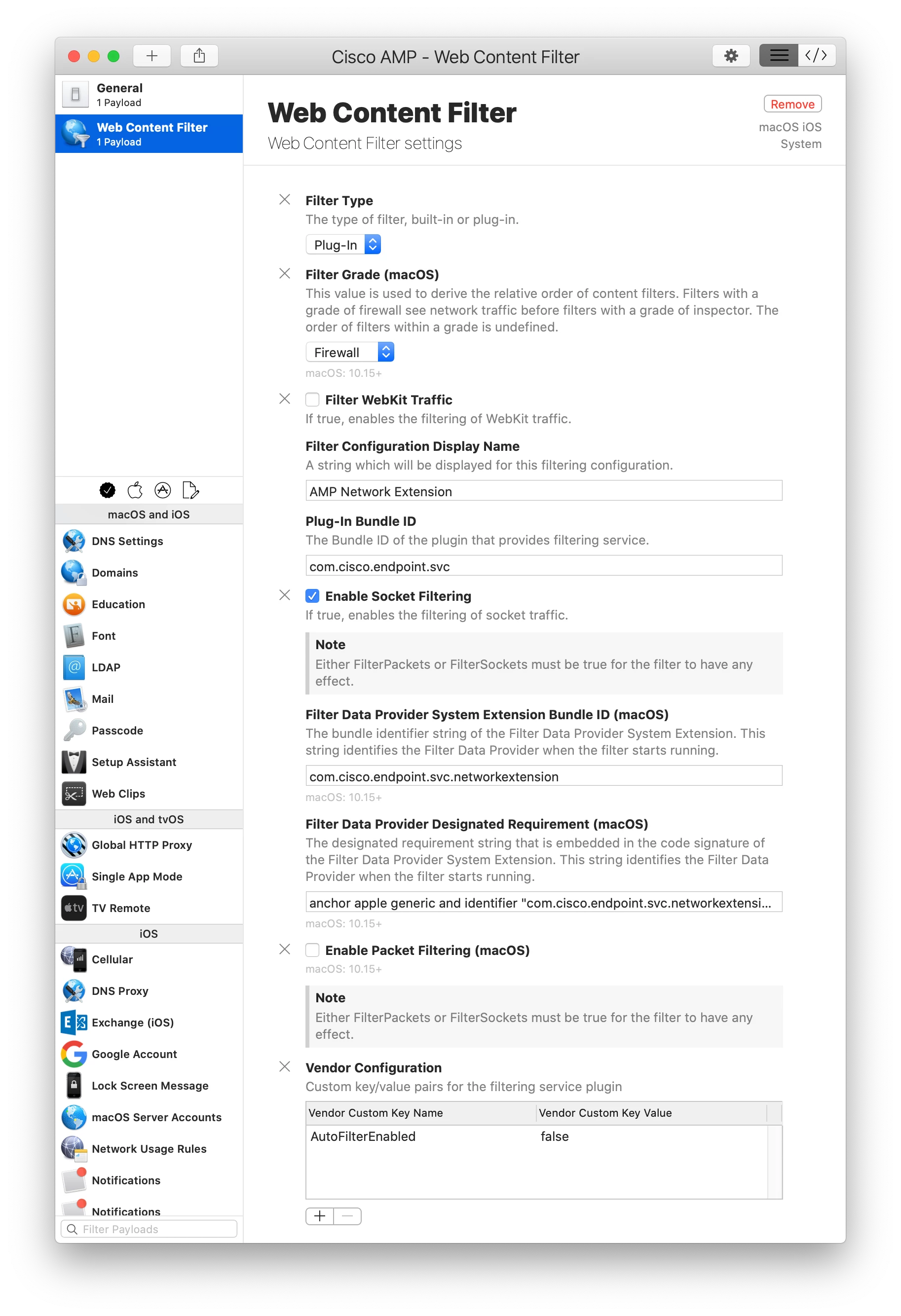
We are not yet on Jamf Pro 10.26 and I needed to fix this quickly so I used Profile Creator. I worried about the Custom Data fields shown by @ccliff and @ajc196 as according to https://developer.apple.com/documentation/devicemanagement/webcontentfilter the fields they had as custom are just part of the spec. However, even for Profile Creator, the field AutoFilterEnabled was not listed so I put it in the VendorConfig area but I suspect that's wrong. The default value for AutoFilterEnabled is true so even though we set it to false, I wonder if the value of AutoFilterEnabled is actually true. Also, why would you set it to false? Surely you want it on?

Here's screenshots if anyone else needs to make the Configuration Profile outside of Jamf Pro. I signed it using my Apple Developer signing certificate so it wouldn't get messed with and then uploaded it into the Jamf pro


Forum|alt.badge.img+4
  • Contributor
  • January 6, 2021

@ccliff There's been a bunch of updates on here but are you able to post a few screenshots of your configuration that you have working? I've been trying to get it configured but the Web Content Filtering is definitely throwing me for a loop. Thanks!


Forum|alt.badge.img
  • New Contributor
  • August 23, 2021

Hey guys,

the profile seems to be failing on the new M1 MacBooks as they handle kernel extensions differently. Does anyone have a new working profile for M1 devices?