So recently we've had problems with our Trend Micro installs, we used to push (C. Remote or policy) and it worked fine. Now it installs but it can't connect to the server. If I manually install it, it connects fine. Apparently it's not sending a certificate and a server plist file... any reason why it wouldn't come through when pushed through casper anymore?

Solved
Deploying Trend Micro through C. Remote

 +23
+23Best answer by jhalvorson
Are you talking about Trend Micro Security 2.0.3036/2.0.3037 that works with Trend Office Scan?
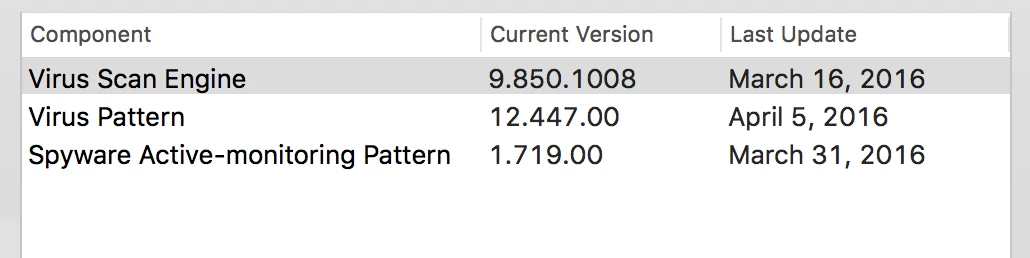
I've discovered that the mpkg file they provide for multi deployment via tools like ARD and JAMF, installs a version that won't always reach the server and self update. It actually contains a pkg that is older than 2.0.3036 and it doesn't work right on 10.9 and 10.10.
The pkg file that they offer for direct install will install 2.0.3036, contact the Office Scan, and update to 2.0.3037.
I've created a package that includes a script that curl's the current pkg (single/direct) installer from the console and then installs. Here is the script and many thanks goes to @Aaron
#!/bin/bash

#Reference:  Aaron's post on https://jamfnation.jamfsoftware.com/discussion.html?id=7347#responseChild38774

#Download the latest installer from the Trend Console
curl -s -k -o /tmp/tmsminstall.zip https://yourOfficeScanConsoleAddress.edu:4343/officescan/console/html/TMSM_HTML/ActiveUpdate/ClientInstall/tmsminstall.zip

#Unzip the file
unzip -qq /tmp/tmsminstall.zip -d /tmp

#Install the application
installer -pkg /tmp/tmsminstall/tmsminstall.pkg -target /

exit 0




Enter your E-mail address. We'll send you an e-mail with instructions to reset your password.