I am using a pretty generic version of the DEPNotify script, but I would like to be able to have it display a visual log of what applications have installed/failed all on the screen while the DEP enrollment is running so that techs have an easy way to verify all required apps have installed, without checking them one by one. Does anyone have any advice or tips on how to best get started? Scripting isn't my strongest area, but I generally can get by but this one has me scratching my head

Solved
DEPNotify Show Installation Status on Screen

 +10
+10Best answer by mm2270
That is what I am using, and it works great. All I am trying to do is make it so that as it begins installing the applications, it will display at minimum any installs that failed but preferably it would show installed apps as well
If you're curious about how swiftDialog can be used for this purpose, here are some screenshots of my process, which is still being tweaked, but almost ready to roll out to replace DEPNotify. As you can see, I work for Santander Bank.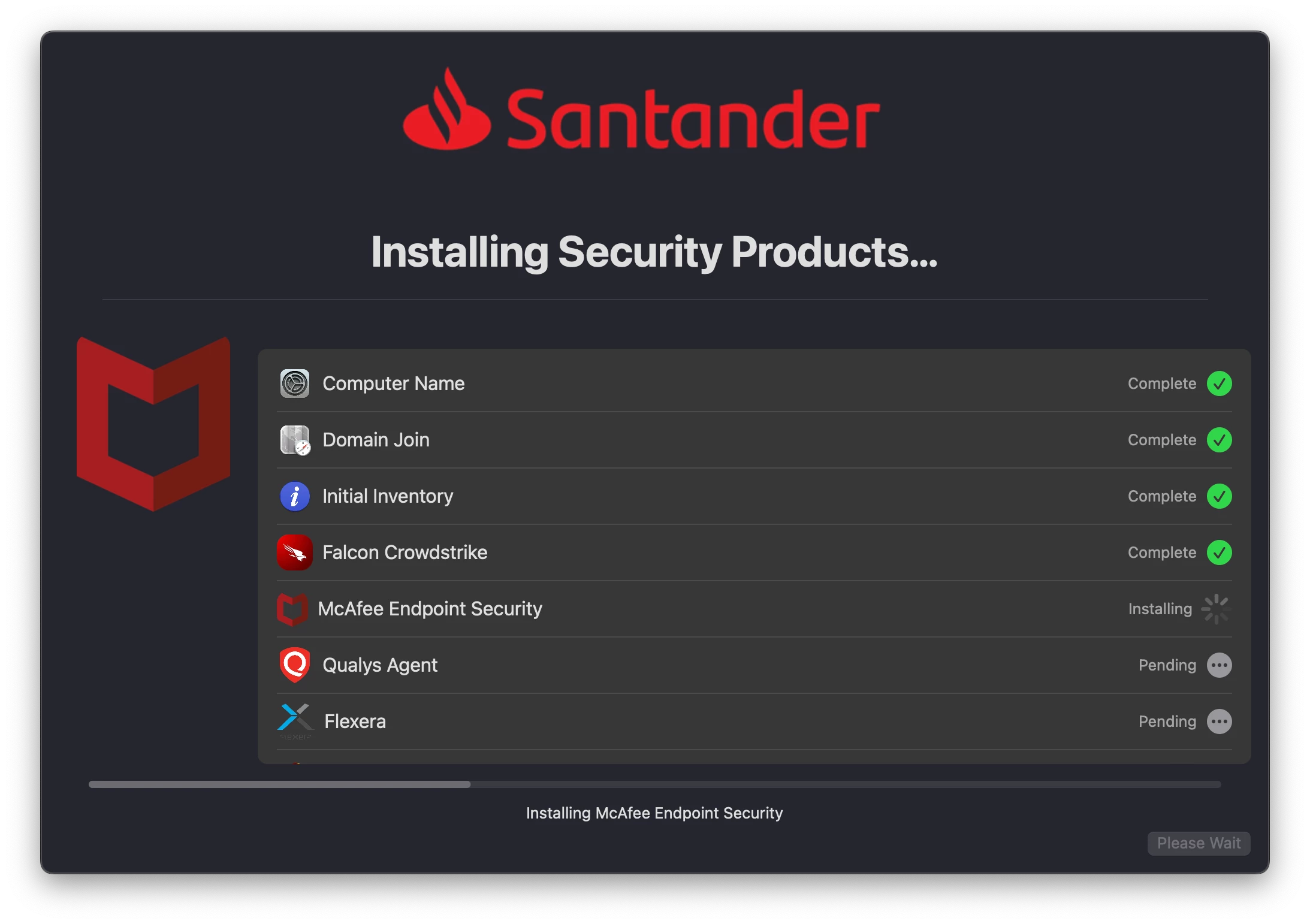
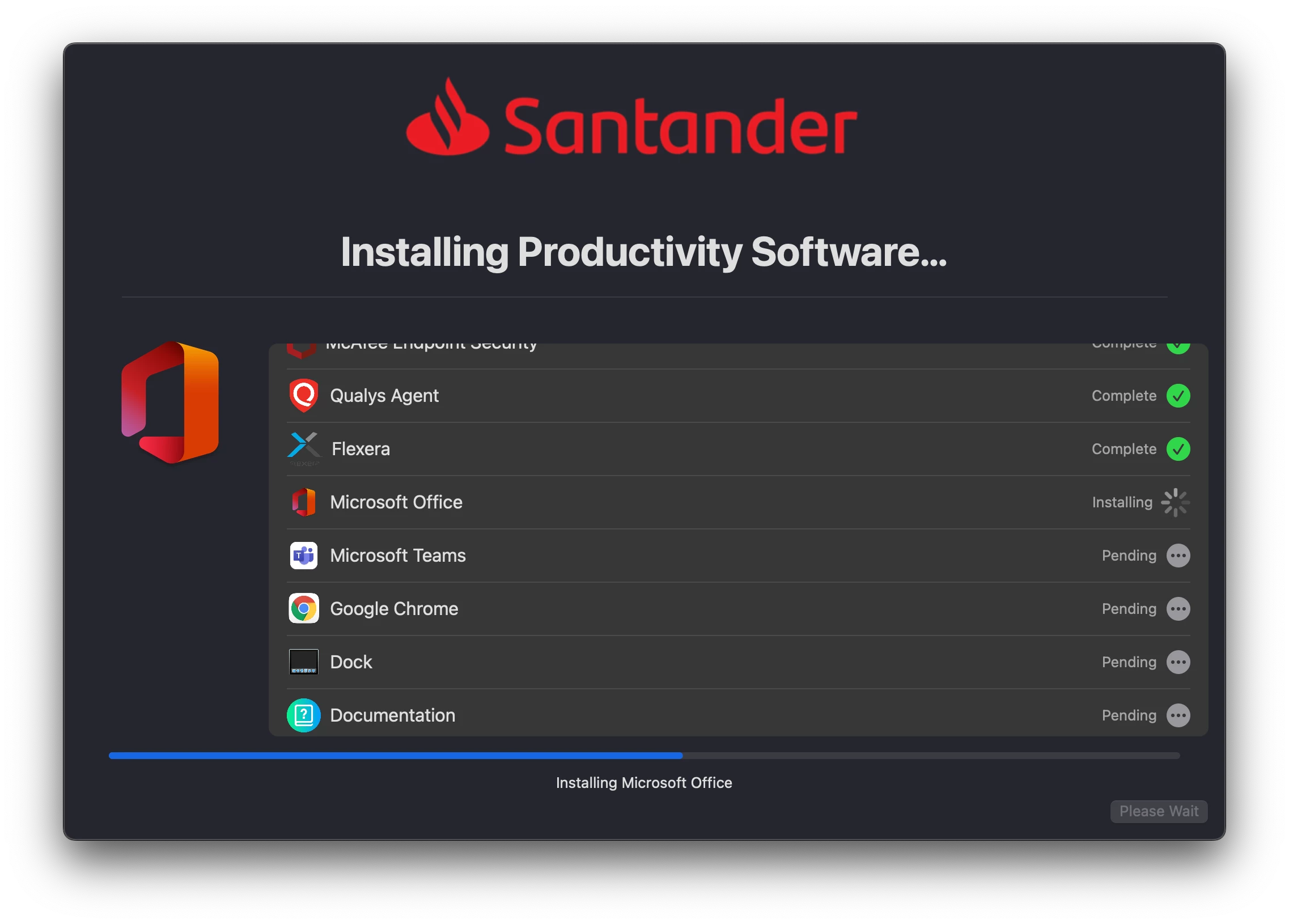
It's nice because it shows you what's coming (pending) as well as what's currently happening (Installing, running, etc.) and what's been done (completed, failed, etc.) in one nice easy to scroll list. If any of the installs fail it should show a red X icon over the small icon to the far right of the item, instead of a check, and indicate that it failed in the text as well, but I'm still testing that part of things out.
With DEPNotify it can really only display one item happening at a time, so this is really a big improvement in my opinion.
As I mentioned in my first post below, I put together a way using DEPNotify to keep a running updated list of what's been done, but it's hacky and prone to issues, not to mention the fact that the display space is limited, so I had to keep everything in a long running text list instead of something bullet pointed or one line for each (it would just get cut off if too many items were in the text section).






Enter your E-mail address. We'll send you an e-mail with instructions to reset your password.