
Question

Device stuck at DeviceConfigured

  • April 21, 2026
  • 2 replies
  • 53 views

BradyW

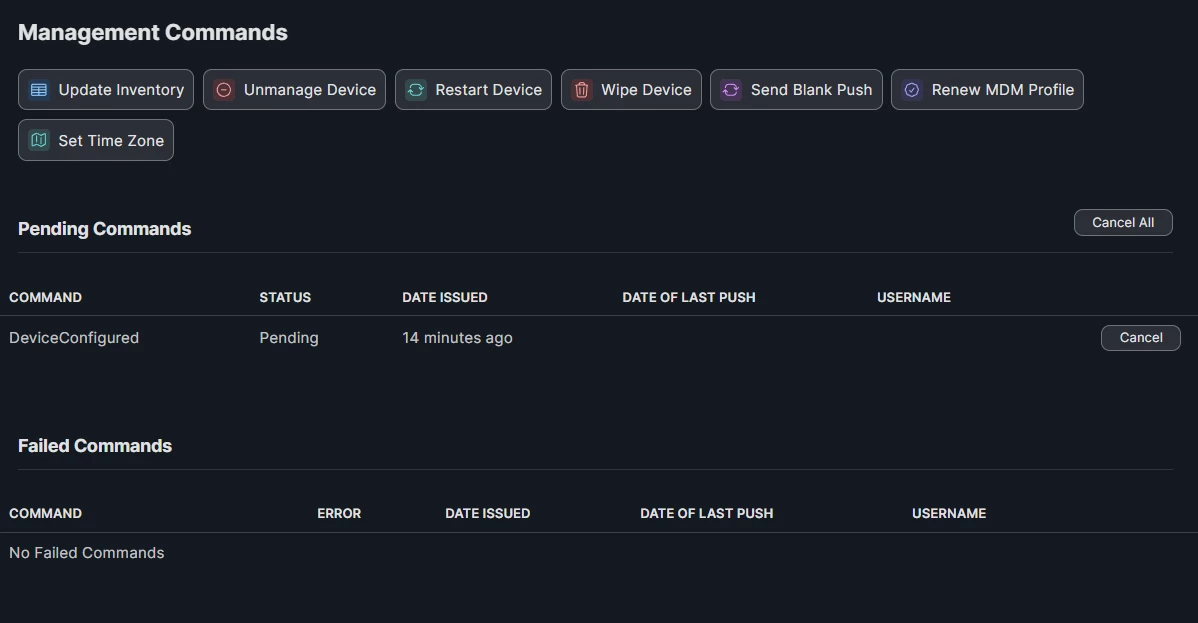
My device is stuck at DeviceConfigured. I have been having this problem more often. Everything on the back end in JAMF looks fine, but on the front end it just says "Awaiting final configuration”. This problem will persist for a long time. Does this happen to anyone else? Anyone have any ideas on how to fix this? It does not have any network issues. I tried pushing this command through using update inventory. I wiped it and restarted it multiple times.



2 replies

ktrojano
Forum|alt.badge.img+22
  • Jamf Heroes
  • April 21, 2026

@BradyW I’ve seen that as well when enrolling Apple TVs. Usually a few Inventory Updates and Blank Pushes get it to go through. I’ve also seen editing the General Tab and changing the device name will push the DeviceConfigured command through. On rare occasions, I’ve wiped the device then deleted the device record in Jamf and re-enrolled the iPad. 


peniti
Forum|alt.badge.img+1
  • New Contributor
  • May 18, 2026

My device is stuck at DeviceConfigured. I have been having this problem more often. Everything on the back end in JAMF looks fine, but on the front end it just says "Awaiting final configuration”. This problem will persist for a long time. Does this happen to anyone else? Anyone have any ideas on how to fix this? It does not have any network issues. I tried pushing this command through using update inventory. I wiped it and restarted it multiple times.



Send a blank push notification from the device record in JAMF Pro to kick the MDM queue loose. Clear all pending MDM commands from the queue then re-push enrollment. Check Settings, Privacy and Security, Profiles on the device to confirm the MDM profile shows as verified. If it keeps happening across multiple devices check your APNs certificate expiry in JAMF Pro global settings as an expired or expiring cert causes this repeatedly.