Question

Disable ability to delete browsing data among other things in Jamf School - Chrome

  • March 10, 2026
  • 5 replies
  • 33 views

Logan_Guard
Forum|alt.badge.img+5

I’ve created the below xml file for Chrome in Jamf School but students can still delete browsing data. Does anyone know what key I’m missing?


<?xml version="1.0" encoding="UTF-8"?>
<!DOCTYPE plist PUBLIC "-//Apple//DTD PLIST 1.0//EN"
"http://www.apple.com/DTDs/PropertyList-1.0.dtd">
<plist version="1.0">
<dict>

    <key>IncognitoModeAvailability</key>
    <integer>1</integer>

    <key>BrowserSignin</key>
    <integer>0</integer>

    <key>SyncDisabled</key>
    <true/>

    <key>AllowDeletingBrowserHistory</key>
    <false/>

    <key>SavingBrowserHistoryDisabled</key>
    <false/>

    <key>SearchContentSharingSettings</key>
        <integer>1</integer>

</dict>
</plist>

5 replies

woaikonglong
Forum|alt.badge.img+9
  • Jamf Heroes
  • March 10, 2026

Curious, why not apply these settings directly through Google?


Full disclosure, I haven’t done this since we use the Google to do it, but do you need to disable the Clear Browsing Data dialog itself? Maybe like this?


<key>AllowDeletingBrowserHistory</key>
<false/>

<key>AllowClearBrowsingData</key>
<false/>


Logan_Guard
Forum|alt.badge.img+5
  • Author
  • Contributor
  • March 10, 2026

Yes we are having issues with disabling the Clear Browsing Data dialog itself.  We just haven’t set up chrome enterprise to manage Chrome. It’s pretty easy using an XML file for just a few settings but I’m just having a problem with the 

<key>AllowDeletingBrowserHistory</key>
    <false/>

I’m using the following link for policies:  https://chromeenterprise.google/policies/

I didn’t see one for AllowClearBrowsingData


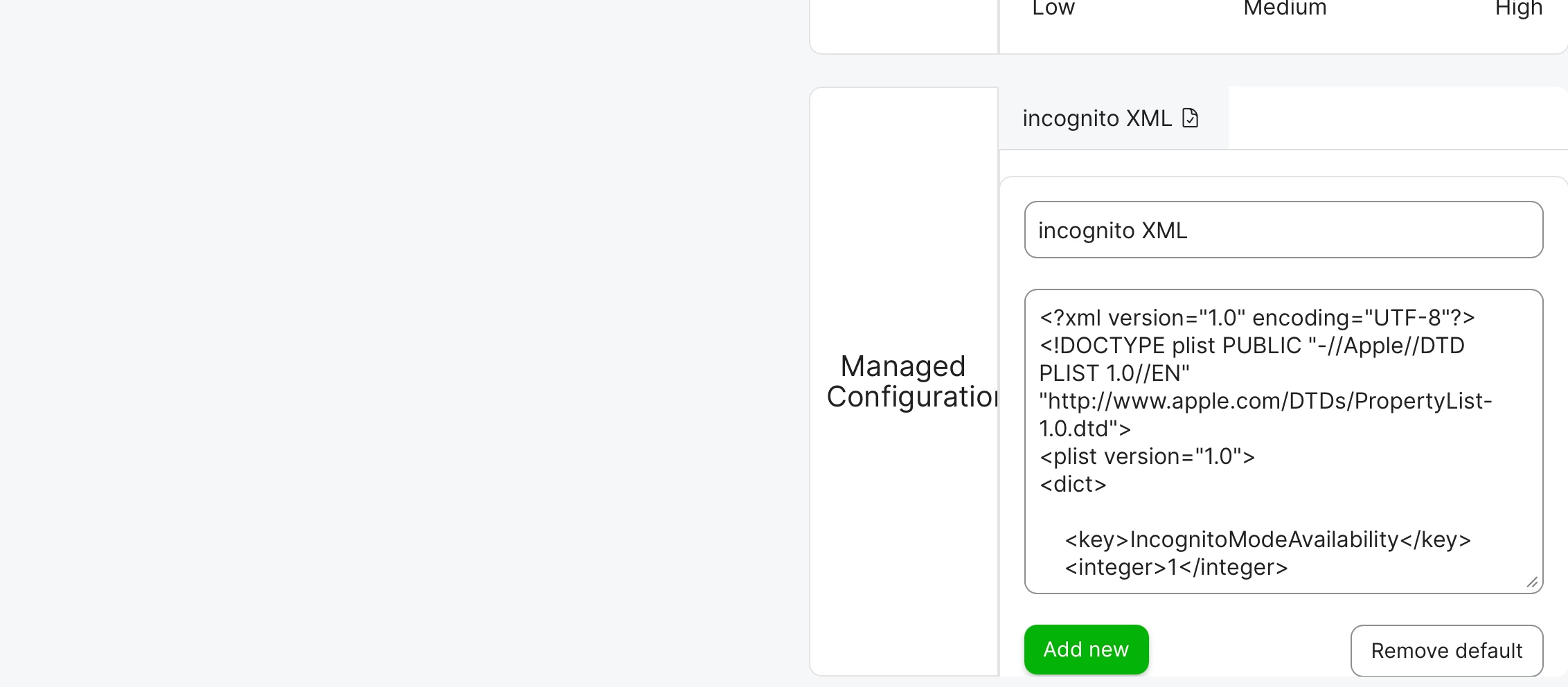
Below is how we have it set in Jamf School.


woaikonglong
Forum|alt.badge.img+9
  • Jamf Heroes
  • March 10, 2026

Darn, I was hoping it was maybe a hidden policy (protect user from self thing)… years ago we used to get them guessing and comparing wording of screens to the policy list for formatting. If you are on the device and go into chrome://policy does it show false for the delete? or is it missing? How does it go com.google.Chrome, or should it not ?


Forum|alt.badge.img
  • New Contributor
  • March 11, 2026

A couple things to double-check here:


1) On a test device, confirm the policy is actually landing in Chrome: chrome://policy (and click 'Reload policies'). If AllowDeletingBrowserHistory isn't showing up there, Jamf School likely isn't writing the preference domain/key where Chrome is looking.


2) The key you want is AllowDeletingBrowserHistory = false, but note Chrome has multiple 'clear' paths (history vs cache vs cookies vs downloads). Depending on what you mean by 'delete browsing data', you may also need to lock down the UI or use additional policies (e.g., DisableClearBrowsingDataDialog / ClearBrowsingDataOnExit, etc.).


We put together a quick reference for the macOS Chrome enterprise policy payload (domain + common keys + how to validate):

https://help.swif.ai/en/articles/11818972-apple-google-chrome-policy


Logan_Guard
Forum|alt.badge.img+5
  • Author
  • Contributor
  • March 11, 2026

I have found that AllowDeletingBrowserHistory works on Macs but not iPads.