Question

Disable iPad access after school hours

  • February 24, 2026
  • 3 replies
  • 9 views

swaldow

Is there a way to disable iPad access during certain hours of the day?

!--a=1-->

3 replies

dletkeman
Forum|alt.badge.img+17
  • Jamf Heroes
  • February 24, 2026
There is no supported way to configure Screen Time on supervised school iPads via Jamf Pro or Jamf School today.
 
There’s some ways I might accomplish similar with a scheduled single app mode profile perhaps but it’s not specifically disabling the iPad access during particular hours.

GregBobbett
Forum|alt.badge.img+12
  • Jamf Heroes
  • February 24, 2026

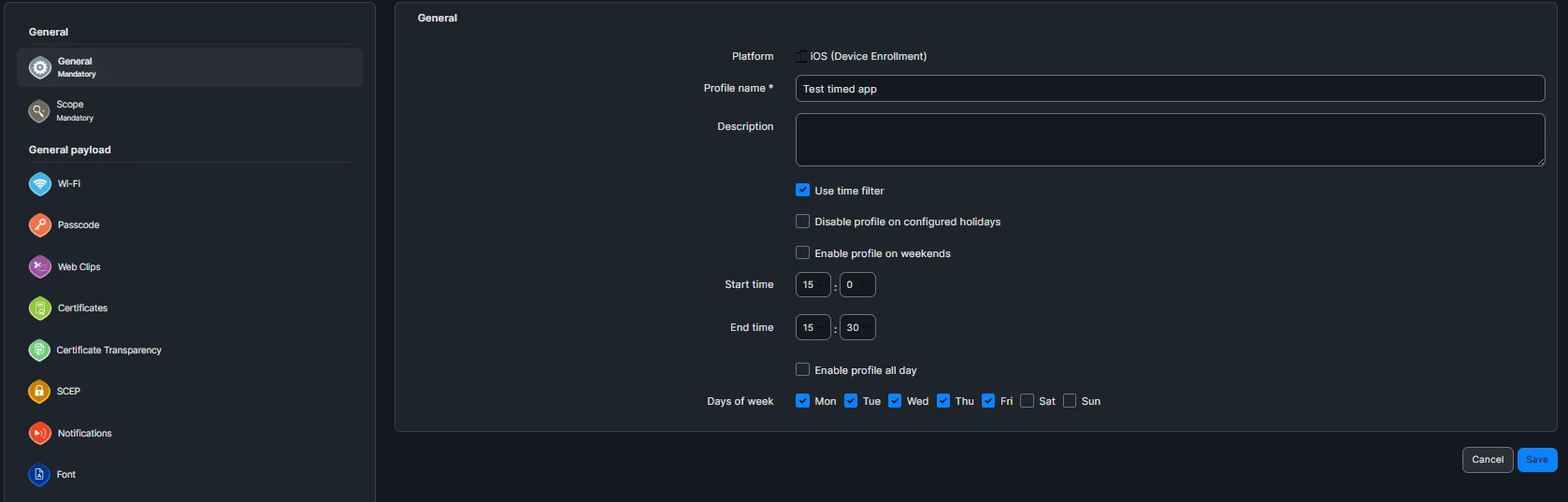
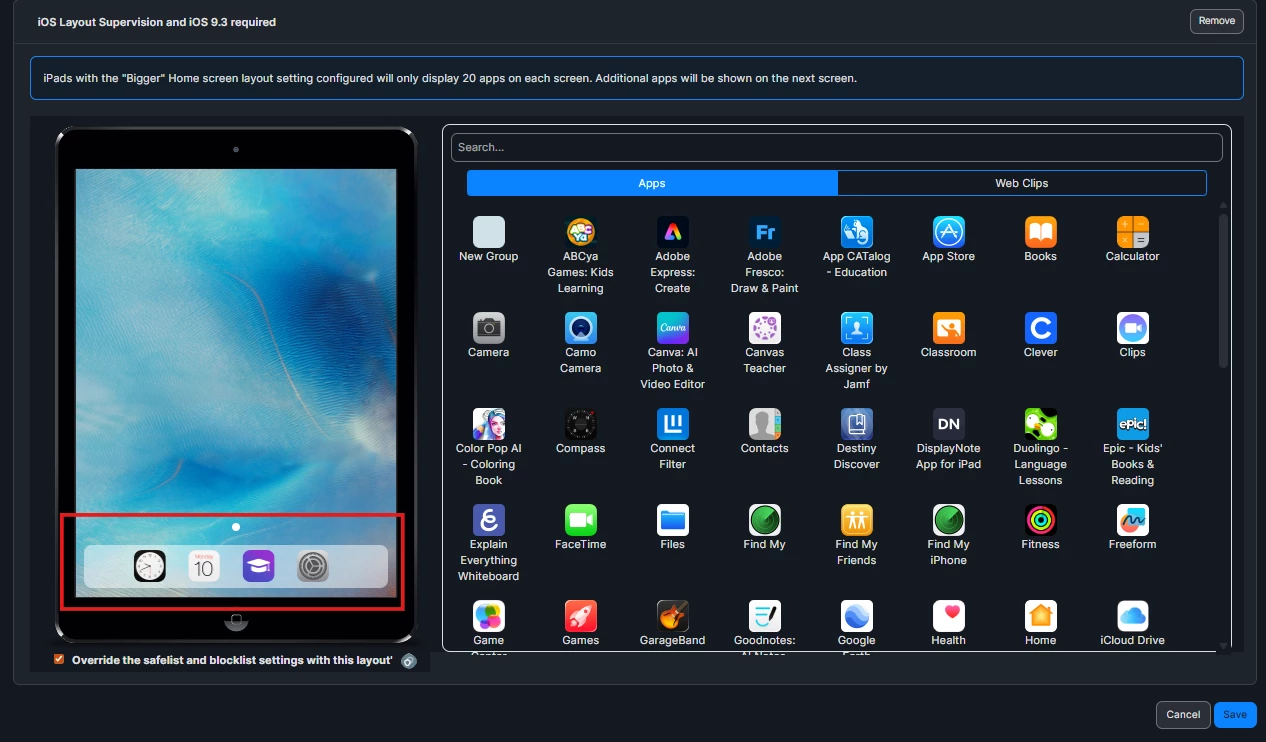
Like ​@dletkeman said, there isn’t an ‘official’ way to do this. I have messed around in Jamf School and I’ve been able to do something kind of like that by using the ‘Layout’ restriction in a separate timed policy. It ‘works’ but I’ve never run it in the wild, so no promises if it’ll function on student devices as advertised.

Pics of my test profile settings:
 

Just basic timed test
place allowed apps in the home bar only. 


dletkeman
Forum|alt.badge.img+17
  • Jamf Heroes
  • February 24, 2026

@GregBobbett if I remember correctly all apps will still be available on the App Library page.  I think iOS/iPadOS introduced App Library.  I think this might work for versions before v14 though.  Makes sense.  I think Jamf School can use this in a profile for a timed profile setting.