Answer

Dockingstation needed for MacBook Pro 2017

  • July 24, 2017
  • 18 replies
  • 91 views

Forum|alt.badge.img+5

Hello guys,

at the moment I am searching for a dockingstation for the latest MacBook Pro that supports two external displays (1080p), gigabit ethernet and some USB ports.
I have figured out that I need a thunderbolt dockingstation for the use of two external displays.
It seems that USB-C dockingstations without thunderbolt support one external display only.

There are two possible dockingstations that could be used and that are already available:
1. Lenovo Thinkpad Thunderbolt Dock
2. Elgato Thunderbolt 3 Dock

Even if the Lenovo Dockingstation is not custom-built for Apple MacBooks our company would prefer them because we are using Lenovo devices next to our Apple environment.

Is there something that you could recommend to use?
How do you setup your MacBook Pro workplaces if you have two use two displays?
Has anyone already tested the Lenovo Thunderbolt 3 Dock?
Unfortunately our displays do not support thunderbolt 3.

Thank you for your help.

Best answer by BGV652

Thanks to all and your great feedback!
I should have enough information now to make a decision.
Especially the two lists above offer a nice overview.

18 replies

Forum|alt.badge.img+12
  • Contributor
  • July 24, 2017

Have you looked at these?

https://hengedocks.com


Forum|alt.badge.img+5
  • Author
  • New Contributor
  • July 24, 2017

Yes, I have already looked at them.
Those horizontal dockingstations are currently unavailable (even the preorders are sold out) and besides this they are pretty expensive.


  • July 24, 2017

We are currently testing the Belkin Thunderbolt 3 express dock hd but we waiting for the calidigit thunderbolt station 3 (TS3) and the Elgato Thunderbolt dock. I have been going off of the shared google doc provided by the MacAdmins (https://docs.google.com/spreadsheets/d/1jAYm3ePGdP052JSfIxWTOWpIl9P3bnssm8kImdK3rqE/edit#gid=0).


bpavlov
Forum|alt.badge.img+18
  • Esteemed Contributor
  • July 24, 2017

There's a few listed here that support multiple video inputs: https://docs.google.com/spreadsheets/d/1wkPDr8hf9OGu-BjKRukdnUQ7tyEsabG4yAf1OmzekCg


donmontalvo
Forum|alt.badge.img+36
  • Hall of Fame
  • July 24, 2017


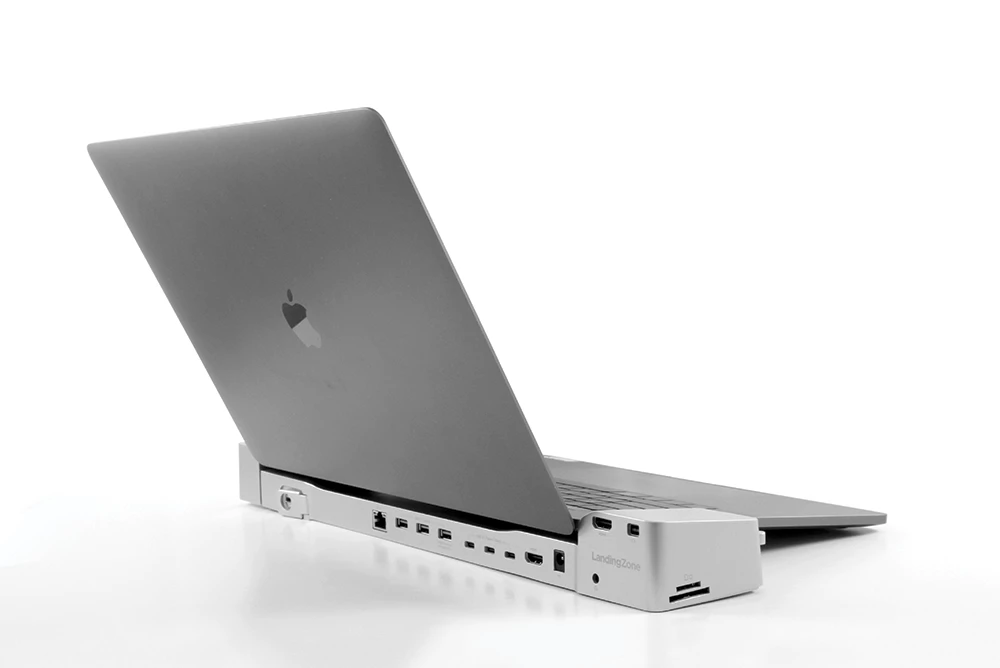
Might want to call LandingZone to see if they have an ETA for the 2017 model MacBook Pros.

Hm...actually not sure if a revamp is needed from 2016 to 2017...call em?


Forum|alt.badge.img+11
  • Valued Contributor
  • July 24, 2017

We have had good success with Targus USB-C docks. There is a limitation on the macOS in that it will only support one external display via a single USB-C port. However we had worked around this using a USB-C to Display port cable on a second display. Everything else runs through the dock, USB-A, audio, ethernet, USB-C.

http://www.staples.com.au/main-catalogue-productdetail/targus-usb-c-1k-4k-dual-video-docking-station/25014438?feature=browse&feature_ident=ident%3Atechnology-accessories%2Fcomputer-accessories%2Fdisplay-accessories%2Ftargus%7Cposition%3A6


Forum|alt.badge.img+5
  • Author
  • New Contributor
  • Answer
  • July 25, 2017

Thanks to all and your great feedback!
I should have enough information now to make a decision.
Especially the two lists above offer a nice overview.


Forum|alt.badge.img+5
  • New Contributor
  • July 25, 2017

I just started using the CalDigit Thunderbolt Station 3 (http://www.caldigit.com/thunderbolt-3-dock/thunderbolt-station-3/) with my 15" Late 2016. So far it seems to work like a charm. I've had much better luck with CalDigit TB/TB2 docks than with any other brand.

Also, be aware that the OWC TB3 dock doesn't provide enough power for the new 15" MacBook Pros, only the 13". OWC, of all companies you should know better.


Forum|alt.badge.img+7
  • Contributor
  • July 25, 2017

Also take a look at the Dell TB16 Thunderbolt docking station: http://www.dell.com/en-us/shop/dell-thunderbolt-dock-tb16-240w/apd/452-bcnu/pc-accessories
We use it and have not seen any issues with MacBooks and dual 4k video monitors. Only issues at this time is that you need a windows machine with USB-C port to update firmware as Dell has no Mac utility to do this.


Forum|alt.badge.img+3
  • New Contributor
  • July 26, 2017

@csa, how did you get dual display working on the TB16? Is it dependent upon the firmware update? We have a handful of them and need to use tb3enabler and even then can only get a single display out. At the moment, I am looking at staying away from TB3 due to compatibility with with regular MacBooks.


Forum|alt.badge.img+7
  • Contributor
  • August 3, 2017

@bmagistro We needed to update the firmware on the TB16 (only the 200+ watt model works) to get dual video to work. The firmware update can only be done from a Windows machine that has a USB-C port. Dell does not provide a way to update the firmware from the Mac. We also tried to do the update from a windows VM and BootCamp but no luck with those approaches. Generally TB3 docks have issues the MacBook Pros in my experience, the dock doesn't seem to be ready yet. I would wait till October when better docks are scheduled to hit the market. We are also currently evaluating pre-release ver of the M-Connect-2 dock from HumanScale and it works really well so far.


richtea86
Forum|alt.badge.img+4
  • Contributor
  • August 23, 2017

The Belkin dock is working well for us, display port for one screen and a usb-c to DVI adapter for the other. I will say however, connecting via HDMI adapters to anything is super unreliable. Projectors and meeting room displays just aren't working properly for us with the Apple Digital AV adapter.


Forum|alt.badge.img+14
  • Contributor
  • August 23, 2017

I've been testing the Kensington SD5000T TB3 docking station (https://www.kensington.com/us/us/4491/k38239us/sd5000t-thunderbolt-3-docking-station). Seems to work well so far and has a built-in DisplayPort and two TB3 ports for additional displays.


Forum|alt.badge.img+1
  • New Contributor
  • September 11, 2017

@csa can you tell me where you got the firmware update you speak of? I don't see one for the dock on Dell's site, just a thunderbolt chipset upgrade for laptops.


Forum|alt.badge.img+1
  • New Contributor
  • September 11, 2017

@csa how did you update the firmware on the TB16? I've been looking everywhere for a firmware update for the dock and can't find anything.


Forum|alt.badge.img
  • New Contributor
  • September 11, 2017

@csa, can you tell us more about TB16 firmware update ? I've bought a TB16 dock and need to update firmware as you mentioned, but can't found the binaries on Dell Support site. Thx


Forum|alt.badge.img+3
  • New Contributor
  • October 26, 2017

@nathansoz @macseb , One of the guys in our shop did try updating but we have not followed up on if it will drive two displays yet. He did mention that there was no utility to force the update and that eventually it noticed it needed an update and prompted him.


Forum|alt.badge.img+17
  • Valued Contributor
  • October 26, 2017

Henge have a tethered docking station as an alternative to their vertical and horizontal docks. We just bought Kingston Thunderbolt 3 docks and I'm pretty happy with them.