
Answer

" Edit Autorun Data" Whitescreen with Groups.

  • February 22, 2018
  • 3 replies
  • 23 views

Forum|alt.badge.img+9

Hello All,

I am currently having an issue with viewing/editing Autorun data from the "Smart Computers Groups"

I click on the group > View > Action > and select the "Edit Autorun Data" option and I get a white page within the Jamf Pro frame (see below)
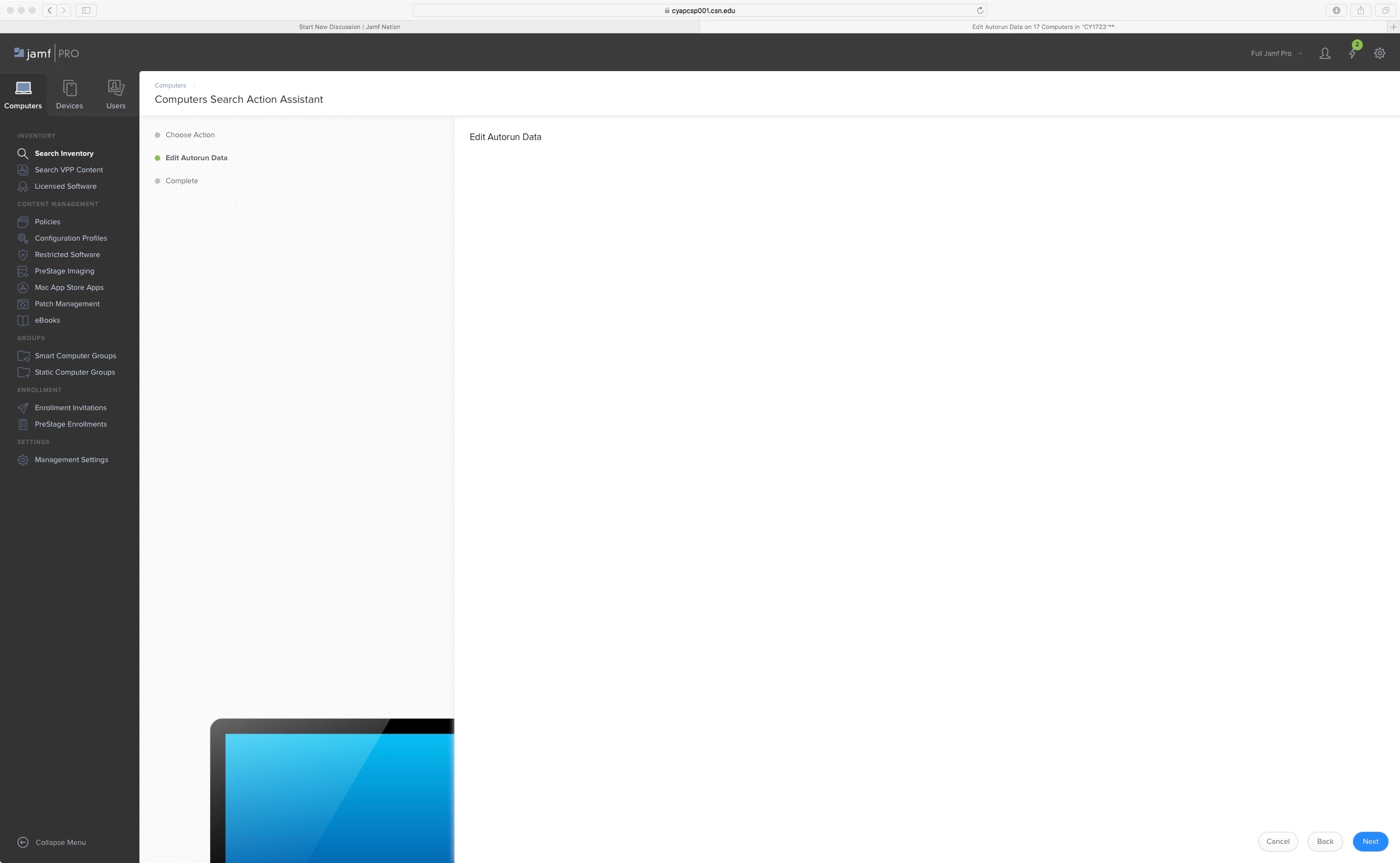
This has been happening since Jamf 10 and I was hoping it was going to clear up for 10.2.1 but it did not.

Any ideas?

Best answer by takayuki

This is a known issue PI-005124 (Unable to perform bulk Autorun Data update), and no ETA for the fix at this stage.

Edit each Autorun data to workaround this issue.

3 replies

Forum|alt.badge.img+8
  • Contributor
  • Answer
  • February 22, 2018

This is a known issue PI-005124 (Unable to perform bulk Autorun Data update), and no ETA for the fix at this stage.

Edit each Autorun data to workaround this issue.


Forum|alt.badge.img+9
  • Author
  • Contributor
  • February 22, 2018

Thank you so much for the response!


Forum|alt.badge.img+9
  • Author
  • Contributor
  • April 1, 2018

Confirmed to be fixed with Jamf Pro 10.3.0