JSS 9.81
OSX 10.11.3 image
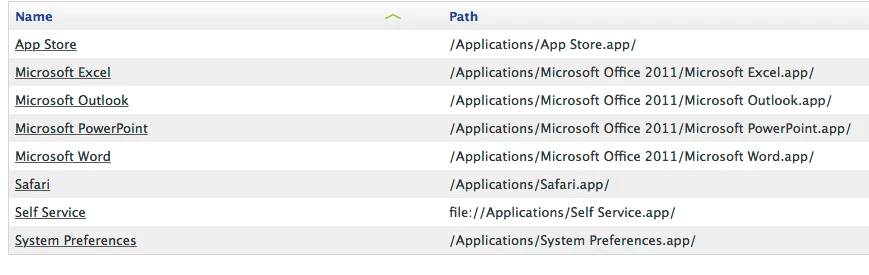
Right after imaging with OSX 10.11.3, computers enroll and I let all the post-enrollment policies do their thing. When I login as the local admin account, I see a question mark icon for Self Service. When I click it, I get an error: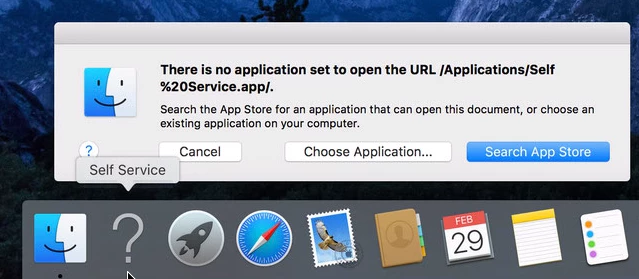
This is how the Self Service icon is configured in JSS: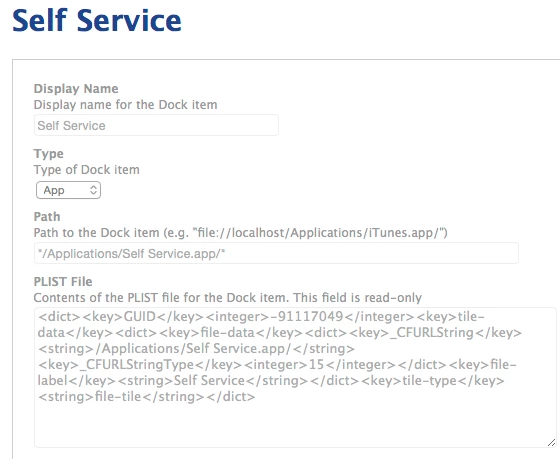
This works just fine with Yosemite images.
I've tried variations on the Path and none of them work in El Capitan. I've tried file://localhost... file:///Applications... file://Volumes/Macintosh HD/... /Volumes/Macintosh HD... I've also tried them all in quotes, but every single thing I try still creates this broken Self Service icon in El Capitan.
What do I need to put here to make the Self Service icon in the dock do what it's supposed to in El Capitan? Otherwise it just forces me to manually delete the broken icon and drag the program into the Dock.