Solved

EntraID login window in Jamf Connect

  • Mar 20, 2025 10:06 AM UTC
  • 13 replies
  • 711 views

BGhilardi
Forum|alt.badge.img+7

Hello,
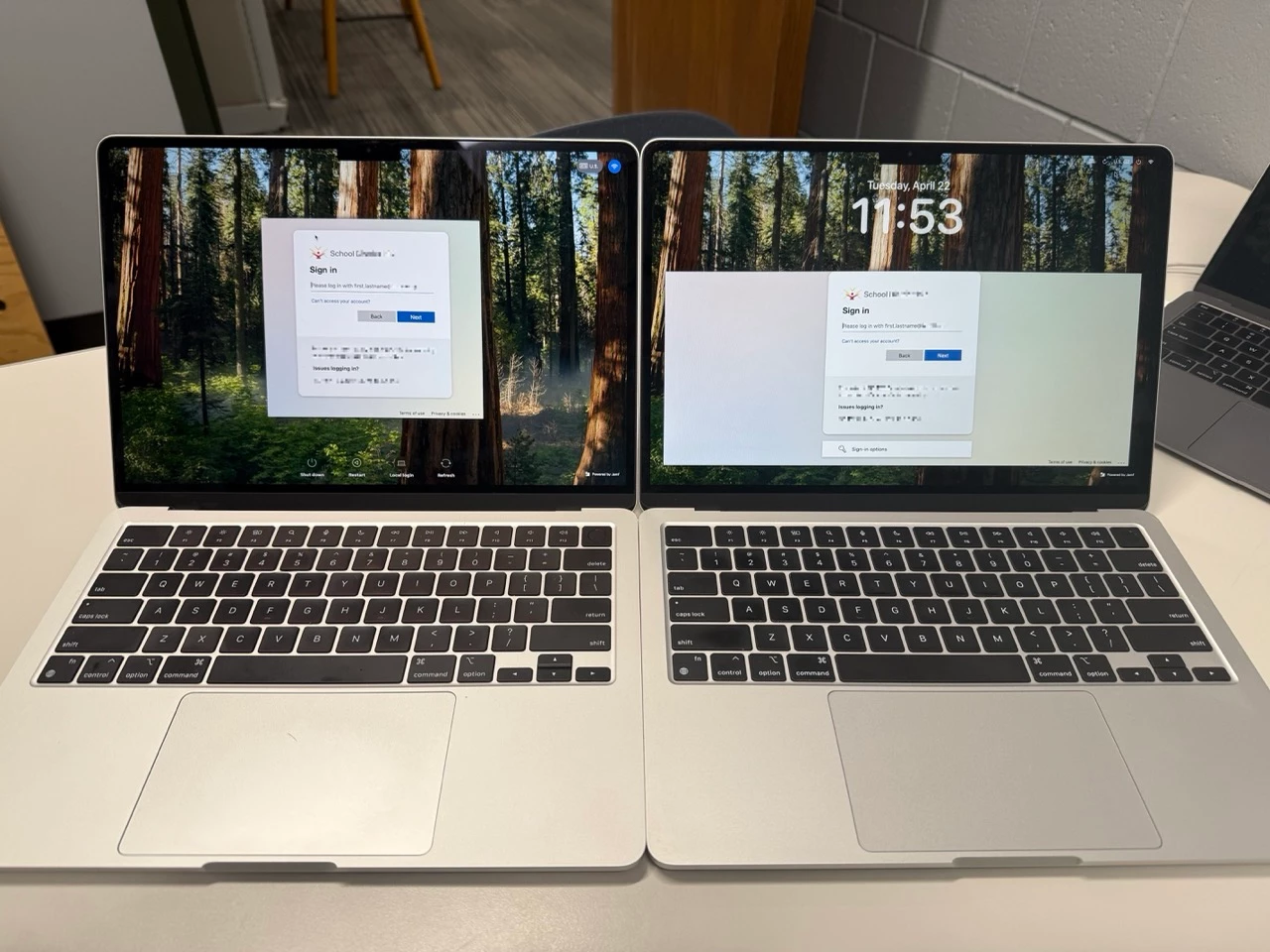
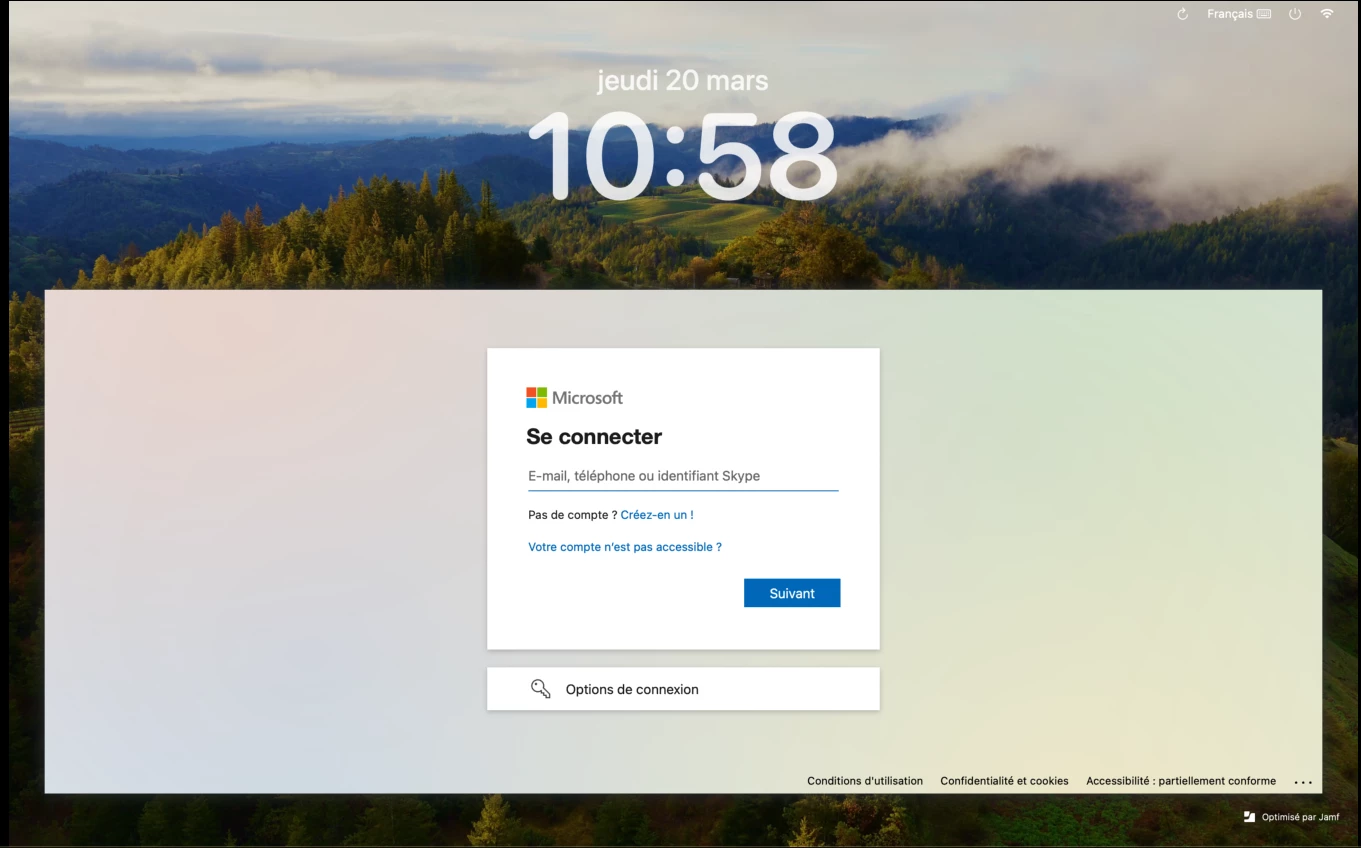
With the new version of Jamf Connect 2.45, I noticed an issue with the login window.
The login banner takes up the full width of the screen.
Is there a way to reduce it to the size of the EntraID login window?

Best answer by Valcovish

Jamf Connect 2.45 currently doesn’t provide a built-in option to resize the login window. The full-width layout is default. You may need to submit feedback to Jamf for potential future updates.


View original

13 replies

Valcovish
Forum|alt.badge.img+6
  • Contributor
  • Answer
  • Mar 20, 2025 12:51 PM UTC

Jamf Connect 2.45 currently doesn’t provide a built-in option to resize the login window. The full-width layout is default. You may need to submit feedback to Jamf for potential future updates.


gmihailo
Forum|alt.badge.img+4
  • Contributor
  • Apr 9, 2025 2:26 PM UTC

I have this issue as well. Since upgrading I've noticed mine stretches wide as well. Surely this is a bug?


Forum|alt.badge.img+12
  • Valued Contributor
  • Apr 10, 2025 1:45 PM UTC

Anyone know if this is an issue in 2.43 or earlier?  I haven't upgraded mine that far yet.


snowfox
Forum|alt.badge.img+9
  • Contributor
  • Apr 11, 2025 2:41 PM UTC

I think this is by design as you will also find that screens on 'Custom Enrollment' and when viewing Policy Logs are now a lot bigger and wider under 11.15.2.


red_beard
Forum|alt.badge.img+8
  • Valued Contributor
  • Apr 22, 2025 4:57 PM UTC

I was just testing this latest version and was surprised by this and thought is was bug too. Most of my dislike is for how hard it will be for users to figure out where the refresh, local login, shutdown, and restart buttons are. 

Conceptually I like if things follow the OS look and feel, but guiding users to those small faint icons instead I think is a downgrade in this instance. If we want things to appear more native, shrinking the Microsoft login screen to it's essentials would be miles ahead on my list before dealing with those other icons.


Forum|alt.badge.img+1
  • New Contributor
  • Apr 22, 2025 9:44 PM UTC

I have this issue as well!  I have been unable to find how to log in with a local account or to get any of the other options to appear.  Did you guys manage to figure that out?  Thank you in advance if you have!


Forum|alt.badge.img+1
  • New Contributor
  • Apr 22, 2025 9:47 PM UTC

Never mind, I found it! *SMH* Thanks for this post so I know I'm not alone in disliking this change.


red_beard
Forum|alt.badge.img+8
  • Valued Contributor
  • Apr 22, 2025 11:11 PM UTC

I have this issue as well!  I have been unable to find how to log in with a local account or to get any of the other options to appear.  Did you guys manage to figure that out?  Thank you in advance if you have!


As long as those things are allowed in your configuration profile - the
tiny icons in the upper right are those options. They don’t look clickable
but they are.

gmihailo
Forum|alt.badge.img+4
  • Contributor
  • Apr 23, 2025 12:19 AM UTC

I was just testing this latest version and was surprised by this and thought is was bug too. Most of my dislike is for how hard it will be for users to figure out where the refresh, local login, shutdown, and restart buttons are. 

Conceptually I like if things follow the OS look and feel, but guiding users to those small faint icons instead I think is a downgrade in this instance. If we want things to appear more native, shrinking the Microsoft login screen to it's essentials would be miles ahead on my list before dealing with those other icons.


It's a baffling design decision. Hopefully they can work to improve it. 


gmihailo
Forum|alt.badge.img+4
  • Contributor
  • Jul 15, 2025 12:32 PM UTC

I’ve noticed that if you just add the 3.1 configuration profile to your existing jamf connect payload you can just use the window size option in there and it changes back to the old compact style.

I tested this on Jamf Connect 2.45.1 and it works.


mm2270
Forum|alt.badge.img+24
  • Legendary Contributor
  • Jul 27, 2025 2:49 AM UTC

Late to the party, but I have the same compliant. Don’t like the redesign of the Entra sign in in Jamf Connect. I don’t know why Jamf went in this direction. It looks out of place and as if it’s a mistake.


jbabbnet
Forum|alt.badge.img
  • New Contributor
  • Jul 29, 2025 5:13 PM UTC

gmihailo, what xml tag did you use and did you you “compact” or “small”?  Thanks in advance.


johnsmalley
  • New Contributor
  • Aug 20, 2025 9:20 PM UTC

I’ve noticed that if you just add the 3.1 configuration profile to your existing jamf connect payload you can just use the window size option in there and it changes back to the old compact style.

I tested this on Jamf Connect 2.45.1 and it works.

Forgive what might be an obvious question, but what tag are you using? I’ve tried ‘compact’ and it doesn’t make a blind bit of difference. Personally I’m indifferent, but users are complaining already.