Question

FDA config for Crowdstrike

  • Jun 19, 2020 4:08 PM UTC
  • 9 replies
  • 141 views

Forum|alt.badge.img+4

Hi. Annoying new JAMFer here.

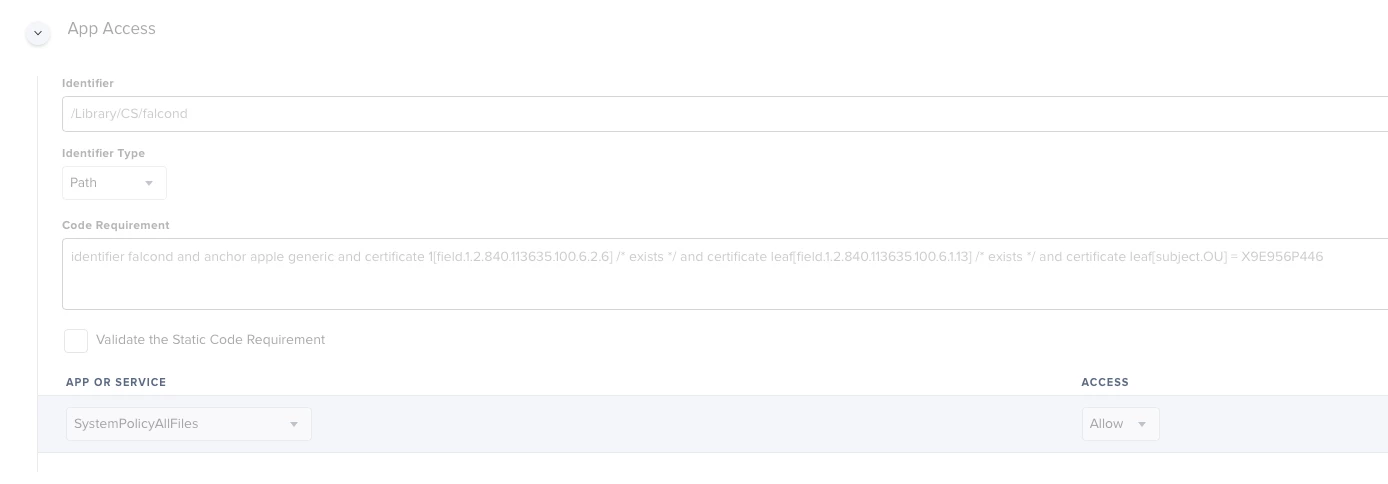
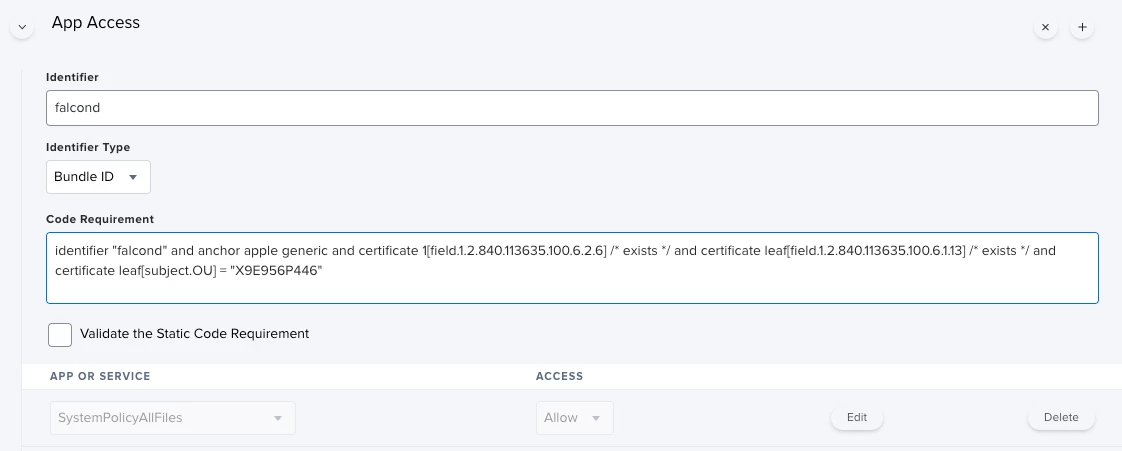
Trying to configure FDA for Crowdstrike falcon sensor by using the Privacy Preferences Policy Control.

I've uploaded screenshot of what I have.

Flummoxed because so many folks say deployment is a breeze but I can't deploy company wide until I figure this out. Package installation and registration seems to work fine so I think this is the missing piece.

Any advice welcome.
9 replies

Forum|alt.badge.img+4
  • Author
  • Contributor
  • Jun 19, 2020 4:09 PM UTC


jamesandre
Forum|alt.badge.img+7
  • Contributor
  • Jun 22, 2020 12:19 AM UTC

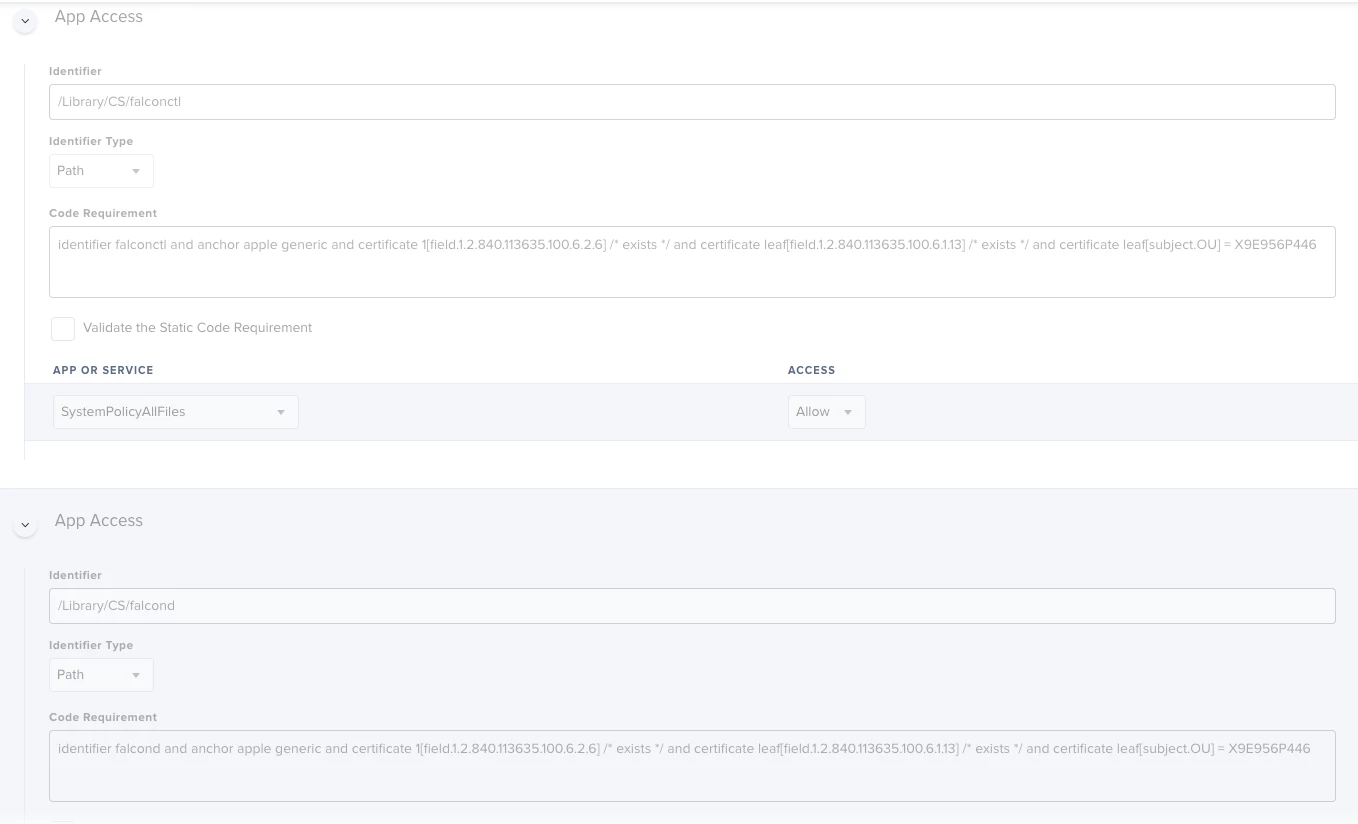
I'm not sure that you have the correct identifier there. Ive got...


drtaru
Forum|alt.badge.img+14
  • Contributor
  • Jun 22, 2020 2:47 PM UTC

This is ours, Was having issues on catalina with using the bundleid and switched to Path, was also having issues without falconctl added with the same entitlement.


Forum|alt.badge.img+9
  • New Contributor
  • Jun 22, 2020 2:59 PM UTC

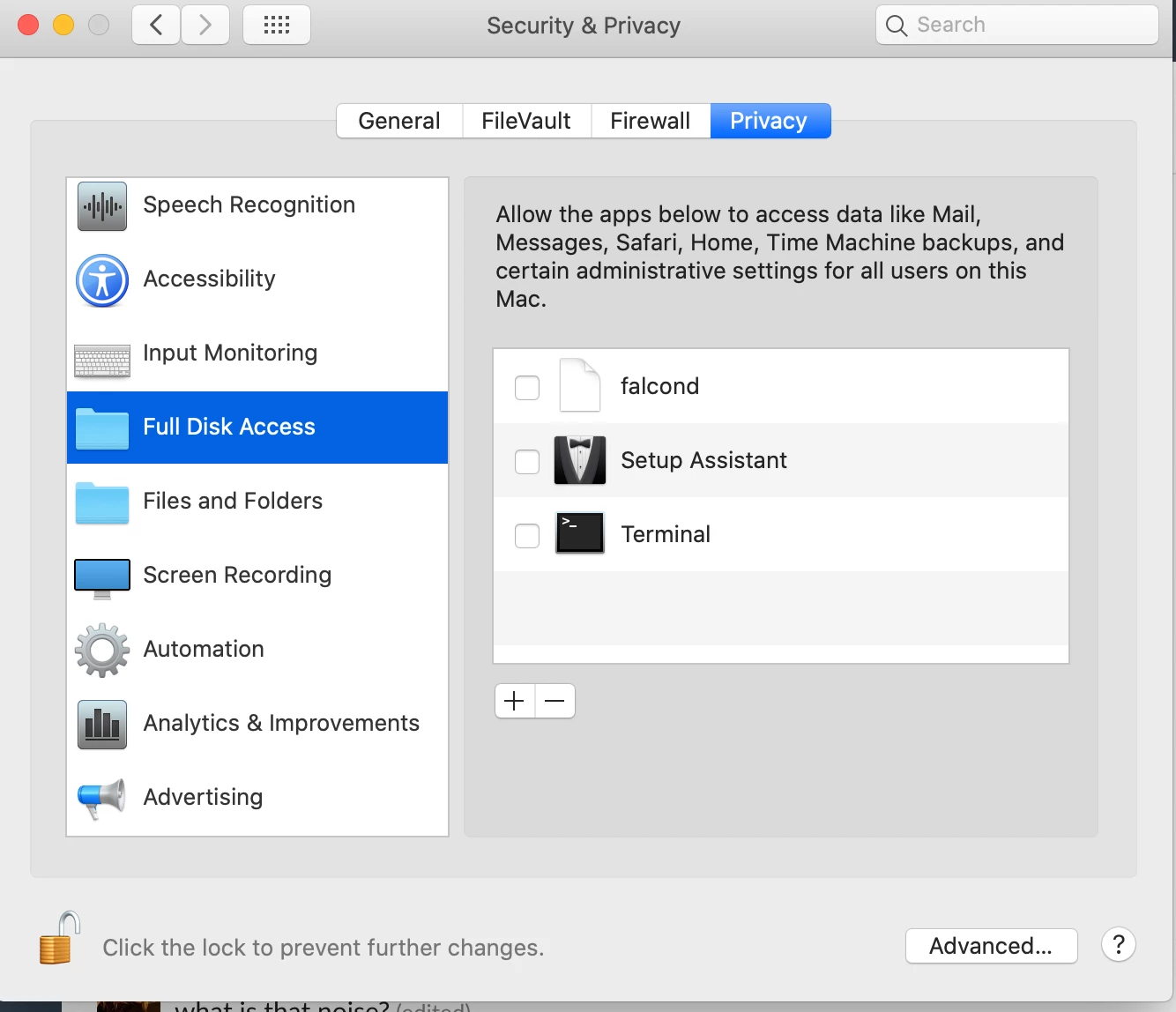
Also, you won't see the approval reflected in System Preferences. Check it with:

plutil -p /Library/Application Support/com.apple.TCC/MDMOverrides.plist

Forum|alt.badge.img+12
  • Valued Contributor
  • Jun 22, 2020 4:05 PM UTC

@patgmac (or anyone else), have you seen any nice gui apps built around plutil anywhere? If I can chisel out some time, I'd like to build something that makes the output easier to read at a glance. It may be a long time until I get to it though.


drtaru
Forum|alt.badge.img+14
  • Contributor
  • Jul 30, 2020 3:47 PM UTC

That plutil command doesn't seem to work on Catalina, I get an Operation Not Permitted error even when running as root.


Forum|alt.badge.img+31
  • Honored Contributor
  • Jul 31, 2020 3:23 PM UTC

the plutil -p works for me just fine and I have several MDM Overrides in my configs. @patgmac is 100% correct, you cannot trust the GUI as Apple has not properly implemented that yet. The only way to be certain is to check the overrides file


drtaru
Forum|alt.badge.img+14
  • Contributor
  • Jul 31, 2020 3:53 PM UTC

Ah, Figured out my issue, I didn't have iTerm set to have Full Disk Access.


Forum|alt.badge.img
  • New Contributor
  • Sep 1, 2020 11:14 PM UTC

@patgmac So then after running the plutil command this output is saying that falcond has Full Disk Access?

"/Library/CS/falcond" => { "kTCCServiceSystemPolicyAllFiles" => { "Allowed" => 1 "CodeRequirement" => "identifier falcond and anchor apple generic and certificate 1[field.1.2.840.113635.100.6.2.6] / exists / and certificate leaf[field.1.2.840.113635.100.6.1.13] / exists / and certificate leaf[subject.OU] = X9E956P446" "CodeRequirementData" => {length = 148, bytes = 0xfade0c00 00000094 00000001 00000006 ... 35365034 34360000 } "Identifier" => "/Library/CS/falcond" "IdentifierType" => "path" "StaticCode" => 0