Solved

Feel really stupid on this one... can't get setregproptool anywhere

  • April 17, 2015
  • 4 replies
  • 24 views

Forum|alt.badge.img+10

im not new to anything here but i can't seem to get hand on that tool anywhere...

i have all the installers but looks like all the path i am reading doesn't seems to be the good one....

anyone an easy solution to get the setregproptool

Thanks

Best answer by jmercier

solved

4 replies

Forum|alt.badge.img+10
  • Author
  • Contributor
  • Answer
  • April 17, 2015

solved


bpavlov
Forum|alt.badge.img+18
  • Esteemed Contributor
  • April 17, 2015

In case it's not unique and others stumble across this issue, how was it solved?


RobertHammen
Forum|alt.badge.img+29
  • Esteemed Contributor
  • April 17, 2015

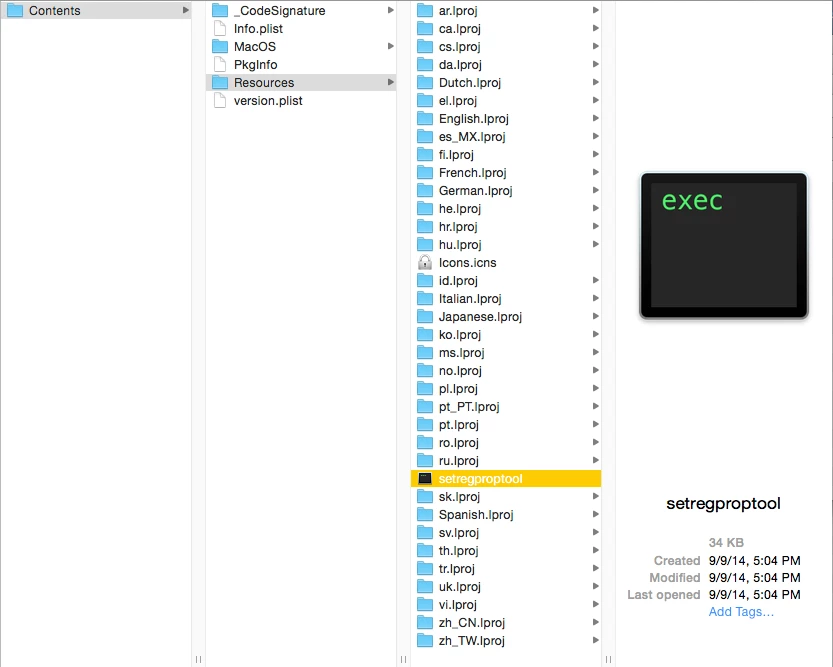
The binary is still embedded in the Firmware Password Utility on your Recovery HD, even on Yosemite.

I enable the Debug menu in Disk Utility:

defaults write ~/Library/Preferences/com.apple.DiskUtility DUDebugMenuEnabled 1

Open Disk Utility. Click on Debug->Show Every Partition. Mount Recovery HD. open com.apple.recovery.boot and mount BaseSystem.dmg

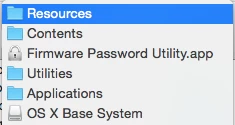
Once you mount that, navigate to

(you'll have to right-click on Firmware Password Utility.app and select Show Package Contents)

You'll see setregproptool present there:


Forum|alt.badge.img
  • New Contributor
  • April 18, 2015

I wrote a script on GitHub that also extracts it from the Install OS X app very easily too.