Question

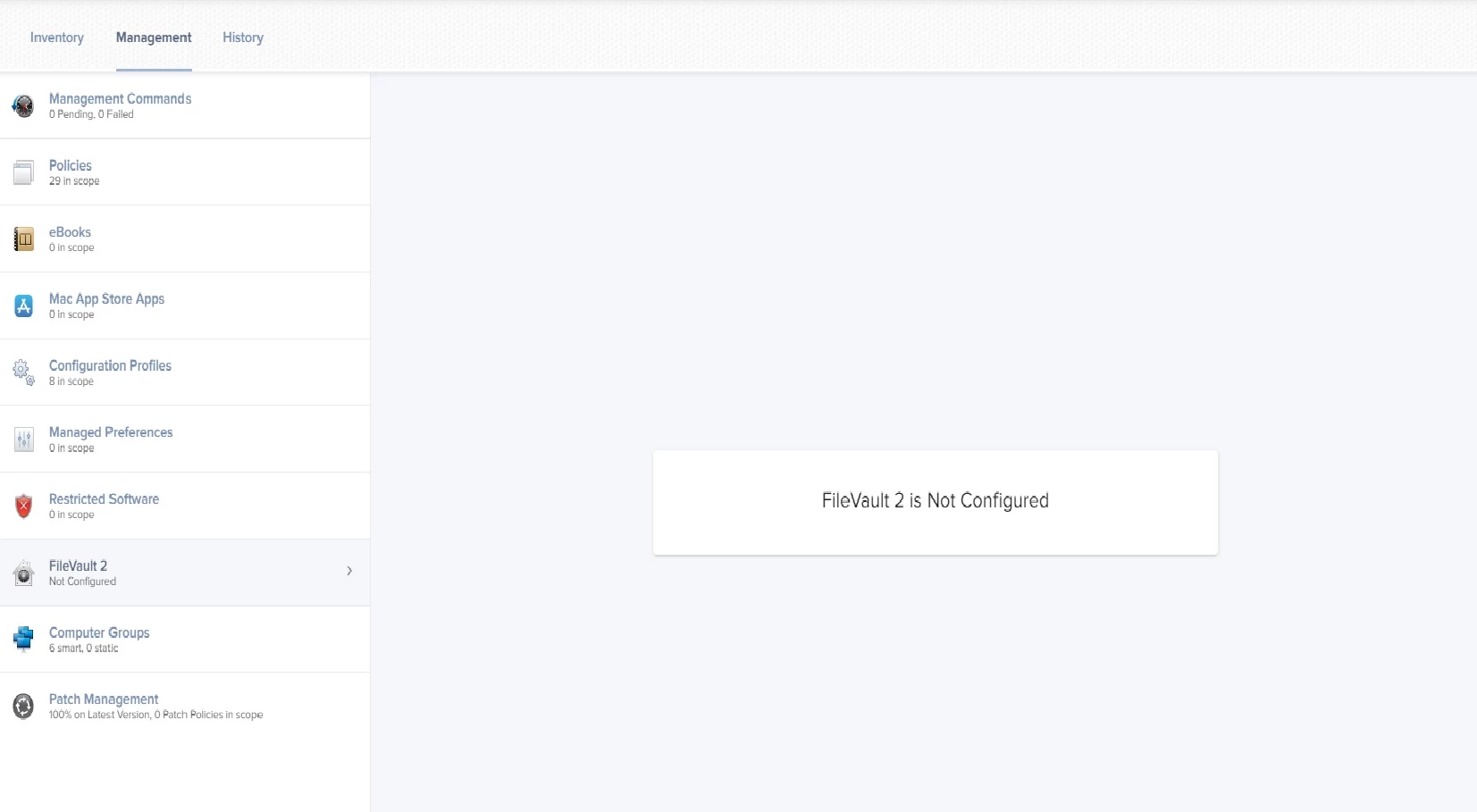
FileVault 2 Displays "Not Configured" in JSS OSX 10.13.4

  • April 25, 2018
  • 7 replies
  • 52 views

Forum|alt.badge.img+4

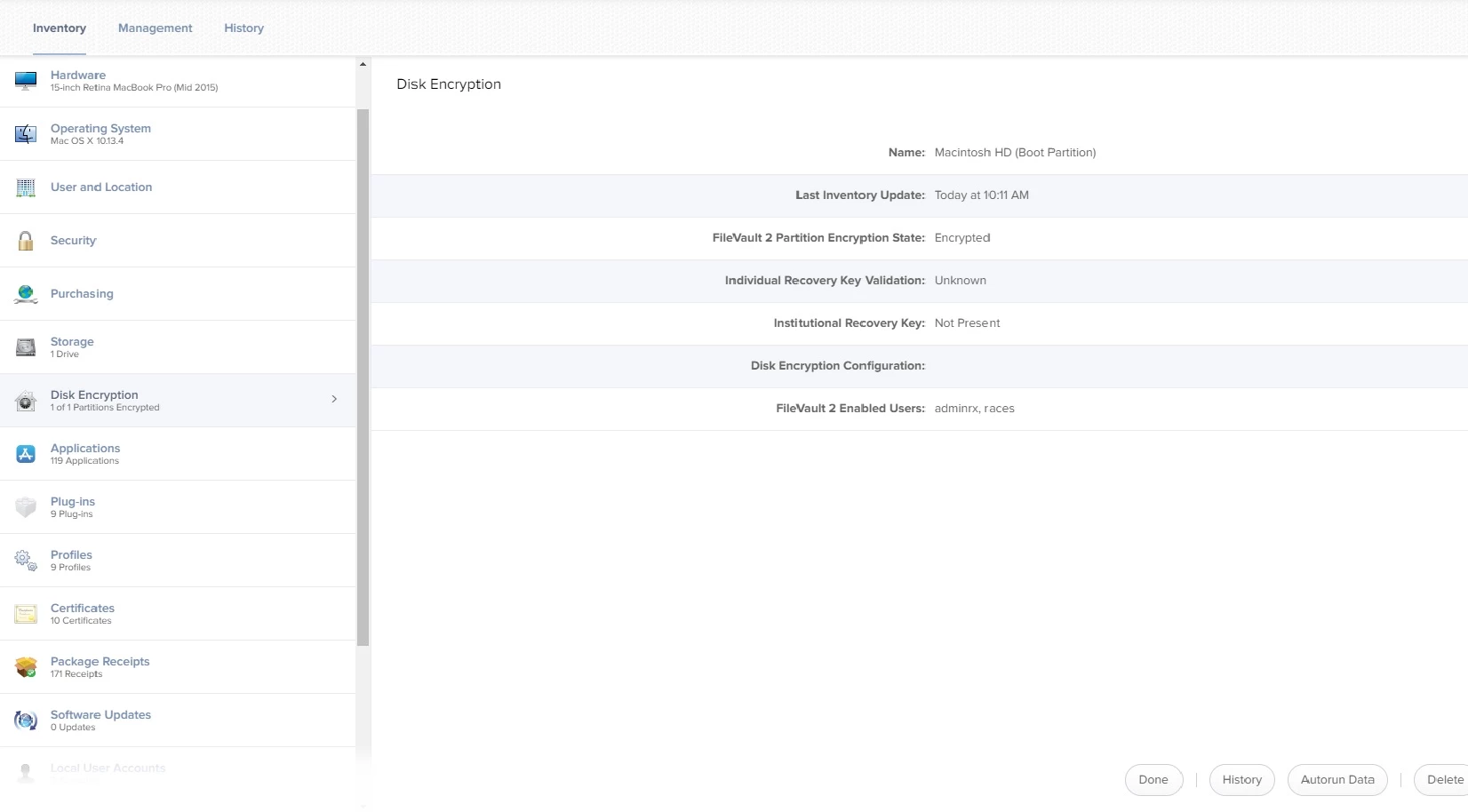
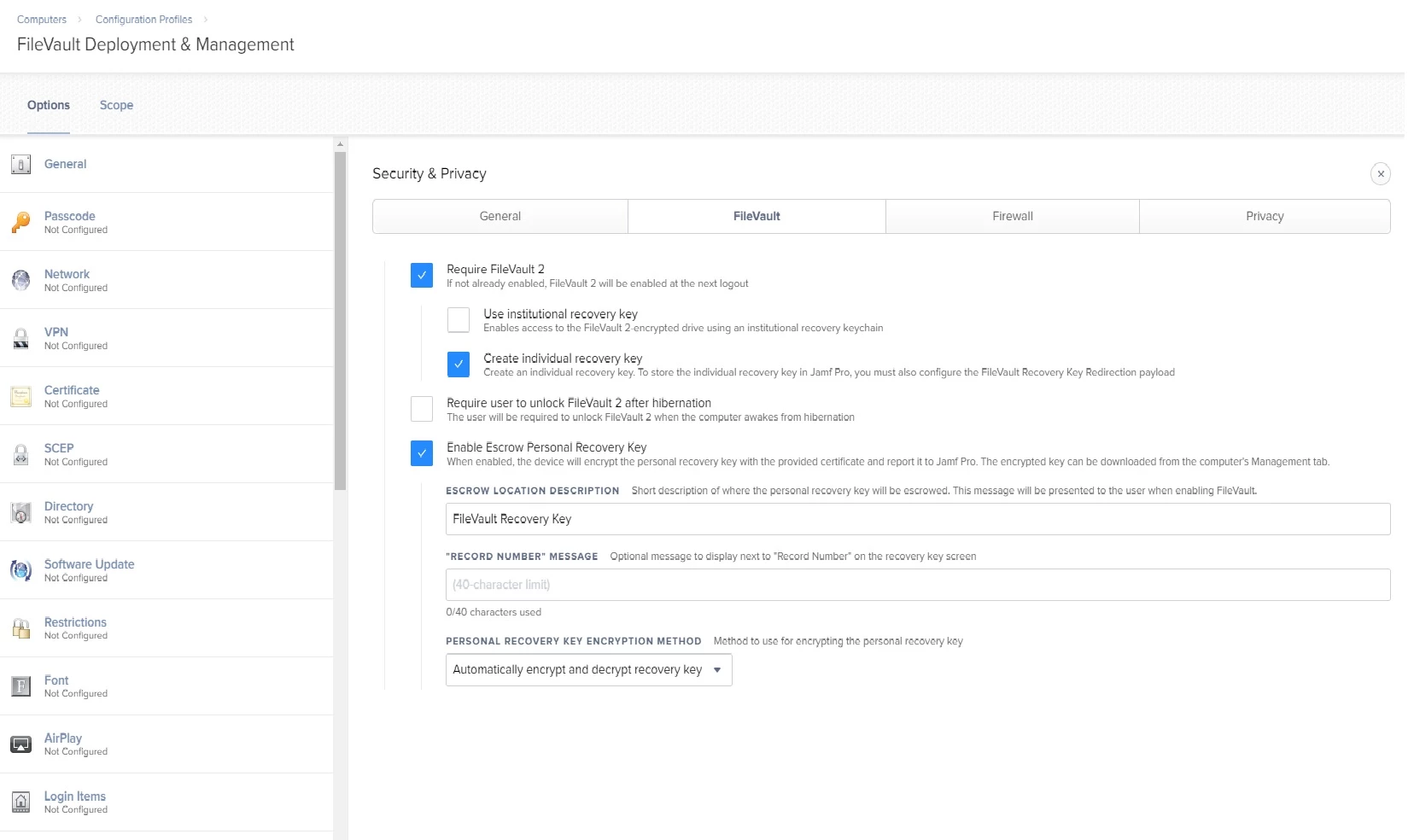
I have 2 Macbooks that I recently clean installed 10.13.4 and imaged with JAMF that did encrypt but in the JSS under management the FileVault2 key is displaying "Not Configured." The management profile that was setup is applied and the Macbooks are properly encrypting. I have previous Macbooks that were initially setup on 10.13.3/JAMF 10.2, and those do display the key properly. Currently JAMF 10.3.1 is installed.

7 replies

scottb
Forum|alt.badge.img+18
  • Valued Contributor
  • April 25, 2018

No answer, but "me too".
Drives me nuts. Screws up smart groups as well.


Forum|alt.badge.img+15
  • Contributor
  • April 25, 2018

There are a number of threads regarding similar issues. I had posted to a few of them. Then, after working with Jamf we think we isolated a potential issue. I posted about it at length here recently:

https://www.jamf.com/jamf-nation/discussions/27635/potential-cause-and-solution-for-missing-filevault-keys

If you have access to your database, you can try those commands on one of your Macs to see what happens.


bmortens115
Forum|alt.badge.img+15
  • Contributor
  • April 25, 2018

I have found that I need to run an inventory update locally on a machine once 10.13 machines have been encrypted via a configuration profile to get the FileVault key into the jamf pro server.


scottb
Forum|alt.badge.img+18
  • Valued Contributor
  • April 25, 2018

You def need to have an updated recon after to get anything of use. Sometimes it seems to work, others not.
We've tried deleting Macs from the JSS and then re-enrolling which has fixed some.
Even some with keys that are valid and show under management tab may show not under the general tab (I have to look at that and show a screen shot as I may be off on what's where...).


Forum|alt.badge.img+4
  • Author
  • Contributor
  • April 25, 2018
There are a number of threads regarding similar issues. I had posted to a few of them. Then, after working with Jamf we think we isolated a potential issue. I posted about it at length here recently: https://www.jamf.com/jamf-nation/discussions/27635/potential-cause-and-solution-for-missing-filevault-keys If you have access to your database, you can try those commands on one of your Macs to see what happens.

I have tried recon with no luck, multiple times. I just took a look at the SQL database and I do not even see an entry in there for either of the Macbooks that are having the problem. So I cannot update the "key_deleted" entry. I do however see the rest of the Macbooks that are functioning properly.


Forum|alt.badge.img+4
  • Author
  • Contributor
  • April 27, 2018

So I re-encrypted the Macbook and although the Status says "Unknown" in the JSS the key is properly reporting now. I also setup another Macbook and that one was successful the first time and even the status showed "verified." So it seems there is much inconsistency with filevault 2 and reporting to the JSS.


Forum|alt.badge.img+1
  • New Contributor
  • August 21, 2019

I got the same issue. Our help desk said no key_deleted field in the record of the database. Does the schema change after the post? Thanks.