Solved

Hide "Your screen is being observed"

  • May 11, 2021 11:48 AM UTC
  • 15 replies
  • 263 views

Forum|alt.badge.img+4

Hi all,

We're trying to hide the "Your screen is being observed" message on the lock screen while using ARD. This message also appears when using a DisplayLink dock:
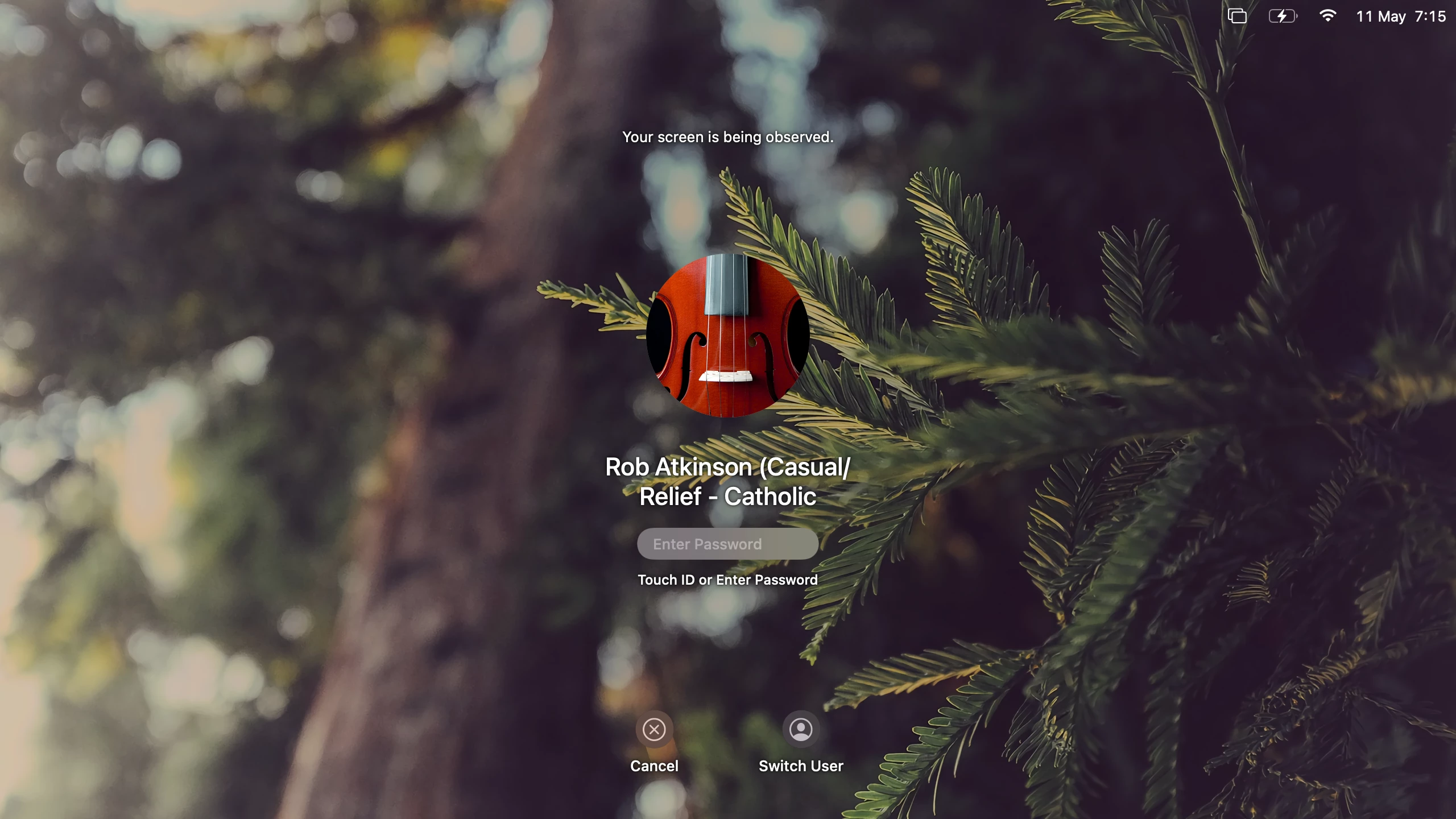
We've tried the command below, but it doesn't affect the lock screen:

/System/Library/CoreServices/RemoteManagement/ARDAgent.app/Contents/Resources/kickstart -config -clientopts -setmenuextra -menuextra no

Is it possible to hide this?

Best answer by SCCM

@SuperDuperRob i dont think you can hide that, apple introduced it as a security feature in big sur. You get the same thing if you use display link drivers to output to a monitor

View original

15 replies

Forum|alt.badge.img+10
  • Valued Contributor
  • Answer
  • May 11, 2021 1:33 PM UTC

@SuperDuperRob i dont think you can hide that, apple introduced it as a security feature in big sur. You get the same thing if you use display link drivers to output to a monitor


Forum|alt.badge.img+4
  • Author
  • New Contributor
  • May 11, 2021 2:06 PM UTC

@SCCM Dang, but understandable. Catalina and below seems to only show binoculars on the lock screen which we would also like to hide, but it looks like that won't be possible either. Appreciate your response! :)


Forum|alt.badge.img+20
  • Contributor
  • May 11, 2021 2:44 PM UTC

wow, observing students macbooks during class.


Forum|alt.badge.img+1
  • New Contributor
  • May 12, 2021 12:44 AM UTC

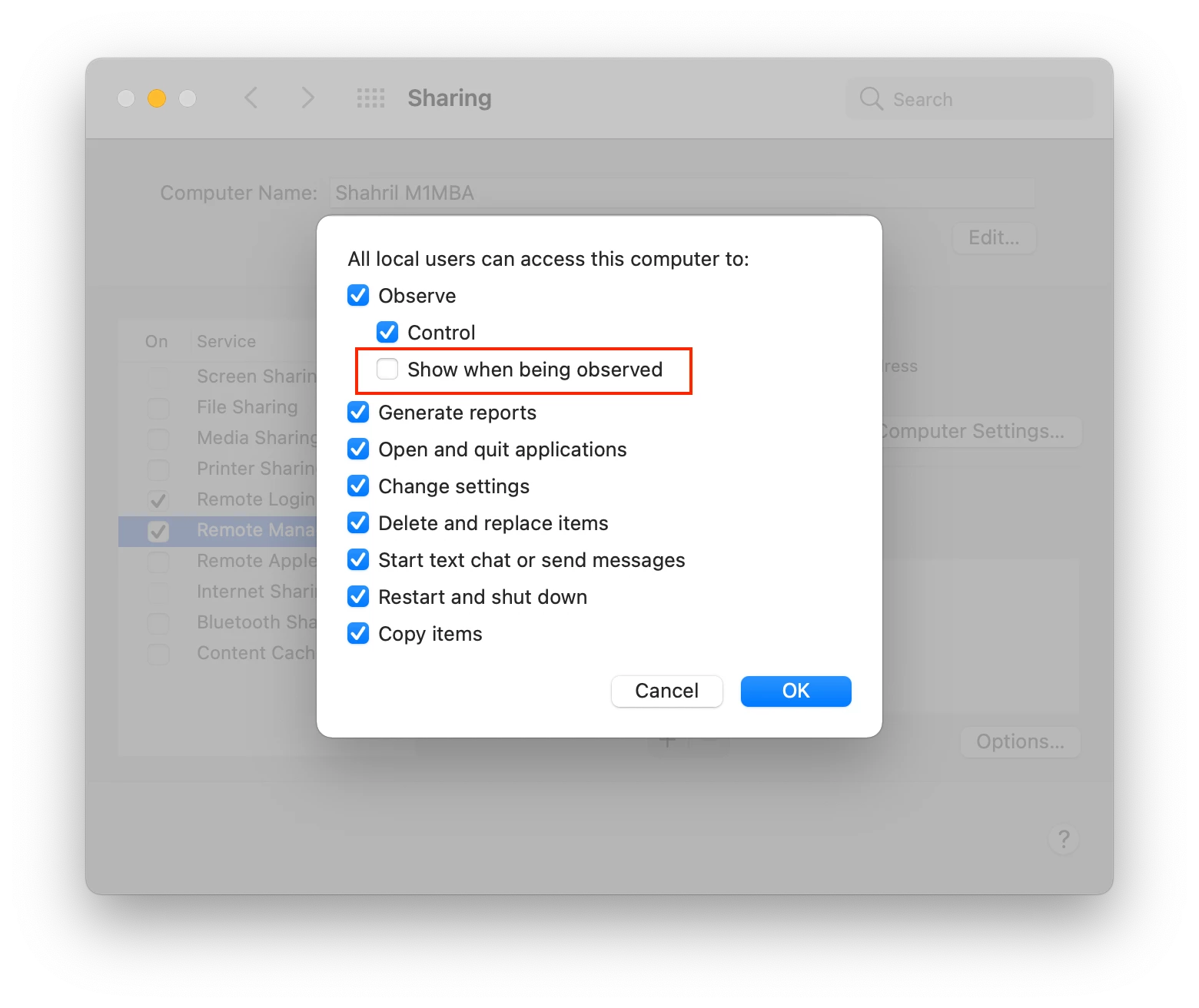
I tried to uncheck this option, seems no luck too 🥺

You can try & let me know if it's sorted !


Forum|alt.badge.img+4
  • Author
  • New Contributor
  • May 12, 2021 11:53 AM UTC

@Alert Unfortunately, that doesn't work on our end either. Thanks anyway!


Andrew_N
Forum|alt.badge.img+3
  • New Contributor
  • Oct 20, 2021 4:34 PM UTC

It's even worse now, in Monterey when you remote observe, it tells the end user immediately when you connect and if you disconnect from the menu bar while the user is using the device. I'm seeing virtually no documentation on it and literally zero ways to disable it.


Forum|alt.badge.img
  • New Contributor
  • Nov 20, 2021 12:23 PM UTC

any news on that? i want it to disable this message too! 


salmon
Forum|alt.badge.img+9
  • Contributor
  • Jan 14, 2022 6:35 PM UTC

Would love if you could add this feature into future versions, especially for school. We use it to stop gaming and messaging while in class (private school). 


Forum|alt.badge.img+1
  • New Contributor
  • Feb 9, 2022 2:12 PM UTC

Anyone already have a solution to this 'problem' ?


Forum|alt.badge.img+1
  • New Contributor
  • Mar 17, 2022 11:14 AM UTC

Would love if you could add this feature into future versions, especially for school. We use it to stop gaming and messaging while in class (private school). 


Hi Salmon, Have you found a solution in the meantime? 


Forum|alt.badge.img+1
  • New Contributor
  • May 2, 2022 3:42 PM UTC

Still need a solution to this problem, especially for schools.


salmon
Forum|alt.badge.img+9
  • Contributor
  • May 2, 2022 4:04 PM UTC

Hi Salmon, Have you found a solution in the meantime? 


Nope. It  causes an issue because the moment we connect the student will stop the gaming. We usually will take screen shots to document, but now it is currently a he said/she said type of a situation.


Forum|alt.badge.img+4
  • Contributor
  • Jan 23, 2023 9:17 PM UTC

Would love if you could add this feature into future versions, especially for school. We use it to stop gaming and messaging while in class (private school). 


What about blocking it in parental controls?


Forum|alt.badge.img+1
  • New Contributor
  • Feb 15, 2023 6:22 PM UTC

Just wondering if there is any update on this issue.


sayr01
Forum|alt.badge.img+7
  • Valued Contributor
  • Nov 7, 2023 12:30 PM UTC

Still persistent in 13.16 and 14.1.