Solved

Hiding/removing apps on iPad

  • September 29, 2026
  • 5 replies
  • 20 views

rpayne
Forum|alt.badge.img+12

With the depreciation of the “app usage” payload, where do we go in blueprints to hide/remove default apps (phone, calc, books, etc)? Been digging through and can’t seem to find a like for like.

Best answer by dletkeman

Were these devices on v27?  It looks like it needs that or more.

5 replies

dletkeman
Forum|alt.badge.img+18
  • Jamf Heroes
  • September 29, 2026

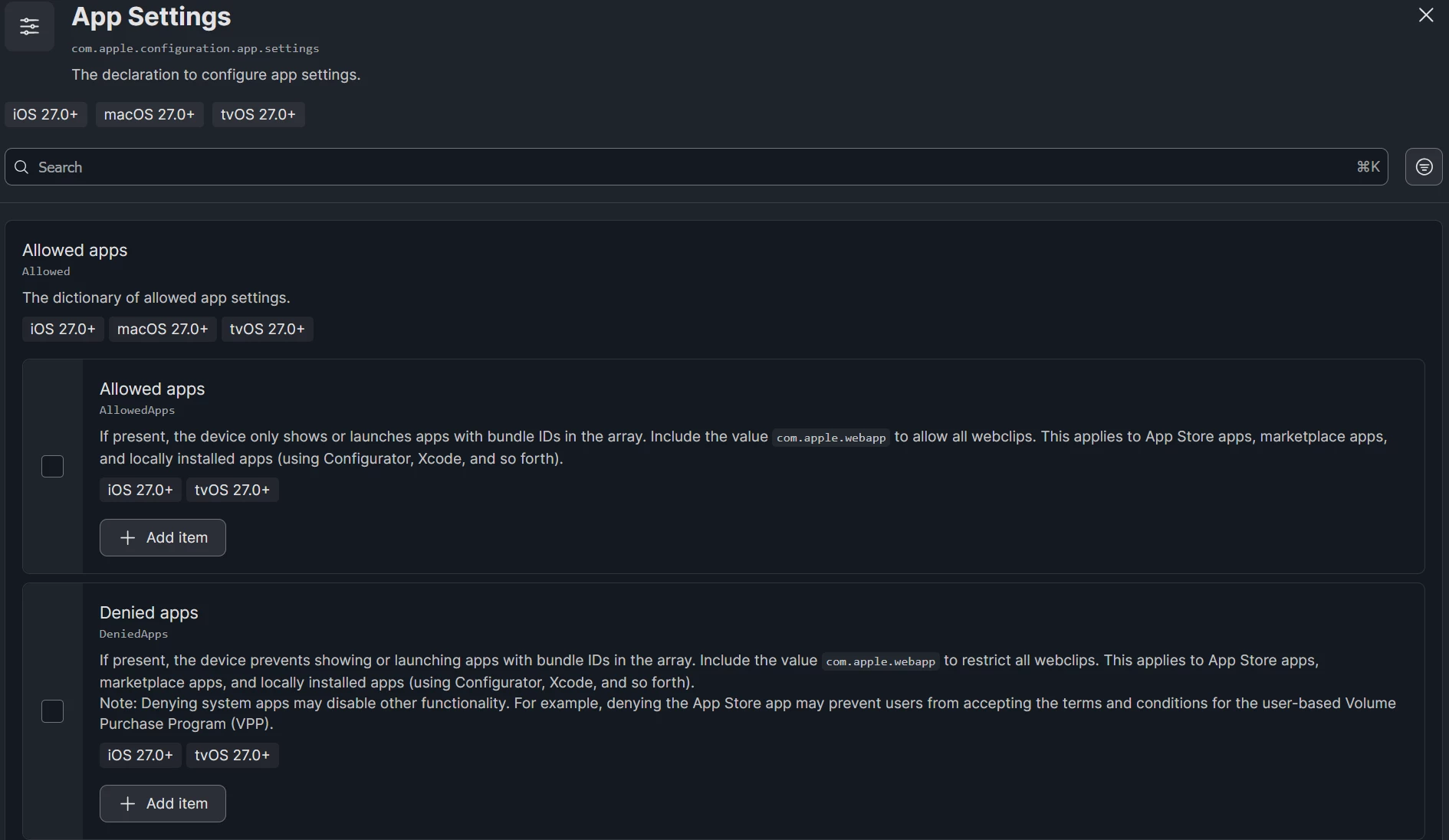
I haven’t tested this but it looks like it would be here with the App Settings Blueprint:


rpayne
Forum|alt.badge.img+12
  • Author
  • Contributor
  • September 29, 2026

I thought this as well, but when I deployed it to a test iPad using bundle IDs for Apple built in apps (from https://support.apple.com/guide/deployment/bundle-ids-for-iphone-and-ipad-apple-apps-depece748c41/web), there was no effect. The apps were still shown and opened just fine. 


dletkeman
Forum|alt.badge.img+18
  • Jamf Heroes
  • Answer
  • September 29, 2026

Were these devices on v27?  It looks like it needs that or more.

rpayne
Forum|alt.badge.img+12
  • Author
  • Contributor
  • September 29, 2026

That was it. It even says it on the screen. Oof


dletkeman
Forum|alt.badge.img+18
  • Jamf Heroes
  • September 29, 2026

I’m glad you tested it out.  Haven’t got there yet.  Glad to know it worked.  😊