Question

High Sierra Download?

  • February 18, 2020
  • 17 replies
  • 177 views

Forum|alt.badge.img+4

I am not having much luck finding a full installer for High Sierra for an older mac. The only one I have keeps giving an error that the copy is damaged. Google has not been my friend with this one...

17 replies

Forum|alt.badge.img+4
  • New Contributor
  • February 18, 2020

Should be able to get a copy through an App Store link here:
https://support.apple.com/en-us/HT208969

Under step 4 - Get macOS High Sierra
https://itunes.apple.com/us/app/macos-high-sierra/id1246284741?ls=1&mt=12

The reason it's reporting as damaged is that a signing cert expired in October(IIRC), so its not trusted anymore. That link should download an updated version that is resigned.


wmehilos
Forum|alt.badge.img+11
  • Valued Contributor
  • February 18, 2020

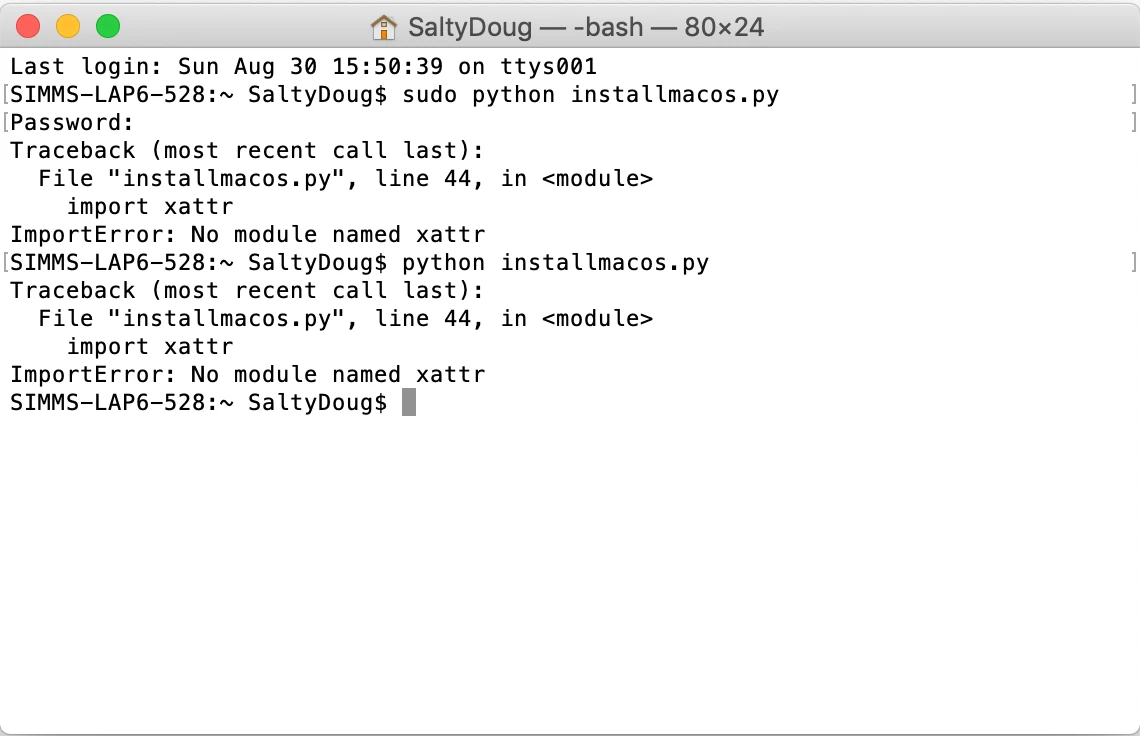
I use Greg Neagle's awesome installmacos.py script to pull installers down from Apple's CDN. High Sierra is still available with this method.


Forum|alt.badge.img+4
  • Author
  • Contributor
  • February 18, 2020

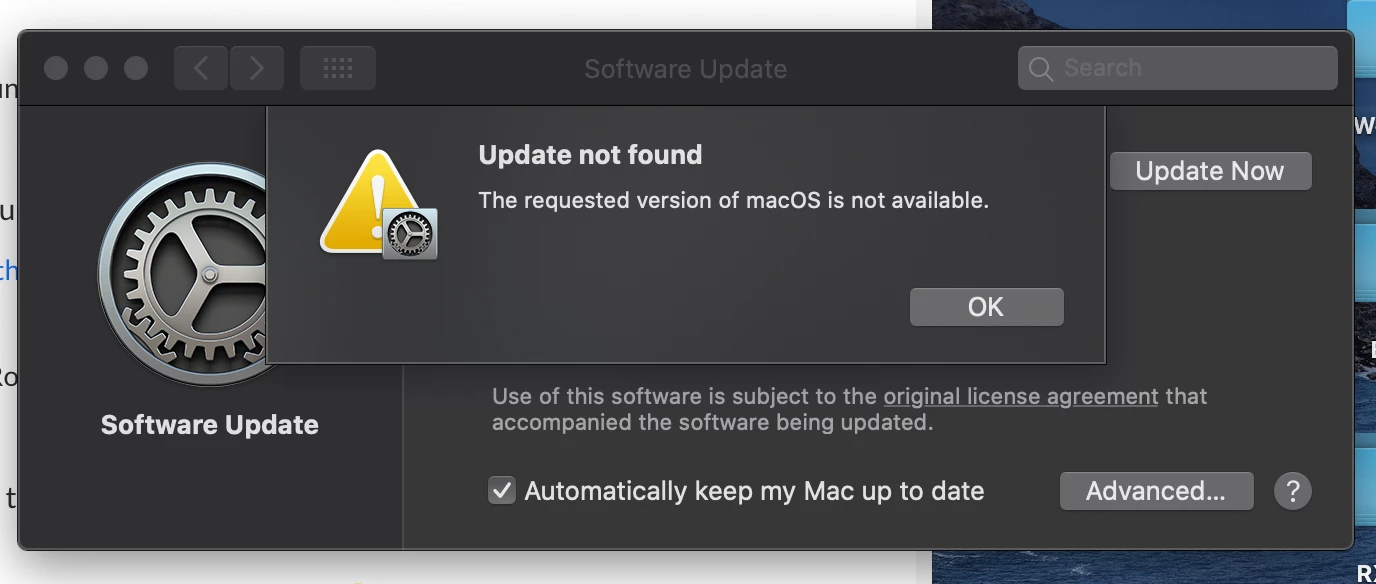
@crmeade I did try that method first but I receive the following error. I will try the script next!


Forum|alt.badge.img+4
  • Contributor
  • February 18, 2020

Hi @rhowell ,

Have you attempted to run sudo softwareupdate --reset-ignored? Doing that and rebooting resolved this issue for me while pulling old MacOS installers for our labs.


Forum|alt.badge.img+13
  • Contributor
  • February 18, 2020

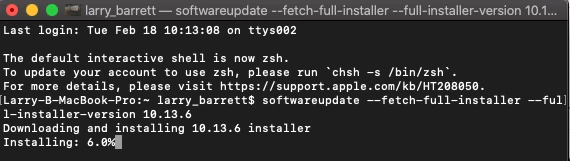
If you have a Mac on Catalina this is pretty easy.

In terminal:

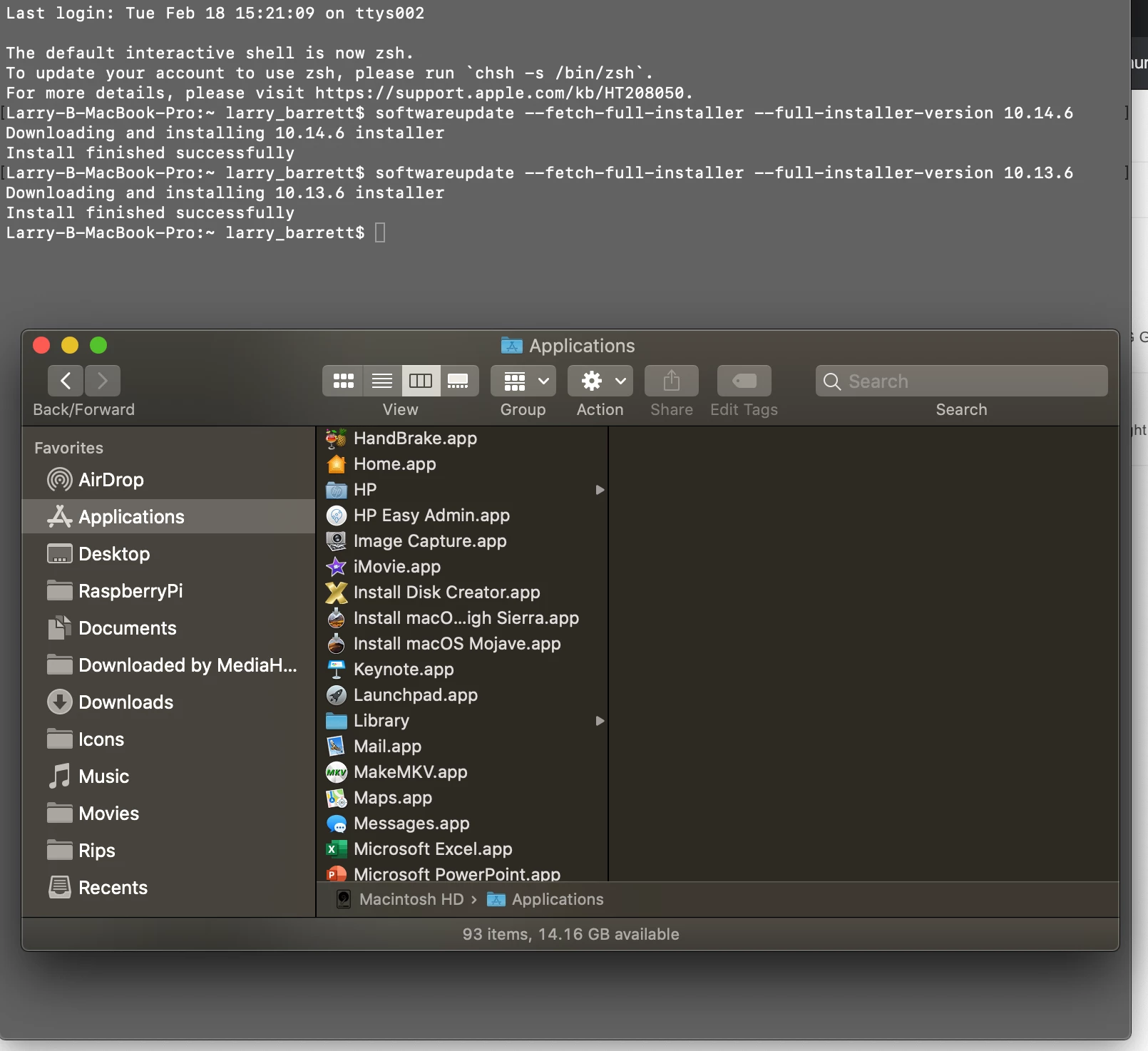
softwareupdate --fetch-full-installer --full-installer-version 10.13.6

I like to use Install Disk Creator to make a bootable USB stick.


Forum|alt.badge.img+4
  • Author
  • Contributor
  • February 18, 2020

@larry_barrett I have tried this before and it's not working out. Attached error that I am receiving. I am on Catalina.


Forum|alt.badge.img+13
  • Contributor
  • February 18, 2020

It's currently working for me.

try this (mentioned above) softwareupdate --reset-ignored

If its not that, it's your internet connection.


catesr
Forum|alt.badge.img+6
  • Contributor
  • February 19, 2020

I usually just do a search containing "Can you still download Mac OS X (Ex: High Sierra). One of the results I then get is something like this depending on the OS HS installer not sure if this helps.


Forum|alt.badge.img+4
  • Author
  • Contributor
  • February 19, 2020

Thanks all for the help. I was not able to get it to download from my 2019 15" Mbp which is really odd. I tried wifi at work, home, and ethernet at both with no difference. I would try and run the command over and over, sometimes it would get up to 84% but most times would just say "Update not found". I wiped a spare 2015 Macbook Pro in the office and it worked first time. Is it because High Sierra is not compatible with my laptop I am thinking?


Forum|alt.badge.img+6
  • Contributor
  • February 19, 2020

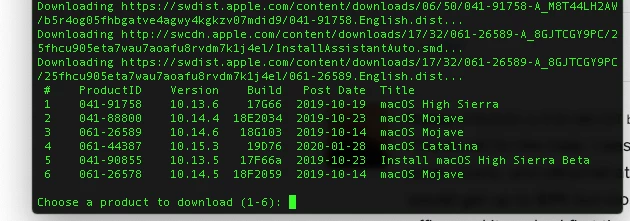
you need to use the script linked below (as stated above by @wmehilos). Download the script, run it with sudo from the terminal. It will bring up a list of available downloads. 10.13.6 is still on there. It will download it in a DMG (the .app is inside the DMG). I make it a point to download and keep all OS's I can. I do eventually purge.

https://github.com/munki/macadmin-scripts/blob/master/installinstallmacos.py


Forum|alt.badge.img+13
  • Contributor
  • February 19, 2020

Curious, did your macbook ever go to sleep during the download? Did you have more than 16 GB free space when you started the process? How much free at the end?

As you can see I was able to download Mojave and High Sierra on my 2017 MBP.
The machine that is downloading it should be irrelevant to this download tool.


Forum|alt.badge.img+4
  • Author
  • Contributor
  • February 19, 2020

It did not go to sleep. I have 105 GB free space which doesn't seem to change when trying to download 10.13.6.

I was able to grab 10.14.6 with no issues. For some reason it just doesn't like that specific one which is just odd.

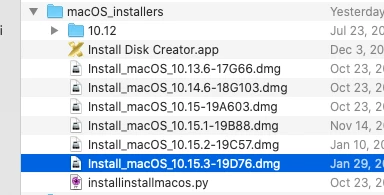
I did download 10.13.6 with same method from a different machine so I have it saved.


Forum|alt.badge.img+6
  • Contributor
  • February 24, 2020

@larry_barrett I use a Mac Pro for my work in the office so it doesn't sleep at all, but even my MacBook is set to not sleep when on power. Free space? IDK, I have 1TB SSds in both so I don't think much about it.

Aso, the script tool doesn't download to Applications. but it shows you the path when you run it.


Forum|alt.badge.img
  • New Contributor
  • June 22, 2020

Go to Date & Time and return the time of your computer to let’s say 2015. There is nothing wrong with your installer! Apple is just plain bad!


Forum|alt.badge.img
  • New Contributor
  • August 10, 2020

On my Mojave (10.14.6) the softwareupdate options have changed

softwareupdate --fetch-full-installer --full-installer-version 10.13.6
softwareupdate: unrecognized option `--fetch-full-installer'
softwareupdate: unrecognized option `--full-installer-version'

georgecm12
Forum|alt.badge.img+12
  • Valued Contributor
  • August 12, 2020

@maerf0x0 As far as I recall, those options were added in the softwareupdate included with Catalina, so they won't work in Mojave.


Forum|alt.badge.img
  • New Contributor
  • September 15, 2020

On my MBP 2015 running Mojave I get the following error: