Question

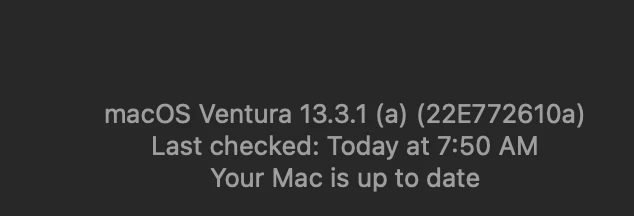
How are you monitoring 13.3.1 (a) Rapid Security Response?

  • May 2, 2023
  • 30 replies
  • 196 views

mvu
Forum|alt.badge.img+20

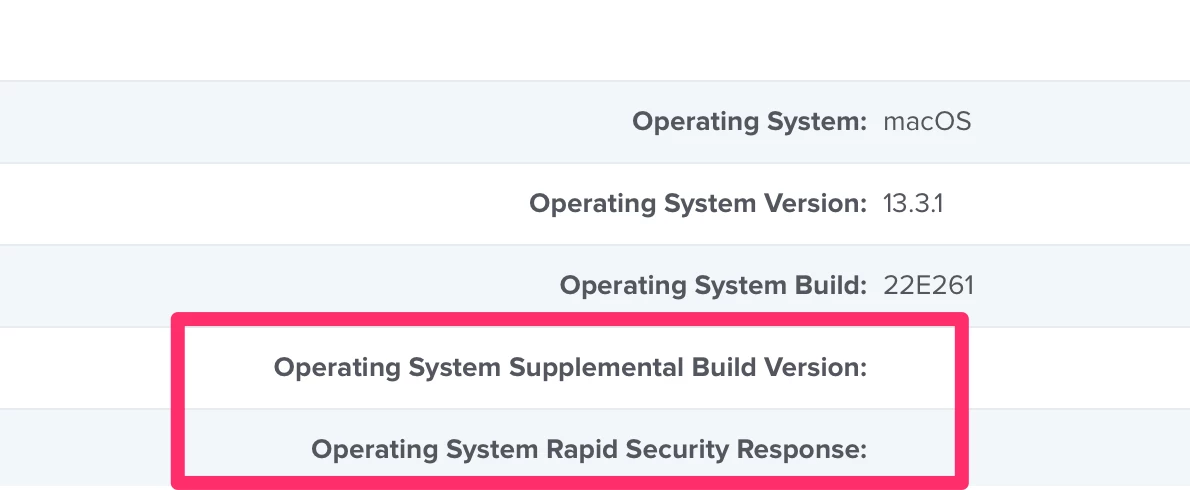
Updated to 13.3.1 (a). Wanted to monitor via Smart Group but it doesn't look the fields populated after inventory check ins.

How are you monitoring?

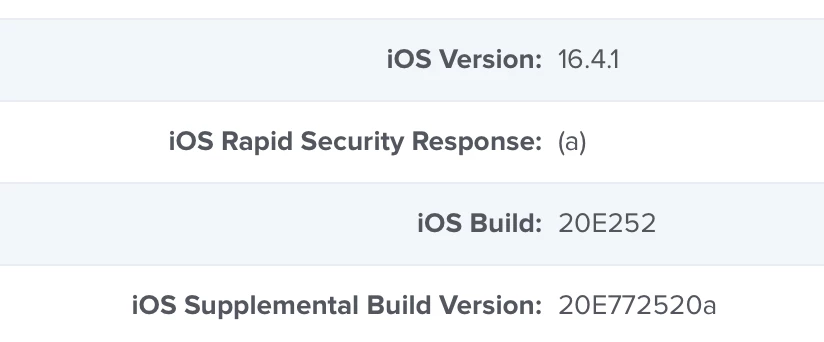
The fields do populate for iOS.


30 replies

Forum|alt.badge.img+8
  • Valued Contributor
  • May 2, 2023

What version of the Jamf server are you running?  I think they just added the collection of those for macOS via declarative management in version 10.46.0. 


mvu
Forum|alt.badge.img+20
  • Author
  • Jamf Heroes
  • May 2, 2023

Ah ok. I'm on 10.45 and it gets updated this weekend.


Forum|alt.badge.img+8
  • Valued Contributor
  • May 2, 2023

Ah ok. I'm on 10.45 and it gets updated this weekend.


Yep, so when you are on 10.46 those should get populated.


Forum|alt.badge.img+3
  • New Contributor
  • May 2, 2023

Hijacking this thread to ask, how are you guys deploying this? Will it work with the existing mass action commands or software updates policy for intel devices? 


mvu
Forum|alt.badge.img+20
  • Author
  • Jamf Heroes
  • May 2, 2023

Curious too. Was reading this: https://support.apple.com/guide/deployment/manage-rapid-security-responses-dep93ff7ea78/web

We Turn on “Install Security Responses & System Files” with a config profile. So I guess if users are on 13.3.1 and we send another Mass action command, this will scoop up the 13.3.1 (a) update?


Will test but please share your experience @Noonan 


jamf-42
Forum|alt.badge.img+17
  • Esteemed Contributor
  • May 2, 2023

until JAMF updates..  use a smart group checking build version:

22E772610a


sdagley
Forum|alt.badge.img+25
  • Jamf Heroes
  • May 2, 2023

@mvu For anyone not yet updated to 10.46 here is the EA I use to query the BuildVersion on the Mac (10.45 doesn't seem to properly report the build version after the RSR):


#!/bin/sh # EA - Get macOS Build Numeric Portion # # Returns the numeric part of a macOS Build # e.g. For Build 19H1030 returns 1030 result="" rawBuildVersion=$(/usr/bin/sw_vers -buildVersion) if [ -n "$rawBuildVersion" ]; then # Return the value of rawBuildVersion starting at position 3 result=$(/bin/echo "${rawBuildVersion:3}") fi echo "<result>$result</result>" exit 0

Ignore the reference to the "numeric portion" since it's no longer correct with Apple adding alpha characters to distinguish RSR updates.


Forum|alt.badge.img+8
  • Valued Contributor
  • May 2, 2023

I enabled the rapid security response for devices yesterday, but was not able to get Jamf to send a command to update the iPad.  I was able to got into settings and install it.  Normally I could send a remote command to start the update, but it did not work for the RSR for me.


mvu
Forum|alt.badge.img+20
  • Author
  • Jamf Heroes
  • May 2, 2023

I enabled the rapid security response for devices yesterday, but was not able to get Jamf to send a command to update the iPad.  I was able to got into settings and install it.  Normally I could send a remote command to start the update, but it did not work for the RSR for me.


Apple had issues rolling this out yesterday. Seemed to start working at night and today. 

Did you try sending a MDM command today?


Forum|alt.badge.img+8
  • Valued Contributor
  • May 2, 2023

Apple had issues rolling this out yesterday. Seemed to start working at night and today. 

Did you try sending a MDM command today?


No I have to roll it back and try again. Working on that now.


Forum|alt.badge.img+3
  • New Contributor
  • May 2, 2023

Curious too. Was reading this: https://support.apple.com/guide/deployment/manage-rapid-security-responses-dep93ff7ea78/web

We Turn on “Install Security Responses & System Files” with a config profile. So I guess if users are on 13.3.1 and we send another Mass action command, this will scoop up the 13.3.1 (a) update?


Will test but please share your experience @Noonan 


We had the config profile setting enabled for some time now. I sent out a mass action to a subset of devices, monitoring that right now, will keep you posted!


Forum|alt.badge.img+3
  • New Contributor
  • May 2, 2023

We had the config profile setting enabled for some time now. I sent out a mass action to a subset of devices, monitoring that right now, will keep you posted!


softwareupdate -l Software Update Tool Finding available software Software Update found the following new or updated software: * Label: macOS Security Response 13.3.1 (a)-22E772610a Title: macOS Security Response 13.3.1 (a), Version: 13.3.1 (a), Size: 302500KiB, Recommended: YES, Action: restart,


Does look like this one requires a restart? "Action: restart," 


pete_c
Forum|alt.badge.img+16
  • Honored Contributor
  • May 2, 2023
softwareupdate -l Software Update Tool Finding available software Software Update found the following new or updated software: * Label: macOS Security Response 13.3.1 (a)-22E772610a Title: macOS Security Response 13.3.1 (a), Version: 13.3.1 (a), Size: 302500KiB, Recommended: YES, Action: restart,


Does look like this one requires a restart? "Action: restart," 


Yes, applying this RSR does require restarting the device, but the time is minimal.


Forum|alt.badge.img+8
  • Valued Contributor
  • May 2, 2023

Apple had issues rolling this out yesterday. Seemed to start working at night and today. 

Did you try sending a MDM command today?


I got rolled back. I send the upgrade command from Jamf, and nothing happened on the iPad.  A normal software update would prompt me for my password to install.  This did nothing.


mvu
Forum|alt.badge.img+20
  • Author
  • Jamf Heroes
  • May 2, 2023

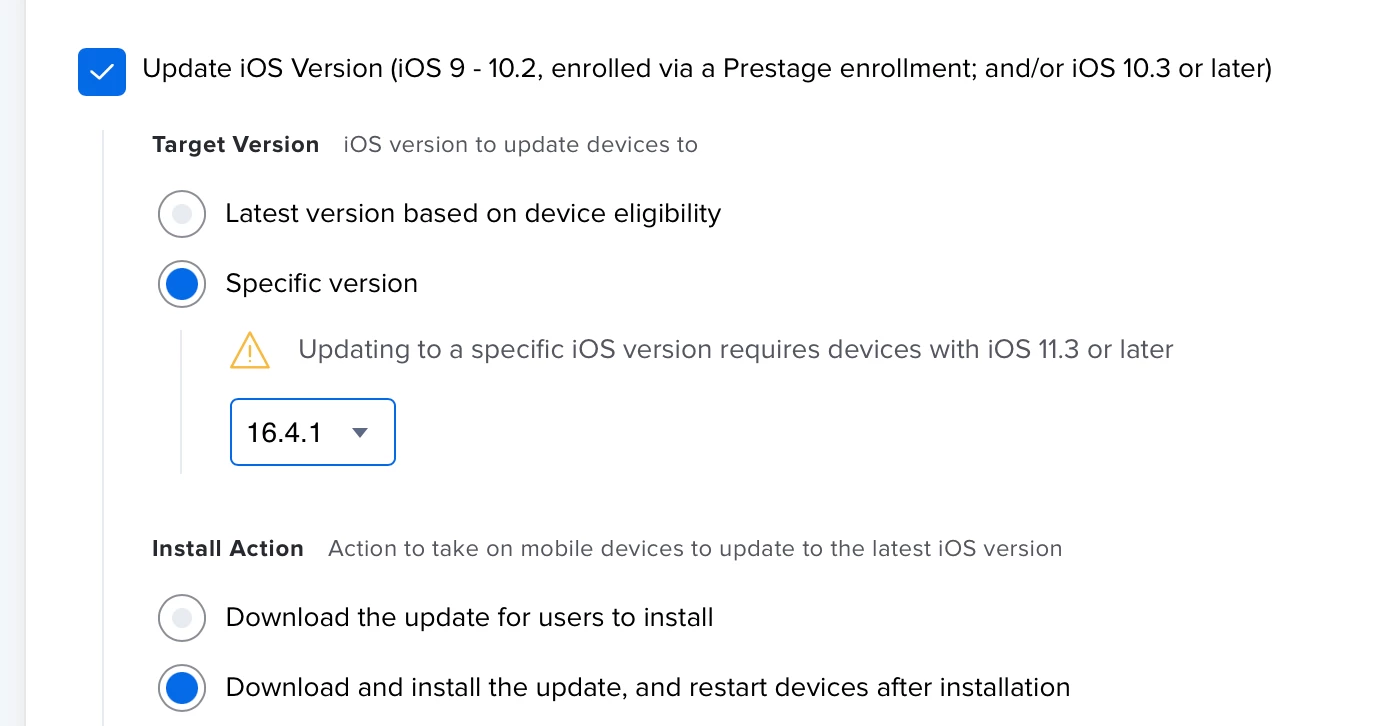
Which route did you try? 

Latest version based on device eligibility or Specific version?


Forum|alt.badge.img+8
  • Valued Contributor
  • May 2, 2023

Latest version based on device eligibility


mvu
Forum|alt.badge.img+20
  • Author
  • Jamf Heroes
  • May 2, 2023

Latest version based on device eligibility


Can you try the Specific version 16.4.1 and see if the result is different?


Forum|alt.badge.img+8
  • Valued Contributor
  • May 2, 2023

Can you try the Specific version 16.4.1 and see if the result is different?


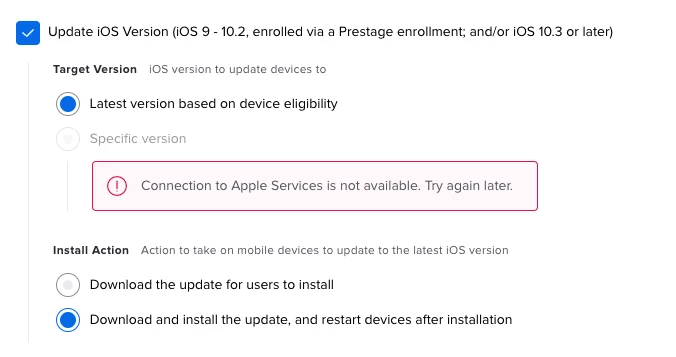
I am getting this error: Connection to Apple Services is not available. Try again later.


Forum|alt.badge.img+3
  • New Contributor
  • May 2, 2023
softwareupdate -l Software Update Tool Finding available software Software Update found the following new or updated software: * Label: macOS Security Response 13.3.1 (a)-22E772610a Title: macOS Security Response 13.3.1 (a), Version: 13.3.1 (a), Size: 302500KiB, Recommended: YES, Action: restart,


Does look like this one requires a restart? "Action: restart," 


So I sent a mass action command for 13.3.1 with a deferral of 1 day and it behaved like a regular macOS update:

- Gave the normal prompt to install, try tonight, try later. 
- Prompted for a password (Apple Silicon)
- Restarted the device (same speed as a normal restart)

Also noticed in jamf under the Operating System menu it stated it was downloading the RSR "Update in progress: MSU_UPDATE_22E772610a_patch_13.3.1_rsr" 

I've got a separate Software Updates policy in jamf running for something else and it is installing the updates as well on our Intel devices. 

Result of Software Update: 2023-05-02 20:49:59.608 softwareupdate[9666:70568] XType: Using static font registry. Software Update Tool Finding available software Downloading macOS Security Response 13.3.1 (a) Downloading: 0.10% Downloading: 1.00% Downloading: 1.90% Downloading: 3.00% Downloading: 3.90% Downloading: 4.00% Downloading: 6.90% Downloading: 7.00% Downloading: 8.90% Downloading: 9.00% Downloading: 9.90% Downloading: 10.00% Downloading: 16.00% Downloading: 53.90% Downloading: 54.90% Downloading: 55.00% Downloading: 60.00% Downloading: 99.90% Downloading: 100.00% Downloaded: macOS Security Response 13.3.1 (a)

mhasman
Forum|alt.badge.img+22
  • Valued Contributor
  • May 2, 2023

until JAMF updates..  use a smart group checking build version:

22E772610a


"Operating System Build" - like - "22E772610a" ?

Not working


sdagley
Forum|alt.badge.img+25
  • Jamf Heroes
  • May 2, 2023

"Operating System Build" - like - "22E772610a" ?

Not working


@mhasman Use the EA I posted in this thread - it looks like Jamf Pro 10.45 isn't always reportin the new build version properly


mhasman
Forum|alt.badge.img+22
  • Valued Contributor
  • May 2, 2023

@mhasman Use the EA I posted in this thread - it looks like Jamf Pro 10.45 isn't always reportin the new build version properly


Thank you! I'll try your EA


Forum|alt.badge.img+6
  • Contributor
  • May 2, 2023

RSR is part of the new Declarative Management so it better work without EA


sdagley
Forum|alt.badge.img+25
  • Jamf Heroes
  • May 2, 2023

RSR is part of the new Declarative Management so it better work without EA


@Karl941 It should with JSS 10.46, but for those of us still running JSS 10.45 the EA seems to be necessary


Forum|alt.badge.img+6
  • Contributor
  • May 2, 2023

Which route did you try? 

Latest version based on device eligibility or Specific version?


I did through latest and worked well. However, that'd be great if Jamf would include the (X) build to target it. Is it something possible under 10.46?