
Solved

How can I disable auto mobile app updates?

  • December 5, 2025
  • 2 replies
  • 42 views

Forum|alt.badge.img+6

I have a TV app I would like to prevent from updating, but when I try to uncheck the boxes regarding auto updates they are greyed out and fixed to checked:
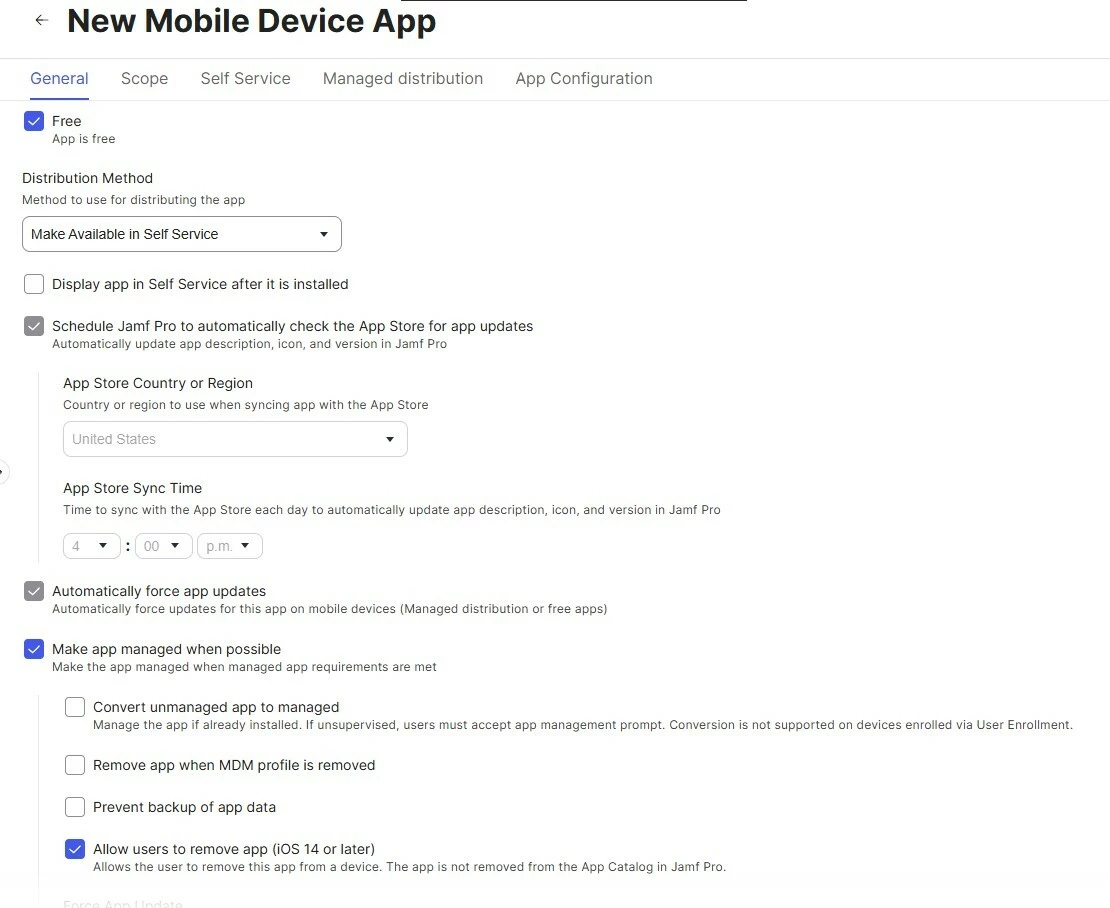
 

Did I enforce that somehow for all apps, or is there a way I can uncheck the box to automatically force app updates?

 

Best answer by Chubs

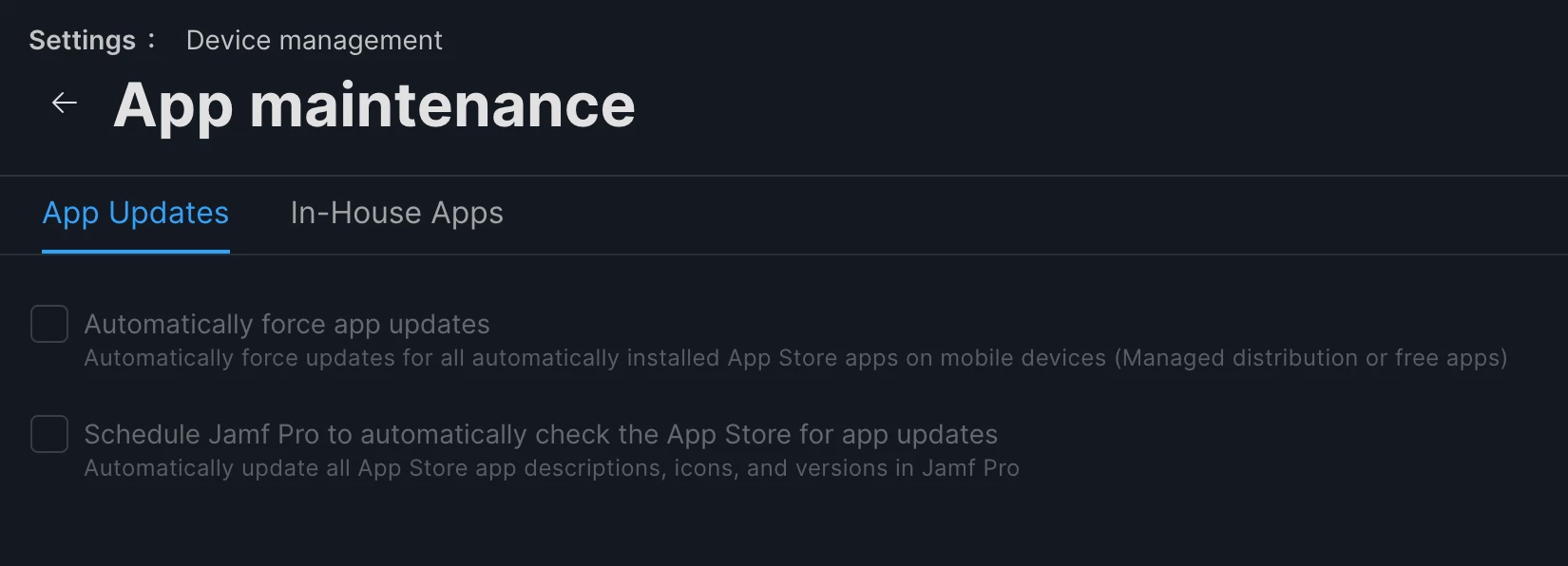
Sooooo check Settings>>Device Management>>App maintenance and make sure nothing is set there globally. If either one of these are set, it’ll force it on every app you have, regardless.

Uncheck those, save, and you should have the ability to manage per app updates at that point.

2 replies

Chubs
Forum|alt.badge.img+23
  • Jamf Heroes
  • Answer
  • December 5, 2025

Sooooo check Settings>>Device Management>>App maintenance and make sure nothing is set there globally. If either one of these are set, it’ll force it on every app you have, regardless.

Uncheck those, save, and you should have the ability to manage per app updates at that point.


Forum|alt.badge.img+6
  • Author
  • Contributor
  • December 5, 2025

Brilliant! But now it looks like in order to have that one app not update automatically, I’ll need to go into every other of my 200+ apps and check that box. Additionally, I’ll need to remember to check that box on each new app I add since I’m not relying on that global setting any longer. Unless I’m missing another obvious setting.