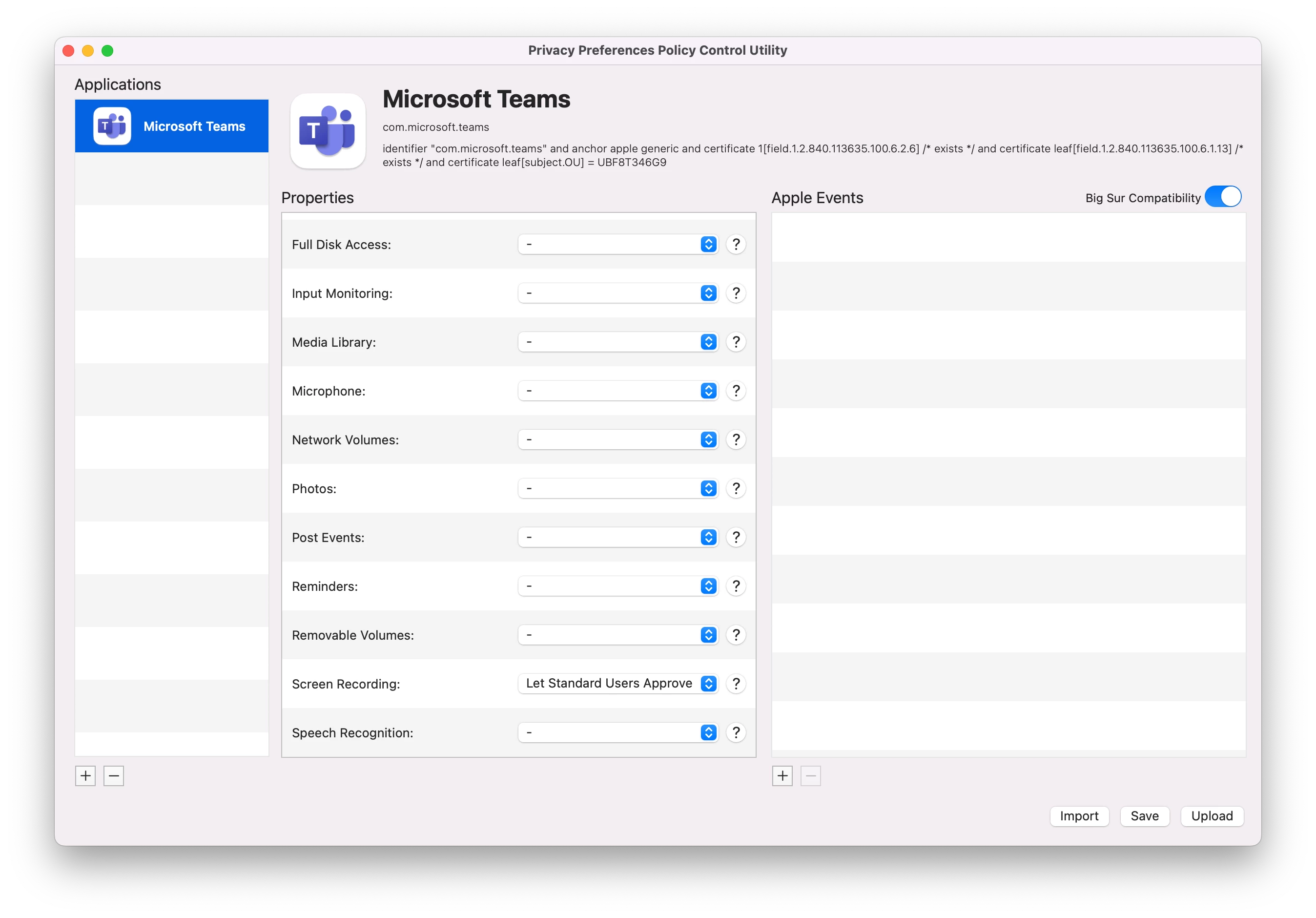
We are facing issue with screen recording permission. To unlock security and privacy the device is asking for admin username and password. First of all, we don't know who those admin creds are. Second, we want to allow all users to be able to access security and privacy. This issue arrived only after we configured jamf connect with Azure AD. Not sure how to resolve it.

Solved
How to allow standard user to access Security and Privacy
 +2
+2Best answer by rocketman
Yep - you need the PPPC Utility to allow Standard Users to approve this. You can download the utility here: https://github.com/jamf/PPPC-Utility




Enter your E-mail address. We'll send you an e-mail with instructions to reset your password.