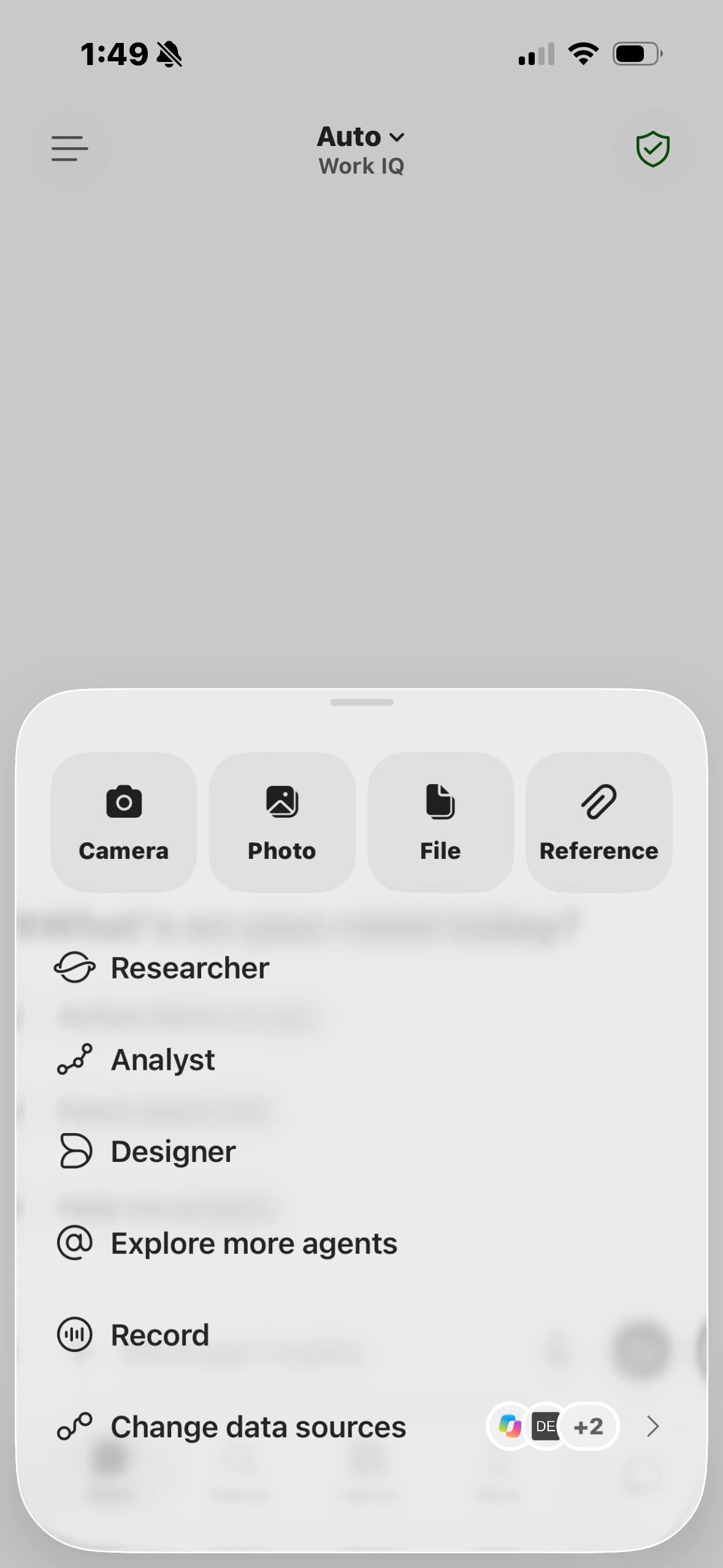
how to block record option for copilot app on supervised ios devices

  • September 4, 2026
  • 7 replies
  • 110 views

Rakesh Paladugu
Forum|alt.badge.img+1

Can someone help me how to block copilot app record option for corporate ios devices, i tried adding xml dictation on device apps> app configuration to block but did not worked 

7 replies

agungsujiwo
Forum|alt.badge.img+10
  • Valued Contributor
  • September 10, 2026

Hi ​@Rakesh Paladugu ,

When you mentioned “record,” do you mean the history record, the microphone setting, or something else?


AJPinto
Forum|alt.badge.img+26
  • Legendary Contributor
  • September 10, 2026

As far as I am aware Microsoft does not expose much for the copilot app to the MDM framework. Copilot is not listed with the rest of the microsoft apps managed preferences. The best I can suggest is blocking copilot from accessing the microphone, it won't remove the button in copilot but it would absolutely prevent copilot from recording anything. 


By and large Microsoft approaches managing copilot from the tenant/admin console side, not the MDM or MAM (if you were using intune) side. 


Rakesh Paladugu
Forum|alt.badge.img+1

Hi ​@Rakesh Paladugu ,

When you mentioned “record,” do you mean the history record, the microphone setting, or something else?


The record option once you click the plus


agungsujiwo
Forum|alt.badge.img+10
  • Valued Contributor
  • September 11, 2026

Hi ​@Rakesh Paladugu ,
 

Could you please try using this App Configuration?

<dict>
<key>com.microsoft.office.officemobile.Dictation.IsAllowed</key>
<false/>
</dict>


Go to Mobile Devices → Mobile Device Apps → Microsoft Copilot → App Configuration → Preferences.


Rakesh Paladugu
Forum|alt.badge.img+1

Hi ​@Rakesh Paladugu ,
 

Could you please try using this App Configuration?

<dict>
<key>com.microsoft.office.officemobile.Dictation.IsAllowed</key>
<false/>
</dict>


Go to Mobile Devices → Mobile Device Apps → Microsoft Copilot → App Configuration → Preferences.

It did not worked as MS is not honouring the 3 rd party MDM as of now got confirmation from MS and was able to manage from MAM


agungsujiwo
Forum|alt.badge.img+10
  • Valued Contributor
  • September 14, 2026

Hi ​@Rakesh Paladugu ,
 

Could you please try using this App Configuration?

<dict>
<key>com.microsoft.office.officemobile.Dictation.IsAllowed</key>
<false/>
</dict>


Go to Mobile Devices → Mobile Device Apps → Microsoft Copilot → App Configuration → Preferences.

It did not worked as MS is not honouring the 3 rd party MDM as of now got confirmation from MS and was able to manage from MAM


Are you still using the configuration "com.microsoft.office.officemobile.Dictation.IsAllowed = false"?


Or are you using a different configuration to manage this through MAM?


Rakesh Paladugu
Forum|alt.badge.img+1

Hi ​@Rakesh Paladugu ,
 

Could you please try using this App Configuration?

<dict>
<key>com.microsoft.office.officemobile.Dictation.IsAllowed</key>
<false/>
</dict>


Go to Mobile Devices → Mobile Device Apps → Microsoft Copilot → App Configuration → Preferences.

It did not worked as MS is not honouring the 3 rd party MDM as of now got confirmation from MS and was able to manage from MAM


Are you still using the configuration "com.microsoft.office.officemobile.Dictation.IsAllowed = false"?


Or are you using a different configuration to manage this through MAM?

Hello ​@agungsujiwo, yes i have already tried through app configuration from Jamf, did it worked for you?