Question

How to Deal with Local Admin Prompt When Uninstalling a Program via Script

  • Jul 25, 2024 2:19 PM UTC
  • 3 replies
  • 134 views

Forum|alt.badge.img+6

Hey y'all! I'm currently mass uninstalling an antivirus program within our environment. I got the script to run as I need it to but with one problem: to complete the uninstall, it prompts for a local admin password to remove the system extension. 

How do I get around this without going to almost 200+ computers to input local admin information?

3 replies

Forum|alt.badge.img+11
  • Contributor
  • Jul 25, 2024 2:53 PM UTC

assuming, the script, just asking for a 'password:' prompt, you could get around this by using the expect command. The same can be said for a simple Y/n prompt. 

Here is an example of how to use expect with the passwd command, 


#!/usr/bin/expect set USER [lindex $argv 0] set PASS [lindex $argv 1] set timeout 1 spawn passwd $USER expect -exact "Enter new UNIX password: " send -- "$PASS\\r" expect -exact "Retype new UNIX password: " send -- "$PASS\\r" expect eof

echo could also be helpful to overcome stuff like this. hope that helps.


Forum|alt.badge.img+20
  • Honored Contributor
  • Jul 25, 2024 3:36 PM UTC

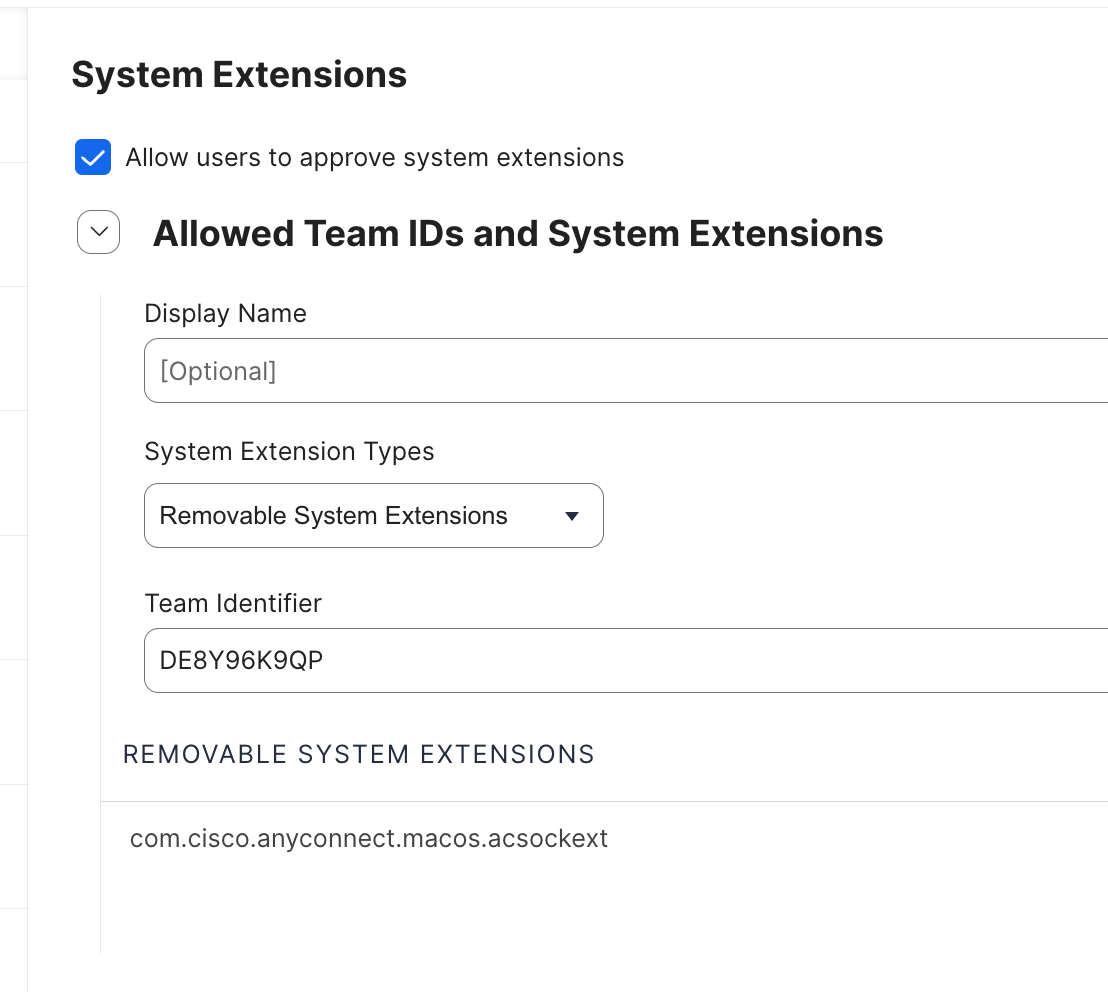
You need to mark the mark the System Extension as removable in your SysExt profile. if you didn't mark it as removal when first created the profile, create a second profile with the sane extension and mark it as removable. 

FYI, you can apply this in addition to your original SysExt profile. Both profiles will stack. 


Forum|alt.badge.img+6
  • Author
  • New Contributor
  • Jul 25, 2024 3:41 PM UTC

You need to mark the mark the System Extension as removable in your SysExt profile. if you didn't mark it as removal when first created the profile, create a second profile with the sane extension and mark it as removable. 

FYI, you can apply this in addition to your original SysExt profile. Both profiles will stack. 


I will try this and report back! Thank you for the insight!