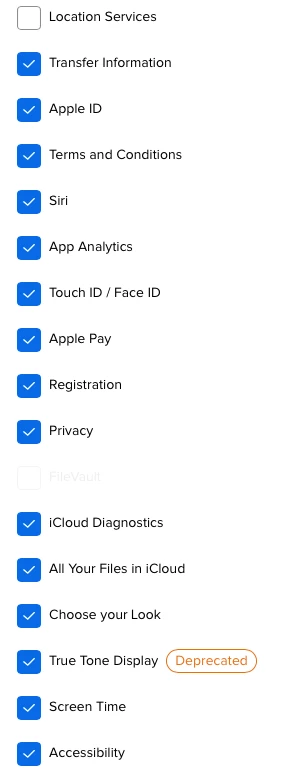
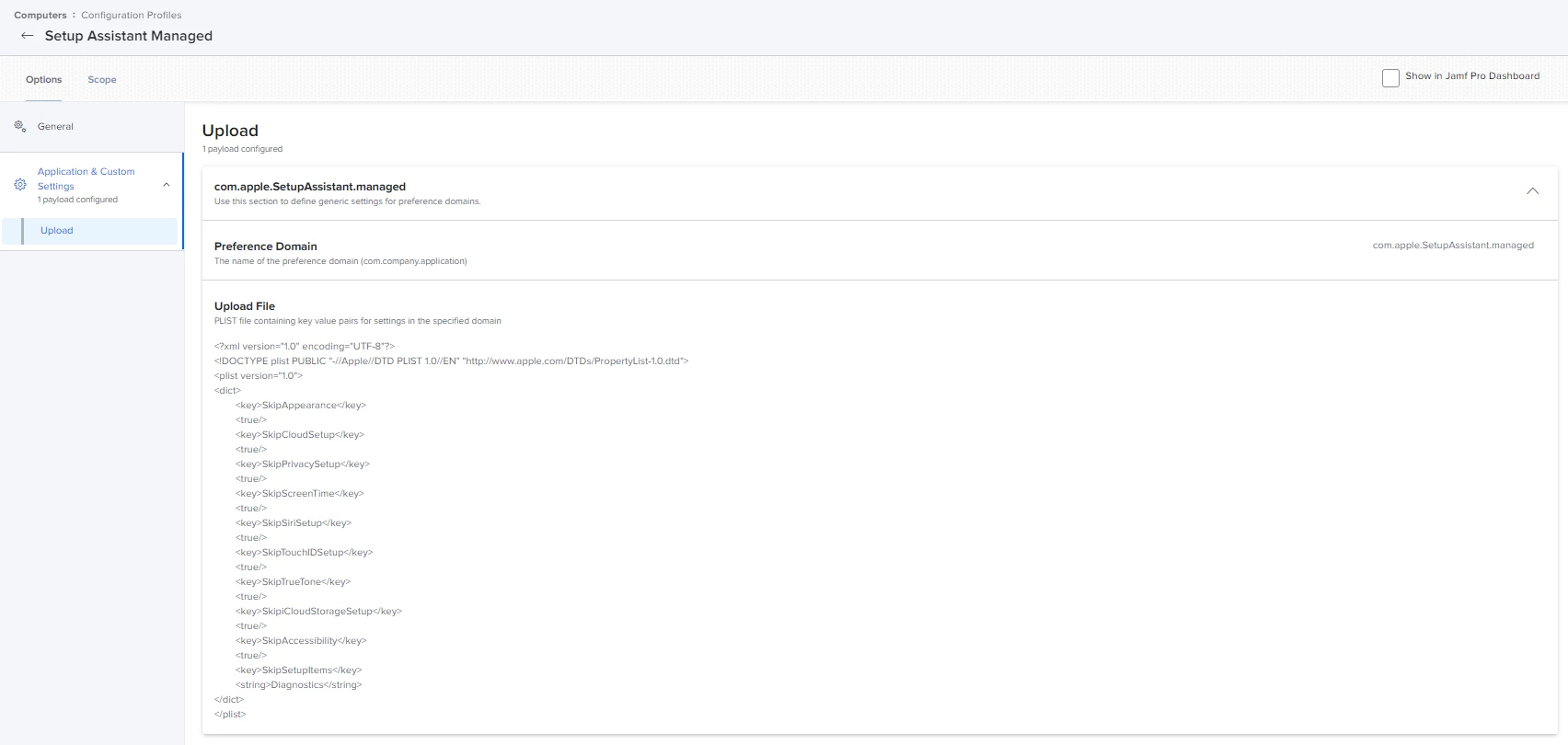
I know you can skip different setup assistant windows, but we still get an Analytics window that we'd like to hide.
https://developer.apple.com/documentation/devicemanagement/setupassistant
Has anyone come up with a way to hide the Analytics window?

 +6
+6I know you can skip different setup assistant windows, but we still get an Analytics window that we'd like to hide.
https://developer.apple.com/documentation/devicemanagement/setupassistant
Has anyone come up with a way to hide the Analytics window?
Best answer by user-DeoLuXvBmb
Thanks, this ended up working for us in the end.
<?xml version=”1.0” encoding=”UTF-8”?>
<!DOCTYPE plist PUBLIC “-//Apple//DTD PLIST 1.0//EN” “http://www.apple.com/DTDs/PropertyList-1.0.dtd”>
<plist version=”1.0”>
<dict>
    <key>PayloadContent</key>
    <array>
        <dict>
            <key>SkipCloudSetup</key>
            <true/>
            <key>SkipSiriSetup</key>
            <true/>
            <key>SkipPrivacySetup</key>
            <true/>
            <key>SkipiCloudStorageSetup</key>
            <true/>
            <key>SkipTrueTone</key>
            <true/>
            <key>SkipAppearance</key>
            <true/>
            <key>SkipTouchIDSetup</key>
            <true/>
            <key>SkipScreenTime</key>
            <true/>
            <key>SkipAccessibility</key>
            <true/>
            <key>SkipUnlockWithWatch</key>
            <true/>
            <key>SkipSetupItems</key>
            <string>Diagnostics</string>
            <key>PayloadIdentifier</key>
            <string>com.example.mysetupassistantpayload</string>
            <key>PayloadType</key>
            <string>com.apple.SetupAssistant.managed</string>
            <key>PayloadUUID</key>
            <string>0dfccedc-e28f-4df5-bca7-a0807deab543</string>
            <key>PayloadVersion</key>
            <integer>1</integer>
        </dict>
    </array>
    <key>PayloadDisplayName</key>
    <string>Setup Assistant</string>
    <key>PayloadIdentifier</key>
    <string>com.example.myprofile</string>
    <key>PayloadType</key>
    <string>Configuration</string>
    <key>PayloadUUID</key>
    <string>4a66b685-604a-4558-92c7-ae3e082cf0ae</string>
    <key>PayloadVersion</key>
    <integer>1</integer>
</dict>
</plist>Enter your E-mail address. We'll send you an e-mail with instructions to reset your password.