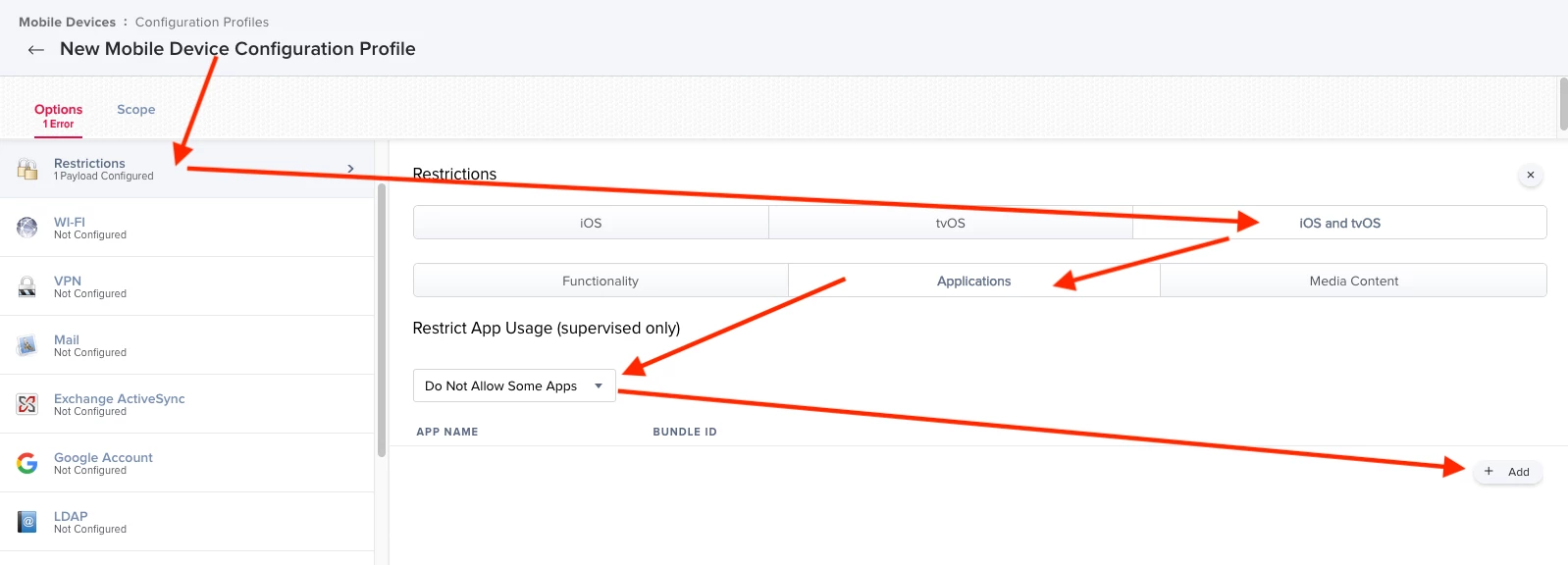
Does anyone know how to hide the Shortcuts app on iOS so it doesn't show up on the Home screen? I've figured out how to hide the other apps I don't want visible, but can't figure out how to hide this one. I've got a Restrictions Configuration Profile set up, and I've hidden other apps in the iOS and tvOS > Applications section. I've added the Shortcuts app there. The only thing slightly odd about Shortcuts is that in the config profile the Bundle ID is is.workflow.my.app. I'm wondering if maybe the Bundle ID changed at some point to a com.apple domain. Anyone found a way to hide this app?

Solved
iOS - Hide Shortcuts App

 +18
+18Best answer by TheWarmAtlantic
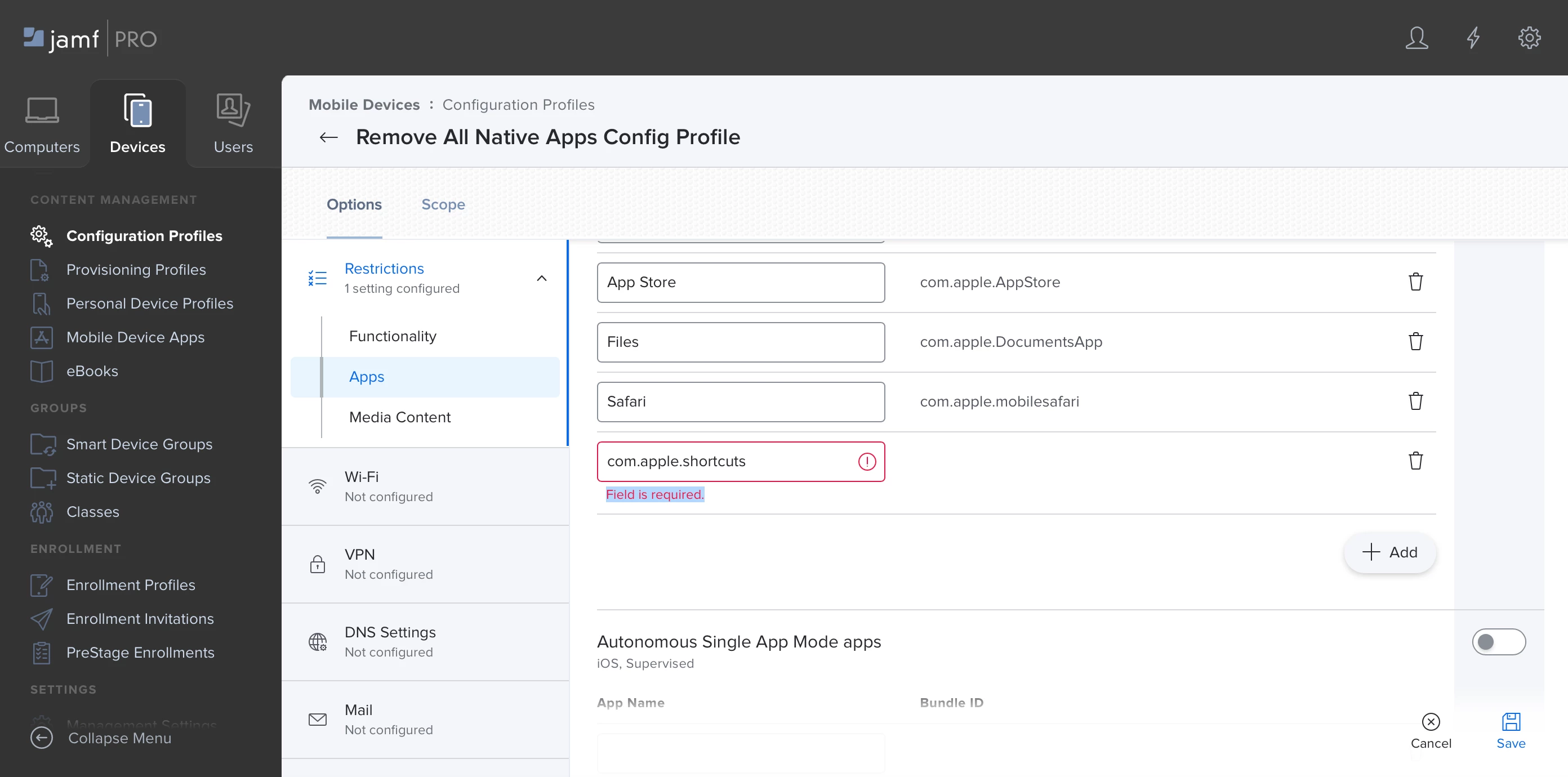
Just type in "com.apple.shortcuts" then click save to the right. It will save the bundle ID without a name, but it works.



Enter your E-mail address. We'll send you an e-mail with instructions to reset your password.