

Question

iOS Notifications - Show Preview Never

  • June 7, 2023
  • 3 replies
  • 49 views

Forum|alt.badge.img+5

Can't seem to find an answer to this so I suspect that there isn't (a satisfactory) one...

Security and Privacy best practice says to disable iOS notification previews, especially when a device is locked. This is what I want to set using Jamf Pro.
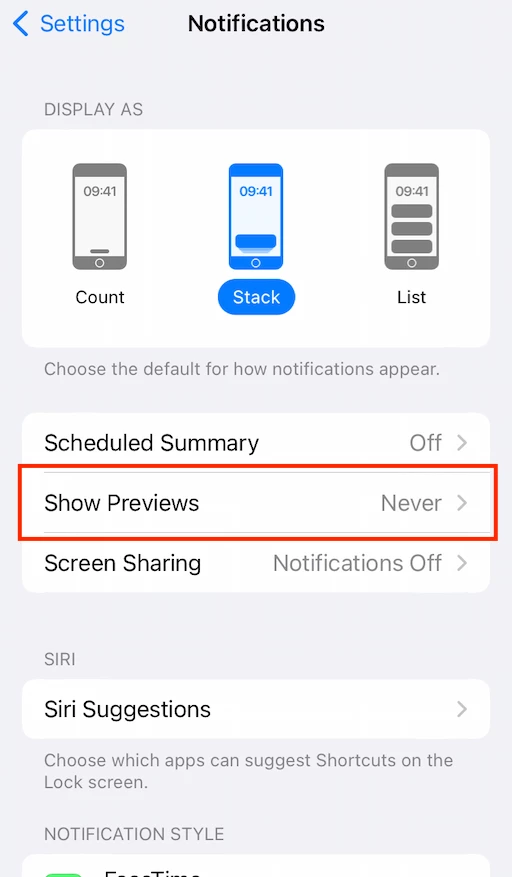
I know I can set Notification preferences per app, but the setting in the screenshot is global and can be set on the device, but is there a way to configure this device-wide setting with Jamf Pro?
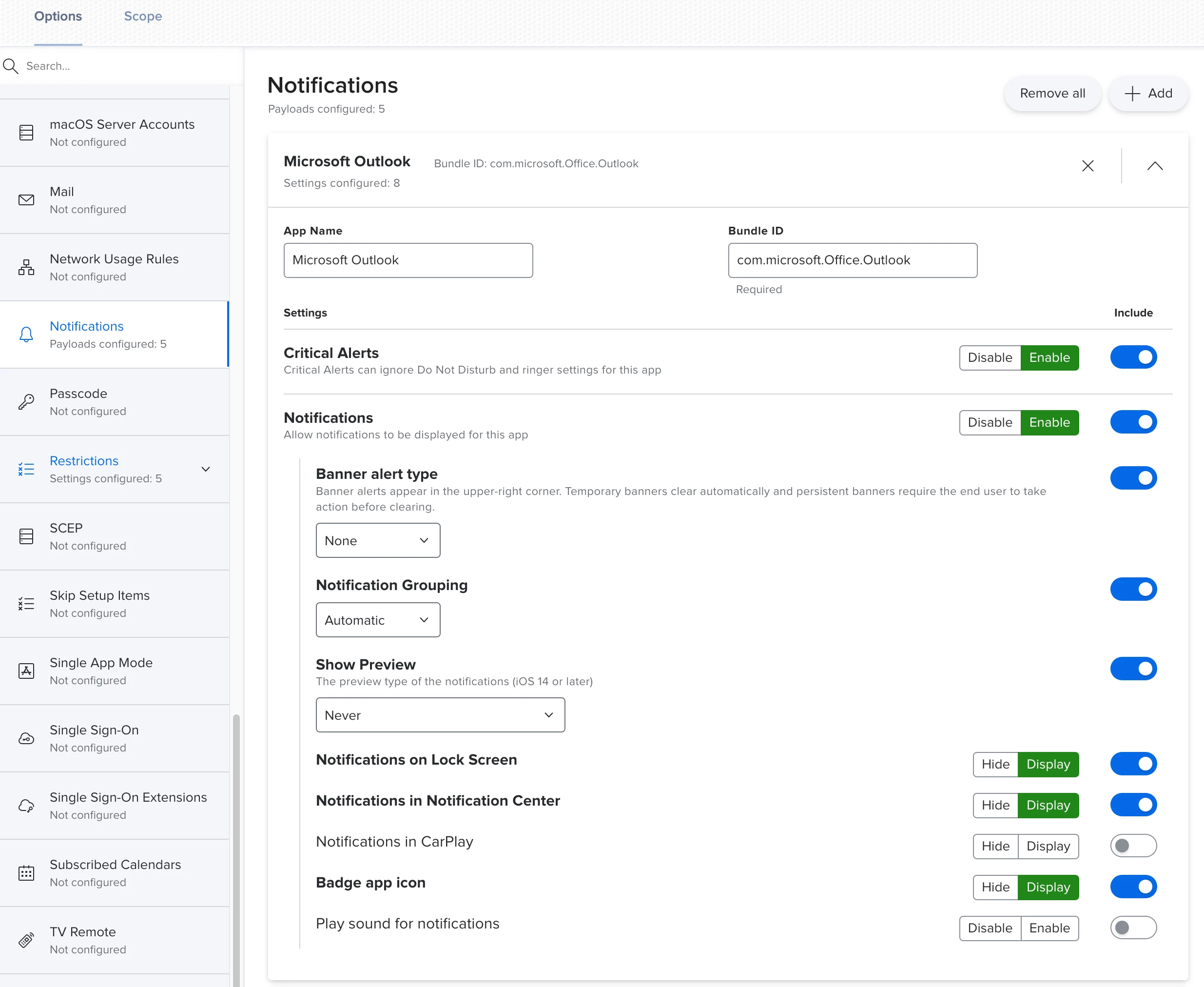
There is a specific Jamf article on this, from the UK NCSC (National Cyber Security Centre), which refers to this specifically, but does not reveal how to achieve this exactly.

https://www.jamf.com/blog/updated-device-security-guidance-from-the-uks-national-cyber-security-centre/

This is the relevant paragraph:

 Hopefully I'm just missing something 🙏

 

3 replies

Tregoren
Forum|alt.badge.img
  • New Contributor
  • May 12, 2026

I am also looking for a similar solution. It feels like bad security policy to have that not be configurable for all devices.


Tregoren
Forum|alt.badge.img
  • New Contributor
  • May 12, 2026

The best solution I can think of is setting the setting after sitting with the end user and then restricting the “Modifying notification settings” under the restriction page after to lock those settings into place. Otherwise I don’t think theres a good replacement.


AJPinto
Forum|alt.badge.img+26
  • Legendary Contributor
  • May 12, 2026

There is a decent chance Apple does not expose this setting as configurable to the MDM framework, but I have not verified this assumption myself. Assuming it's not exposed this is the perfect example and nearly the perfect time for Feedback as WWDC is coming up and this is when Apple reviews feedback for enhancements. Ideally use the feedback app with your managed AppleID to submit feedback, but you can use https://www.apple.com/feedback/.

