

Question

iOS Shared Device Compliance failing to install SSOe profile

  • February 13, 2026
  • 4 replies
  • 0 views

sbuntun
Forum|alt.badge.img+1

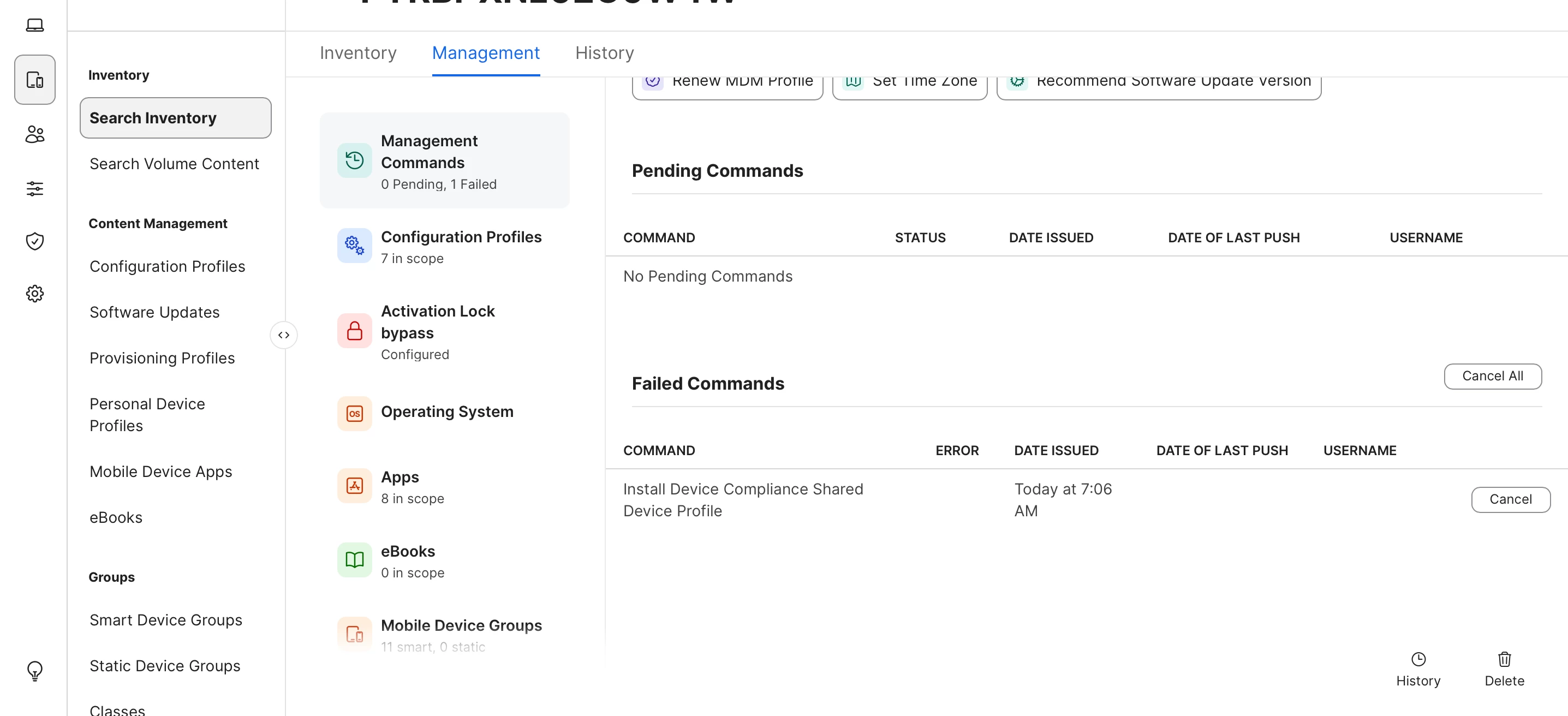
Anyone running into an issue with the Shared Device SSOe profile failing to install on shared iOS devices? I set up the Intune integration with Jamf Pro for both shared devices and standard iOS devices. Standard iOS devices register with Microsoft just fine, but don’t actually perform SSO with the Microsoft apps but they do show as compliant in Entra. I had the Shared Devices registering for about two days and now after wipe, The “Install Device Compliance Shared Device Profile” command fails every time even with a different device. Previous Entra records have been removed. Any ideas of what I could try to fix it or where I can find more detailed logs? History of failed commands had nothing.

 

4 replies

Chubs
Forum|alt.badge.img+23
  • Jamf Heroes
  • February 13, 2026

Is your SSOe profile installed as device or user?  It has to be set as user on a guest/shared device (assuming you’re using guest or managed apple accounts to sign in).  Also, you’ll want to configure Authenticator’s app wrapper to include the shared device key.  Another piece is that all of your users will need additional Entra permissions to enable shared device mode in authenticator - or at least it used to require that.


sbuntun
Forum|alt.badge.img+1
  • Author
  • New Contributor
  • February 13, 2026

We are using Entra SSO with Jamf Setup and Reset. The new Device Compliance for shared devices shouldn’t need to set the key anymore (although I did try it anyway). If I add the shared device key, it requires an admin to enroll the device w/ MS Authenticator first. When the integration was working correctly, shared device activated without intervention from admin. I had this working for two days, but then I added non-shared iOS devices to the device compliance settings and the shared device compliance broke. I can’t seem to find any logs that will tell me where it’s failing. I even removed all configuration profiles to see if that was it, but that didn’t work either. The Jamf compliance Intune integration is assigned to an Entra user group since I’m doing both standard iOS and shared devices iOS.


  • New Contributor
  • February 13, 2026

I have also recently started receiving the failure to install “Device Compliance Shared Device Profile”. It has been registering seamlessly and without authentication for the last year. Just recently I started noticing failures of that device profile to install even on existing devices where it is already configured.

Also, no logs or other information seem to be readily apparent.


sbuntun
Forum|alt.badge.img+1
  • Author
  • New Contributor
  • February 13, 2026

I talked to Jamf today and they will investigate.