Question

Issues Deleting Smart User Groups

  • March 6, 2026
  • 12 replies
  • 90 views

Forum|alt.badge.img+4

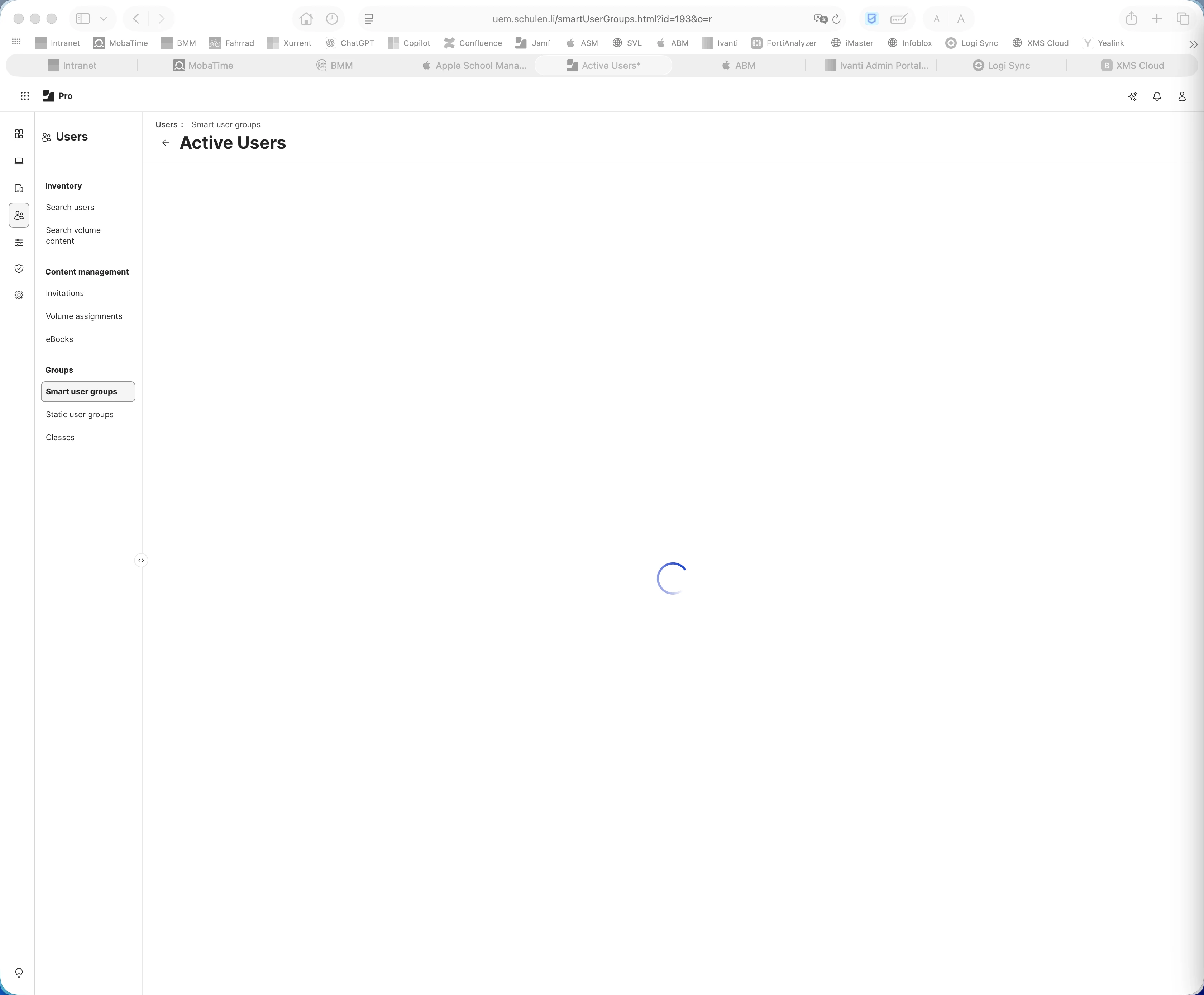
I am having hard time deleting smart user groups, I get the spinning wheel when I click on delete. The groups are empt. So annoying!


 

12 replies

Ecco_Luke
Forum|alt.badge.img+9
  • Valued Contributor
  • March 6, 2026

Are you on-prem or cloud?

If the latter, open a new private window and see if you can get on the parent node (one * in your tab) or the child node (two ** in your tab). Whichever node you’re on in that screenshot where it’s not working, refresh the private window until you get to the opposite node. Hopefully that will work 😊 

If not, is it happening on all Smart Groups? And have you tried deleting them via the Jamf API?


AJPinto
Forum|alt.badge.img+26
  • Legendary Contributor
  • March 6, 2026

Providing you did the clearing cache and cookies thing and tried a different browser you probably want to call Jamf support. This could be a database issue. If you are comfortable with API you can try to use an API command to delete this group also.


Ecco_Luke
Forum|alt.badge.img+9
  • Valued Contributor
  • March 6, 2026

Providing you did the clearing cache and cookies thing and tried a different browser you probably want to call Jamf support. This could be a database issue. If you are comfortable with API you can try to use an API command to delete this group also.


Support will walk them through these very steps and mine before touching anything in the DB.


Forum|alt.badge.img+4
  • Author
  • Contributor
  • March 9, 2026

Are you on-prem or cloud?

If the latter, open a new private window and see if you can get on the parent node (one * in your tab) or the child node (two ** in your tab). Whichever node you’re on in that screenshot where it’s not working, refresh the private window until you get to the opposite node. Hopefully that will work 😊 

If not, is it happening on all Smart Groups? And have you tried deleting them via the Jamf API?

Didnt work in private browser. I am on Cloud. This is only happening with Smart User Groups. I am able to delete Smart Computer Groups


Raphi
  • New Contributor
  • March 9, 2026

i am having the Same Issue.
I am on Cloud and cant delete Smart User Groups. It spins to infinity and beyond...
I already tried four different browsers and deleted the cache but nothing changed.


Ecco_Luke
Forum|alt.badge.img+9
  • Valued Contributor
  • March 10, 2026

Are you on-prem or cloud?

If the latter, open a new private window and see if you can get on the parent node (one * in your tab) or the child node (two ** in your tab). Whichever node you’re on in that screenshot where it’s not working, refresh the private window until you get to the opposite node. Hopefully that will work 😊 

If not, is it happening on all Smart Groups? And have you tried deleting them via the Jamf API?

Didnt work in private browser. I am on Cloud. This is only happening with Smart User Groups. I am able to delete Smart Computer Groups


Can you delete them via the API? It sounds like it is worth raising a ticket to Jamf Support at this point but they will probably ask if you can delete them via the API too.


Forum|alt.badge.img+4
  • Author
  • Contributor
  • March 10, 2026

Are you on-prem or cloud?

If the latter, open a new private window and see if you can get on the parent node (one * in your tab) or the child node (two ** in your tab). Whichever node you’re on in that screenshot where it’s not working, refresh the private window until you get to the opposite node. Hopefully that will work 😊 

If not, is it happening on all Smart Groups? And have you tried deleting them via the Jamf API?

Didnt work in private browser. I am on Cloud. This is only happening with Smart User Groups. I am able to delete Smart Computer Groups


Can you delete them via the API? It sounds like it is worth raising a ticket to Jamf Support at this point but they will probably ask if you can delete them via the API too.

Whats the process to delete them through API? I will try that.


Ecco_Luke
Forum|alt.badge.img+9
  • Valued Contributor
  • March 10, 2026

You can do this by going to https://yourJamfCloudURLHere.jamfcloud.com/api and selecting the Classic API.

From there, authenticate with your username and password in the boxes provided and scroll to usergroups. You’ll want the Delete option from the dropdown. Then, just pop in the group ID (visible in the URL bar when you’re in the group, so in ​@Raphi’s example above it’d be 193) then press ‘Try It Out’.


Forum|alt.badge.img+4
  • Author
  • Contributor
  • March 10, 2026

You can do this by going to https://yourJamfCloudURLHere.jamfcloud.com/api and selecting the Classic API.

From there, authenticate with your username and password in the boxes provided and scroll to usergroups. You’ll want the Delete option from the dropdown. Then, just pop in the group ID (visible in the URL bar when you’re in the group, so in ​@Raphi’s example above it’d be 193) then press ‘Try It Out’.

I did try that, but I am not able to paste the ID in the id integer path field. 


Ecco_Luke
Forum|alt.badge.img+9
  • Valued Contributor
  • March 10, 2026

You can do this by going to https://yourJamfCloudURLHere.jamfcloud.com/api and selecting the Classic API.

From there, authenticate with your username and password in the boxes provided and scroll to usergroups. You’ll want the Delete option from the dropdown. Then, just pop in the group ID (visible in the URL bar when you’re in the group, so in ​@Raphi’s example above it’d be 193) then press ‘Try It Out’.

I did try that, but I am not able to paste the ID in the id integer path field. 

Interesting… I was able to quite recently. Flag with support in that case - you can also achieve it with a curl command but if you’re not comfortable doing that then it’s quicker to raise it with support.


Forum|alt.badge.img+4
  • Author
  • Contributor
  • March 14, 2026

You can do this by going to https://yourJamfCloudURLHere.jamfcloud.com/api and selecting the Classic API.

From there, authenticate with your username and password in the boxes provided and scroll to usergroups. You’ll want the Delete option from the dropdown. Then, just pop in the group ID (visible in the URL bar when you’re in the group, so in ​@Raphi’s example above it’d be 193) then press ‘Try It Out’.

I did try that, but I am not able to paste the ID in the id integer path field. 

Interesting… I was able to quite recently. Flag with support in that case - you can also achieve it with a curl command but if you’re not comfortable doing that then it’s quicker to raise it with support.

A simple curl command got rid of the groups


  • New Contributor
  • March 15, 2026

Handling computer groups sometimes i find it tough via Ui, Like to carry these operations using API script.