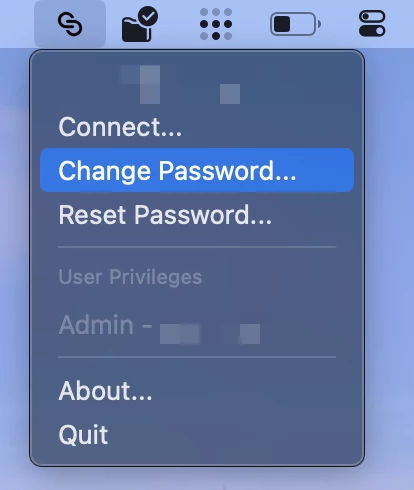
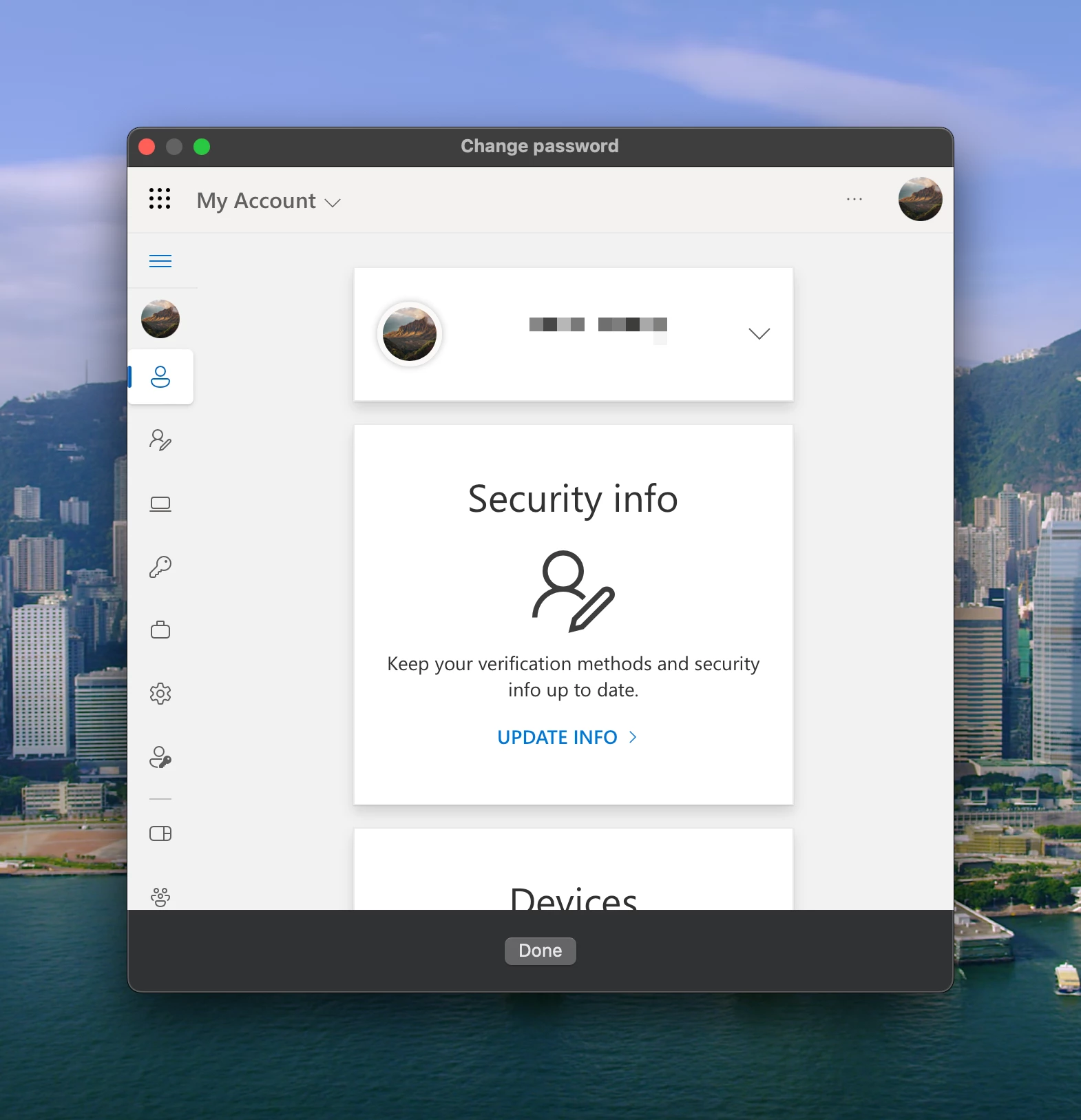
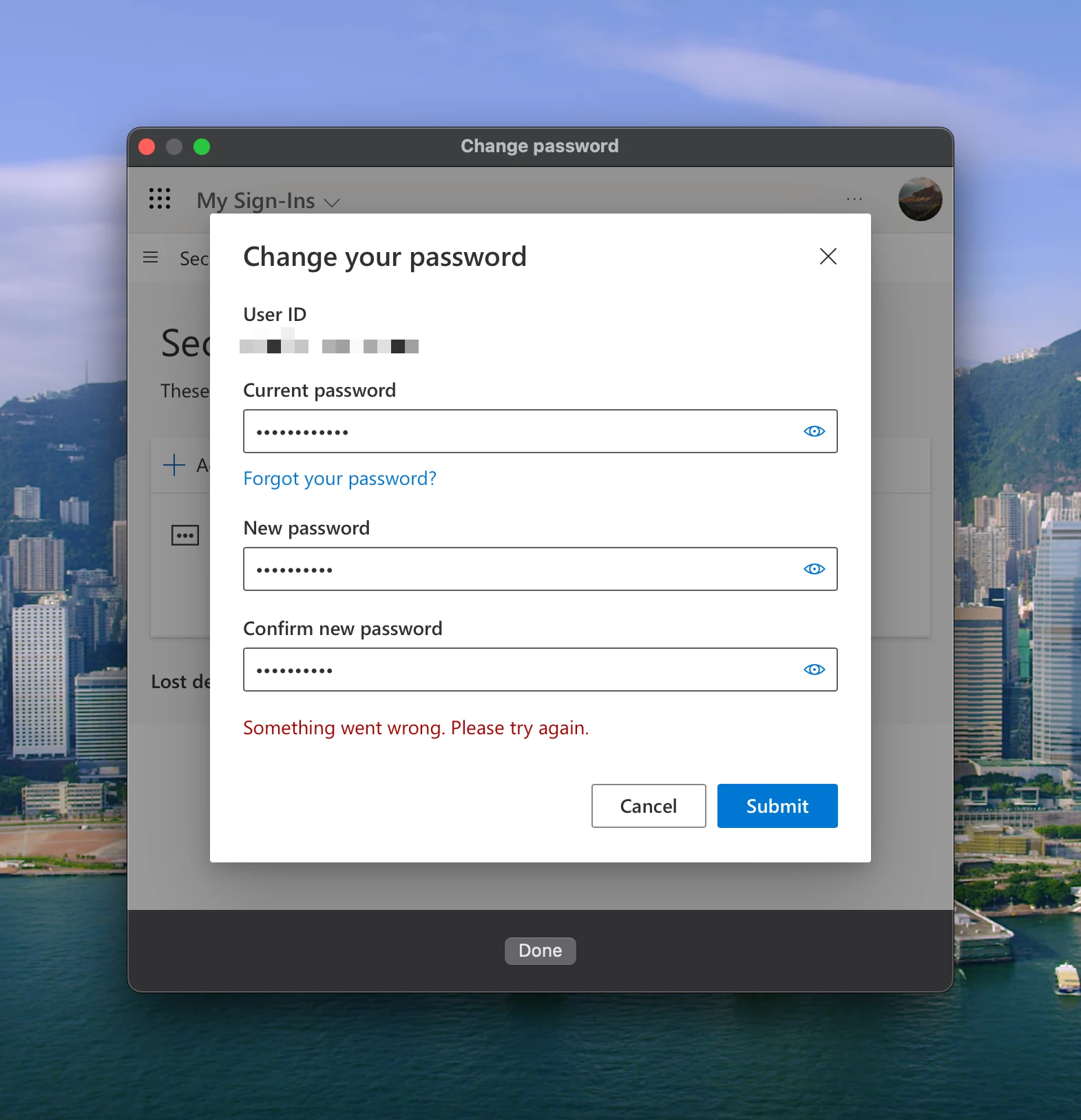
As shown in the below screenshots, after clicking "Change Password" then authenticating, I am taken to a home page screen. I then have to scroll down and select "Change Password" again. When changing the password there, an error occurs. I am using Jamf Now's Jamf Connect option with Azure.
Best answer by Mitchell_Gordon
I talked to the Jamf Connect team and provided feedback similar to @Tribruin and @AJPinto
The error of "Something went wrong" implies an issue in Microsoft Entra ID. Please check the settings on the user account to be sure it's set to allow a password change (something that can be set with the linked AD account if tied to an on-prem AD), and also verify that the user is capable of changing their password OUTSIDE of the Jamf Connect webview (myaccount.microsoft.com)
If the above does not work reaching out to Microsoft support to get that pw updated might be required.
Hope this helps and have a great start to the week!!
Something looks wrong with that window, it should not usually be a full webpage. Make sure you have the menu bar configuration profile setup correctly.
Something looks wrong with that window, it should not usually be a full webpage. Make sure you have the menu bar configuration profile setup correctly.
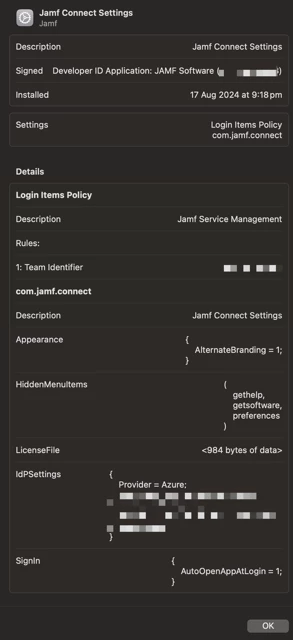
I haven't pushed my own configuration profile for Jamf Connect. When I toggled the option in Jamf Now and entered my Azure credentials, it deployed a profile with the below settings. Do note that I am using the free version of Azure (this did not cause any issues in the past).
I haven't pushed my own configuration profile for Jamf Connect. When I toggled the option in Jamf Now and entered my Azure credentials, it deployed a profile with the below settings. Do note that I am using the free version of Azure (this did not cause any issues in the past).
Unfortunately, it's not as simple as turning it on and deploying, you must set the configurations so Jamf Connect knows what Entra tenant to communicate to and to have the OIDC tokens to allow the connection.
Thankfully it should be pretty straight forward. The instructions below tell you have to configure the connection. Also, inside the .dmg that has the Jamf Connect package is an app call Jamf Connect Configuration app, use that to make your configuration profiles and just upload them into Jamf.
That window looks like your IdP 's(EntraID) password change website, not Jamf Connect's. Jamf Connect can only directly change a password via Kerberos and Active Directory, if set up. Otherwise, the process is Change Password on IdP -> Prompt user to update password in Jamf Connect -> Prompt user for previous password -> Re-sync password to local macOS account.
I talked to the Jamf Connect team and provided feedback similar to @Tribruin and @AJPinto
The error of "Something went wrong" implies an issue in Microsoft Entra ID. Please check the settings on the user account to be sure it's set to allow a password change (something that can be set with the linked AD account if tied to an on-prem AD), and also verify that the user is capable of changing their password OUTSIDE of the Jamf Connect webview (myaccount.microsoft.com)
If the above does not work reaching out to Microsoft support to get that pw updated might be required.
Hope this helps and have a great start to the week!!
I talked to the Jamf Connect team and provided feedback similar to @Tribruin and @AJPinto
The error of "Something went wrong" implies an issue in Microsoft Entra ID. Please check the settings on the user account to be sure it's set to allow a password change (something that can be set with the linked AD account if tied to an on-prem AD), and also verify that the user is capable of changing their password OUTSIDE of the Jamf Connect webview (myaccount.microsoft.com)
If the above does not work reaching out to Microsoft support to get that pw updated might be required.
Hope this helps and have a great start to the week!!
I've double checked that the toggle for password reset is enabled but an error still seems to be happening. I'll make sure to contact Microsoft since I cannot reset the password outside of Jamf Connect either. Thank you!